

 Updated : March 23, 2026
Your sales team misses calls because your phone system crashed during peak hours. Your support costs doubled after adding 20 users. Your IT team spent three days trying to integrate your CRM.
RingCentral works for many businesses, but it creates specific problems for growing companies. The pricing jumps sharply when you scale. The feature set overwhelms small teams. The support response times vary wildly.
Our guide covers 10 alternatives to RingCentral that solve specific pain points. Each platform in the blog targets different business needs. We have kept in mind companies from budget-conscious startups to data-driven enterprises requiring advanced analytics.
- CallHippo – Best all-in-one alternative with AI insights and quick setup
- Nextiva – Best for customer experience and CRM workflows
- Dialpad – Best for AI transcription and agent productivity
- 8x8 – Best for global calling and multi-country operations
Why Businesses Look for RingCentral Alternatives?
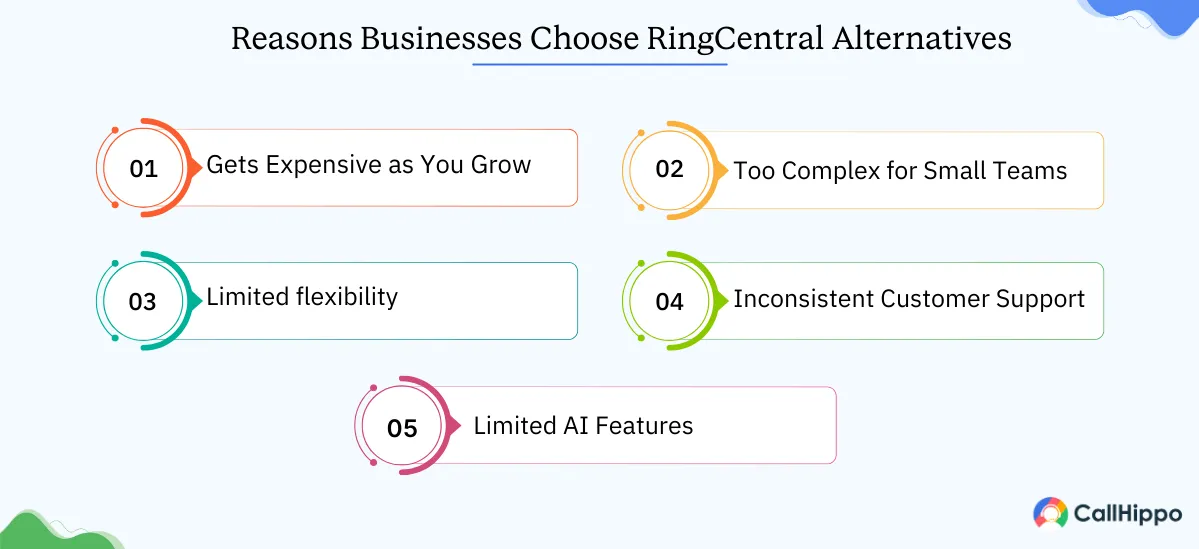
Below, I have mentioned some important reasons why businesses look for the best RingCentral competitors:
1. High Pricing As You Scale
RingCentral’s per-user costs increase when you add features your team actually needs. Start at $20 per user monthly for the Core plan. Want a call recording that works automatically? That’s the Advanced plan at $25. Need proper analytics? You’re looking at Ultra for $35.
The pricing structure penalizes growth. Companies similar to RingCentral often offer more predictable pricing. CallHippo charges $19 per user monthly for the Starter plan with core features included. This platform doesn’t hide essential features behind premium tiers.
2. Complex Feature Stack for Small Teams
RingCentral packs hundreds of features into its interface. Small teams with 5-15 people don’t need enterprise-level conference room systems, advanced call queuing, or hot-desking capabilities.
The setup process takes weeks for some businesses. The admin panel can overwhelm new users. Finding basic settings requires clicking through multiple menus. Changing call forwarding rules involves navigating different screens. Team members need training sessions to understand basic operations.
Best RingCentral alternative options like CallHippo and Quo (formerly OpenPhone) focus on simplicity. Their interface shows only essential features. New users start making calls within minutes of signing up.
3. Limited Flexibility For Specific Use Cases
RingCentral builds for general business communication. Companies with specific needs sometimes face limitations. Real estate agencies need location-based call routing. E-commerce businesses require SMS automation for order updates. Healthcare practices need HIPAA-compliant call recording.
The platform doesn’t always adapt easily to niche workflows. RingCentral’s routing system couldn’t handle this without custom development. International businesses sometimes struggle with local presence. RingCentral offers phone numbers in many countries, but call quality varies.
RingCentral competitors like CallHippo excel in global connectivity with local carriers in each region. It provides dedicated local numbers with better call quality in 150+ countries.
4. Inconsistent Customer Support Experience
Support quality varies based on your plan tier. Core and Advanced plan users wait 24-48 hours for email responses. Phone support connects you to different agents who don’t always access your previous tickets.
The knowledge base sometimes contains outdated information. Articles reference features that moved to different menu locations. Setup guides skip steps. Video tutorials show older interface versions.
RingCentral replacement, like Nextiva, offers named account managers for plans above their basic tier. Support tickets go to agents who see your full history and understand your setup.
5. Limited AI Features Compared to Newer Platforms
RingCentral added AI features recently, but they lag behind competitors. The transcription accuracy varies. Sentiment analysis doesn’t exist in basic plans. Call summaries often require manual review.
Dialpad’s AI predicts customer satisfaction scores during calls. CallHippo’s AI analyzes call patterns and suggests optimal calling times. These insights help teams close more deals and solve problems faster.
RingCentral’s AI requires add-ons and higher-tier plans. The features work as bolt-ons rather than integrated tools. Teams can’t easily build workflows around AI insights because the data doesn’t always connect with other systems.
- A RingCentral alternative is any cloud-based VoIP or UCaaS platform that provides calling, SMS, routing, analytics, and integrations for business communication.
How We Evaluated and Picked the Top RingCentral Alternatives?
This is how we evaluated and selected the top RingCentral alternatives:
1. Core Calling & Communication Features
We tested each platform’s fundamental capabilities. Can you make and receive calls reliably? Does SMS work across all carriers? Do voicemails transcribe accurately?
The evaluation included call forwarding, call recording, conference calling, team messaging, and video meetings. We tracked feature availability across pricing tiers. Platforms that locked essential features behind premium plans scored lower.
Call quality matters more than feature lists. We made test calls from each platform to different regions. We measured connection time, audio clarity, and drop rates.
2. Reliability, Uptime & Call Quality
We monitored each platform’s uptime over extended periods. Services with 99.9%+ uptime made our list. We excluded providers with multiple outages or significant service disruptions.
Geographic performance varies. A platform might work well in North America but struggle in Europe or Asia. We tested calls to multiple countries across different time zones.
We checked third-party monitoring sites, user forums, and status pages. Platforms with transparent incident reporting scored higher than those hiding outages.
3. Pricing Transparency & Value for Money
Hidden costs destroy budgets. We analyzed the true cost of running each platform for a 25-person team. We included phone number fees, SMS charges, international calling rates, and required add-ons.
Some RingCentral-like services advertise low base prices but charge separately for call recording, analytics, and integrations. We calculated total monthly costs with all essential features enabled.
We compared per-minute rates for international calls. Differences range from $0.02 to $0.25 per minute for the same destination. Annual savings reach thousands of dollars for high-volume callers.
4. Scalability for Growing Teams
We tested how each platform handles growth. Can you add 50 users quickly? Do costs increase linearly or exponentially? Does performance degrade with more concurrent calls?
The best alternative to RingCentral grows with your business without requiring migration or major reconfiguration. We checked whether platforms maintain the same features across all team sizes.
We examined enterprise readiness. Do they offer SSO? Can they handle 500+ users? Do they provide dedicated infrastructure for large deployments?
5. Integrations & Workflow Automation
Modern teams use multiple tools daily. Your phone system must connect with your CRM, helpdesk, and productivity apps. We tested native integrations with Salesforce, HubSpot, Zendesk, Slack, Zoom Phone, and Microsoft Teams.
We checked API quality and documentation. Can developers build custom integrations? Do webhooks fire reliably? Is the API rate-limited reasonably?
Zapier and Make integrations extend functionality. We verified that automation triggers work correctly and don’t miss events.
6. AI & Productivity Features
AI capabilities separate 2025 platforms from legacy systems. We evaluated transcription accuracy, sentiment analysis, call summaries, and predictive analytics.
Real-time AI assistance helps during calls. Does the system suggest responses? Can it pull up customer information automatically? Does it flag important moments?
We tested how AI insights integrate into daily workflows. Can you search transcripts? Do summaries sync to your CRM? Can you create reports from AI-generated data?
7. Customer Support Quality
We contacted each provider’s support team with different issues. We measured response time, solution quality, and agent knowledge.
We checked support availability. Is it 24/7 or business hours only? Can you call, chat, and email? Do they offer screen sharing for complex issues?
We read reviews on G2, Capterra, and Trustpilot. Support quality emerged as a top factor in user satisfaction across all RingCentral competitors.
Top RingCentral Alternatives & Competitors for Better Communication
This comparison is based on hands-on testing across 12 platforms, 40+ hours of research, pricing benchmarks from vendor pages as of 2025, and aggregated feedback from G2 and Capterra user reviews.
We will now look at some of the best RingCentral alternatives and competitors, alongside discussing their strengths and drawbacks:
1. CallHippo
CallHippo is a cloud-based VoIP provider that offers AI-powered business calling for teams that need intelligent communication tools without complexity. It is among the cheaper alternatives to RingCentral, which focuses on sales and support teams requiring call analytics, automation, and CRM integration.
Features
- AI-powered Call Insights and Sentiment Analysis
- Smart Call Routing
- Power Dialer
- Call Recording
- Real-time Call Monitoring and Whisper Coaching
Pros
- Call quality stays consistently good with high uptime that keeps your business connected.
- The platform stays affordable for small and medium businesses without enterprise budgets.
- The company releases regular feature updates based on actual user feedback.
Cons
- Advanced analytics become available only when you upgrade to higher-priced tiers.
- SMS limits on lower plans range from 100-1000 messages per month, depending on your tier.
Pricing
- Basic: $1 per user/month
- Starter: $19 per user/month
- Professional: $29 per user/month
- Ultimate: $45 per user/month
- Choose CallHippo if you want fast setup, reliable global call quality, transparent pricing, and strong productivity features without complex onboarding.

Track calls and conversations easily with CallHippo AI so your team knows what matters most to every customer.
2. Vonage
Vonage delivers enterprise-grade unified communications with strong international capabilities. The platform suits mid-market and large businesses needing reliable global connectivity and comprehensive communication tools.
Features
- Team Messaging and File Sharing
- Voice and video calls
- Visual Voicemail with Transcription
- Call Analytics and Reporting
- Programmable Communications API
Pros
- International call quality remains strong across multiple continents and regions.
- The robust API allows developers to build custom integrations for specific workflows.
- The platform maintains a good reliability and uptime record with minimal disruptions.
Cons
- Setup complexity often requires the IT team’s involvement to configure properly.
- Support response times vary significantly depending on which plan tier you purchase.
- Pricing runs higher than modern alternatives offering similar functionality.
Pricing
- Vonage pricing information is not available. Please connect with their sales team.
Verdict: Pick Vonage if you need enterprise-grade global UCaaS, rich APIs for customization, and strong international carrier relationships.
3. Nextiva
Nextiva positions itself as a customer experience platform combining phone, video, team chat, and CRM. The system works best for customer-facing teams prioritizing service quality and customer relationship management.
Features
- Voice Calling and Video Meetings
- Built-in CRM and Customer Journey Tracking
- Team Collaboration and Messaging
- Intelligent Call Routing and IVR
- Call Recording and Quality Monitoring
Pros
- Customer support receives consistently high ratings from users across different industries.
- The user interface feels intuitive and easy to navigate for team members.
- CRM integration works seamlessly with automatic data syncing and workflow triggers.
Cons
- The price point runs higher than pure VoIP competitors focused only on calling.
- Advanced features come with a learning curve that requires training time.
Pricing
- Core: $15 per user/month
- Engage: $25 per user/month
- Power Suite CX: $75 per user/month
Verdict: Go with Nextiva if you want a customer-experience-focused system with strong CRM tools and dependable U.S.-based support.
4. Dialpad
Dialpad built its platform with AI at the core. Real-time transcription, sentiment analysis, and automated insights make it a strong alternative to RingCentral for data-driven teams needing conversation intelligence.
Features
- Real-time AI transcription
- Voice Intelligence and Sentiment Detection
- Post-call Summaries and Action Items
- Video Meetings and Screen Sharing
- SMS and MMS Messaging
Pros
- AI transcription delivers strong accuracy that makes searching past conversations efficient.
- The interface looks clean and modern with an intuitive design that reduces training time.
- Setup and onboarding happen quickly without requiring dedicated IT resources.
Cons
- International calling options remain limited on lower-priced subscription tiers.
- AI features require some learning and experimentation to maximize their value.
Pricing
- Standard: $15 per user/month
- Pro: $25 per user/month
- Enterprise: Custom pricing
Verdict: Pick Dialpad if AI transcription, live coaching, and real-time call insights matter more than traditional voice features or multi-country numbers.
 : Dialpad vs RingCentral: Which Business Phone System Wins? A Clear Comparison to Help You Decide
5. Aircall
Aircall focuses on sales and support teams. The platform offers call center functionality without the complexity of full UCaaS systems. It works particularly well for teams already using HubSpot or Salesforce.
Features
- Click-to-Dial
- Call Queuing and Distribution
- Live Call Monitoring and Whisper
- Power Dialer
- Analytics and Performance Metrics
Pros
- The platform proves very easy to use, even for non-technical team members.
- Implementation happens fast, taking hours instead of days or weeks.
- CRM integrations work exceptionally well with click-to-dial and automatic logging.
Cons
- Team messaging features feel limited compared to comprehensive communication platforms.
- The feature set includes fewer options than full UCaaS platforms.
Pricing
- Essentials: $30 per user/month
- Professional: $50 per user/month
- Custom: Custom pricing
Verdict: Pick Aircall if you run a high-volume sales or support team and need a clean UI, lightweight workflows, and deep CRM integrations.
6. 8×8
8×8 provides comprehensive global communications with a strong international presence. The platform serves enterprises with distributed teams needing reliable connectivity across multiple countries and continents.
Features
- Video Meetings
- Team Messaging and File Sharing
- Analytics and Quality Management
- Call Recording and Compliance Tools
- Multi-level Auto Attendants
Pros
- International coverage extends across many countries with strong connectivity.
- Contact center features work robustly for teams handling high call volumes.
- Reliability and uptime metrics stay consistently good with minimal outages.
Cons
- The user interface needs modernization compared to competitors built recently.
- Setting up advanced features requires technical knowledge and configuration time.
Pricing
- The pricing information is not available. Please connect with their sales team.
Verdict: Choose 8×8 if your business needs international calling, multi-country compliance, and advanced analytics across multiple global offices.
7. GoTo Connect
GoTo Connect (formerly Jive) combines phone, meeting, and messaging in one platform. The system suits small to medium businesses wanting simplicity and reliable communication without enterprise complexity.
Features
- Dial Plan Designer
- Call Recording and Voicemail Transcription
- SMS Capabilities
- Basic Analytics and Reporting
- Visual Call Routing Builder
Pros
- Pricing and setup remain simple without complicated tier structures or hidden costs.
- Call quality stays reliable across different network conditions and locations.
- The interface feels user-friendly for team members without technical backgrounds.
Cons
- Analytics features feel basic when compared to data-rich alternatives.
- The platform offers fewer integrations than competitors with extensive app marketplaces.
Pricing
- The pricing information is not available. Please connect with their sales team.
Verdict: Opt for GoTo Connect if ease of use, unlimited calling, and simple admin controls are your top priorities.
8. Quo (Formerly OpenPhone)
Quo delivers modern business phone capabilities designed for startups and remote teams. The platform emphasizes collaboration, with shared phone numbers and team-based communication workflows.
Features
- Auto-Replies and Snippets
- Call Recording and Transcription
- CRM-like Contact Management
- Custom Phone Menus
- Voicemail and Call Forwarding
Pros
- The interface looks clean and modern with an appealing visual design.
- Pricing stays affordable even for bootstrapped startups and small teams.
- Setup proves easy for non-technical users who need quick deployment.
Cons
- Video meeting capabilities don’t exist within the platform.
- Integration options feel fewer than competitors with extensive app ecosystems.
Pricing:
- Starter: $15 per user/month
- Business: $23 per user/month
- Scale: $35/per user/month
Verdict: Choose Quo if you’re a startup or remote team that wants a simple, collaborative phone system with shared numbers and fast onboarding.
9. Google Voice
Google Voice offers basic business calling integrated with Google Workspace. The platform fits small businesses already using Gmail, Calendar, and Drive who need simple phone call capabilities without complexity.
Features
- Voicemail transcription
- SMS and MMS messaging
- Call Forwarding
- Basic Call Routing
- Spam call filtering
Pros
- Google Workspace integration works seamlessly since Google builds both products.
- Setup and management stay simple through familiar Google interfaces.
- Call quality remains reliable using Google’s infrastructure and network.
Cons
- Features feel very limited when compared to comprehensive business phone systems.
- Customer support offers limited assistance compared to dedicated VoIP providers.
Pricing
- Starter: $10 per user/month
- Standard: $20 per user/month
- Premier: $30 per user/month
Verdict: Google Voice works best for freelancers or small teams that need a simple, low-cost calling setup and don’t require advanced routing or analytics.
10. Phone.com
Phone.com targets small businesses and solopreneurs needing affordable phone service with essential features. The platform provides straightforward calling without the features of enterprise systems.
Features
- Virtual Receptionist and Auto-Attendant
- Call Forwarding and Routing
- Voicemail to Email
- Call Recording
- Number Porting
Pros
- The platform stays affordable for small teams operating on tight budgets.
- Setup happens through a simple process that doesn’t require technical expertise.
- Call quality works reliably for basic business communication needs.
Cons
- Integration options remain limited compared to modern cloud phone systems.
- Customer support provides minimal assistance, especially on lower-priced plans.
Pricing
- The pricing information is not available. Please connect with their sales team.
Verdict: Opt for Phone.com if you need a low-cost, no-frills business phone service for very small teams or solopreneurs with basic calling needs.
How to Choose an Alternative to RingCentral
- Identify Your Top 3 Communication Problems
List the issues that slow you down today, such as call drops, routing delays, limited analytics, or missing integrations.
- Shortlist Providers Based on Call Quality and AI Capabilities
Focus on platforms that offer stable global calling, speech analytics, smart routing, or AI-assisted workflows.
- Compare Pricing for Your Exact Team Size
Multiply per-user pricing by team size and check hidden costs like add-ons or usage fees.
- Check Integration Depth, Not Just Integration Availability
Make sure the tool does more than “connect”—it should sync data in real-time with your CRM, helpdesk, or sales tools.
- Run a 7-Day Test Using Real Call Scenarios.
Have your team place live customer calls so you can evaluate call quality, ease of use, and workflow impact.
- Choose Based on Total Cost of Ownership
Compare subscription cost, setup, onboarding, support availability, and long-term scalability.
You can choose an alternative to RingCentral by focusing on the following pointers:
1. Assess Your Current Communication Challenges
Write down specific problems you face with RingCentral. Track where you lose time. A real estate team might discover that they waste hours weekly troubleshooting their phone system. A customer support team might find calls drop during transfers.
Review your last three months of bills. Calculate costs per feature. Many businesses pay for video conferencing they never use or international calling to countries they don’t contact.
Ask your team what frustrates them most. The answer often differs from management assumptions. Managers worry about analytics while agents struggle with call quality or mobile app issues.
2. Define Your Business Needs and Team Size
Small teams (5-15 people) need different solutions than enterprises with 500+ users. A startup with 8 employees doesn’t benefit from enterprise features like hot-desking, advanced analytics, or multi-site management.
List your essential business phone features first. Separate them from nice-to-have capabilities. A sales team might need CRM integration and call recording, but can live without video conferencing.
Consider your growth trajectory. Will you add 5 users or 50 users next year? Some platforms charge the same rate regardless of team size. Others offer volume discounts that change total costs significantly.
Remote teams require strong mobile apps and reliable internet-based calling. Office-based teams might prefer desk phone compatibility and on-premise options.
3. Compare Pricing vs. Value
Calculate the total cost of ownership for 12 months. Include setup fees, per-user costs, phone number charges, international calling rates, SMS costs, and required add-ons.
Check for hidden fees. Some RingCentral competitors charge for number porting, setup assistance, or premium support. Others include these services for free.
Request quotes for your exact requirements. Sales teams often negotiate prices below advertised rates, especially for annual contracts or larger teams.
4. Check Integrations With Your Existing Tools
Your phone system must connect with the tools your team uses daily. List your CRM, helpdesk, project management, and communication platforms.
Test integration quality, not just availability. Many platforms list Salesforce integration, but only sync basic contact information. Quality integrations sync call logs, recordings, notes, and trigger workflows automatically.
API access matters for custom workflows. Can you build internal tools that connect to your phone system? Does the API have rate limits that restrict automation?
Check if integrations cost extra. Some platforms charge $5-15 monthly per integration. These costs add up quickly if you connect multiple tools.
5. Focus on Call Quality, AI, and Automation Features
Call quality determines whether your phone system helps or hurts your business. Request a trial and make test calls to different locations. Include international destinations if relevant.
Test during peak hours. Some platforms maintain quality at 9 AM but degrade at 2 PM when usage spikes. Make calls from different internet connections to simulate real conditions.
Automation reduces repetitive tasks. Can you create rules that route calls automatically? Does voicemail transcribe and email results? Can the system send follow-up SMS messages after calls?
6. Test Customer Support Responsiveness
Contact support before purchasing. Send an email, start a chat, and call if possible. Measure response times and solution quality.
Ask specific technical questions. “How do I set up call recording?” reveals whether agents know the product or read from scripts. Test whether they understand your business context.
Check support availability hours. A US-based business might handle 9-5 support fine. Global teams need broader assistance.
Read recent reviews on G2 and Trustpilot. Filter for reviews from the last six months. Support quality changes over time as companies grow or cut costs.
7. Request a Free Trial or Demo
Never buy without testing. Request a free trial of at least 14 days. Add your team and test real workflows.
Port a test number during the trial. This reveals how smooth the migration process works and whether the provider handles number porting well.
Test mobile apps extensively. Many teams spend significant time on mobile devices. An app that crashes or drops calls creates major productivity problems.
Involve your team in testing. They’ll discover issues management overlooks. A sales rep might notice the power dialer skips numbers. A support agent might find that call transfers fail regularly.
- According to the report “Cloud Telephony Service Market Size, Trends,” the global market for cloud telephony services is estimated at around USD 25.81 billion in 2025 and is projected to reach USD 55.74 billion by 2035. This growth reflects the increasing use of cloud-based calling and communication services by businesses and individuals.
Why an AI-Powered Communication Solution Like CallHippo Is Best for Your Business?
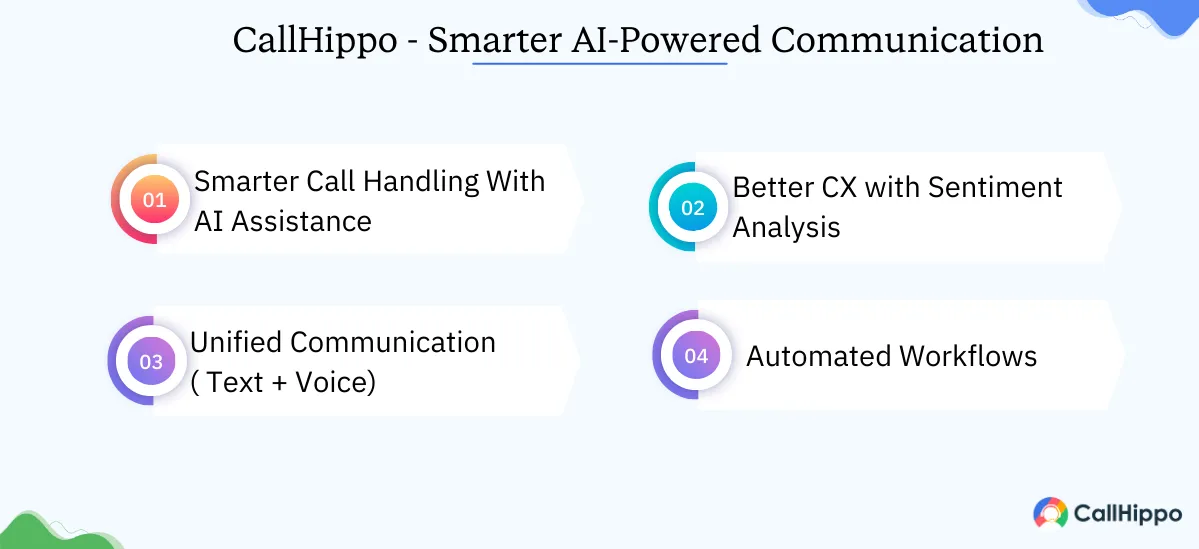
We vouch for CallHippo as the best AI-powered communication solution for your business. It is among the top UCaaS alternatives for SMBs. Do you want to know why? You can go through the pointers below:
1. Smarter Call Handling With AI Assistance
Traditional phone systems make you choose: hire more people or miss more calls. CallHippo AI removes this tradeoff by handling routine tasks automatically.
The system analyzes incoming calls in real-time. It identifies customer intent within seconds. A customer calling about billing routes to the finance department. Someone asking about product features connects with sales.
The AI learns from patterns. It notices that customers calling about claim status get frustrated when transferred multiple times. The system adjusts routing to send these callers directly to claims specialists.
Call transcription works with high accuracy. You search conversations by keyword, find specific discussions, and pull exact quotes without listening to entire recordings.
2. Better Customer Experience With Sentiment Analysis
Your team can’t gauge every customer’s emotional state perfectly. They’re tired after many calls. They miss subtle frustration cues. They don’t always catch when a happy conversation turns negative.
CallHippo’s sentiment analysis monitors conversations continuously. It tracks tone, word choice, and speech patterns. When frustration rises, the system alerts supervisors in real-time.
The system identifies upset customers before they leave. It scores sentiment on every call and flags accounts with consistently negative interactions. Your retention team can reach out proactively.
Post-call analysis reveals training opportunities. The AI identifies agents who consistently improve negative sentiment during calls. You study their techniques and train other team members.
The data connects to your CRM automatically. Customer profiles show sentiment history across all interactions. Your sales team knows which accounts need careful handling and which are enthusiastic advocates.
Per User/Month
- Intelligent Call Routing
- Real-Time Sentiment Detection
- Unified AI-Powered Communication
- Automated Follow-Ups

3. Unified Communication (Text + Voice)
Switching between apps destroys productivity. Your team uses the phone app for calls, a texting platform for SMS, email for follow-ups, and Slack for internal chat.
CallHippo combines voice and text in one interface. You see the complete conversation history regardless of channel. A customer texts a question on Monday, calls on Wednesday, and you see both interactions instantly.
The system triggers automated text messages based on call outcomes. After a sales call, it sends pricing information automatically. After a support call, it texts a satisfaction survey. After a missed call, it sends a message asking when to call back.
Team collaboration improves dramatically. Internal notes, call recordings, and text threads stay together. When a team member goes on vacation, colleagues access the complete customer history without asking questions.
SMS automation handles routine communication. Schedule appointment reminders, send order updates, and confirm deliveries without manual work. Businesses have reduced no-shows using automated text reminders.
4. Automated Workflows For Smooth Operations
Manual processes waste hours daily. Your team manually logs calls in the CRM. They copy customer information between systems. They send follow-up emails individually.
CallHippo’s automation handles repetitive tasks, so your team focuses on important work. Call logs to your CRM automatically with recording links, duration, and outcome. Customer information syncs in both directions.
Workflow triggers create action sequences. When a call exceeds 10 minutes, the system creates a follow-up task automatically. When a customer mentions a competitor, it alerts the account manager. When someone requests a quote, it triggers an email with pricing information.
The power dialer eliminates manual number entry. Sales teams load contact lists, and the system dials automatically. It skips busy signals, voicemails, and disconnected numbers. A rep makes many more calls in the same time.
Voicemail drop saves time on outbound campaigns. Record one message, and the system leaves it automatically when calls reach voicemail. No more repeating the same message dozens of times daily.
Call disposition and tagging happen during conversations. Agents select outcomes without switching screens. The data feeds reports automatically. Managers see real-time performance without requesting updates.
Conclusion
RingCentral works for many businesses, but it’s not the only option. The alternatives to RingCentral offer better pricing, simpler interfaces, stronger AI capabilities, and more flexible features.
CallHippo provides a strong combination of affordability, AI-powered features, and ease of use for small and medium businesses. The platform handles everything from basic calling to advanced analytics without overwhelming your team.
Vonage and 8×8 serve enterprises needing global connectivity. Nextiva works best for customer-focused teams. Dialpad leads in AI capabilities. Aircall simplifies sales team communication.
Your choice depends on specific needs, team size, and budget. Test multiple platforms before deciding. Port a test number, involve your team, and evaluate real-world performance.
FAQs
1. What is the best alternative to RingCentral for small businesses?
CallHippo offers strong value for small businesses with affordable pricing, AI-powered features, and a simple setup that takes under 30 minutes.
2. Which RingCentral competitors provide better features and integrations?
CallHippo and Dialpad lead in AI features. Nextiva excels at CRM integration. Aircall offers strong sales tool connections with 100+ integrations.
3. Can I keep or migrate my existing phone numbers when moving from RingCentral to CallHippo?
Yes, number porting works for all US and most international numbers. The process takes 7-10 business days without service interruption.
4. What are the hidden costs I should watch out for when choosing a RingCentral alternative?
Check SMS per-message fees, international calling rates, phone number monthly costs, premium support charges, and integration add-on pricing before purchasing.
5. Does switching from RingCentral to another provider cause downtime?
No. Number porting completes without downtime. Use temporary numbers during transition or port numbers individually to maintain continuous service.
6. Which RingCentral alternative offers the best AI and automation capabilities?
CallHippo and Dialpad lead in AI features. CallHippo provides sentiment analysis, an AI voice agent, sales agent, time zone dialing, smart routing, and more. Dialpad offers real-time transcription and voice intelligence.
Published : December 4, 2025

Priya Naha is an experienced technical content writer who focuses on VoIP and telephony technologies. Her expertise in telecommunication and content marketing allows her to simplify complex topics with real-world knowledge, making her writing relatable, informative, and easy-to-read. Her direct involvement with VoIP products and solutions makes her a reliable voice in the field.

Subscribe to our newsletter & never miss our latest news and promotions.
 24k+ people have already subscribed


