
Get Voice Broadcasting Software
Connect with thousands instantly using CallHippo’s voice broadcasting system. Send pre-recorded messages or automated phone calls to your entire contact list without relying on live agents. From emergency alerts to appointment reminders, scale communication quickly while reducing costs.
- Send voice messages and phone calls instantly to even thousands of contacts
- Automate campaigns with a schedule, redial attempts, and reporting
- Connect with your audience anytime, anywhere; no internet access required
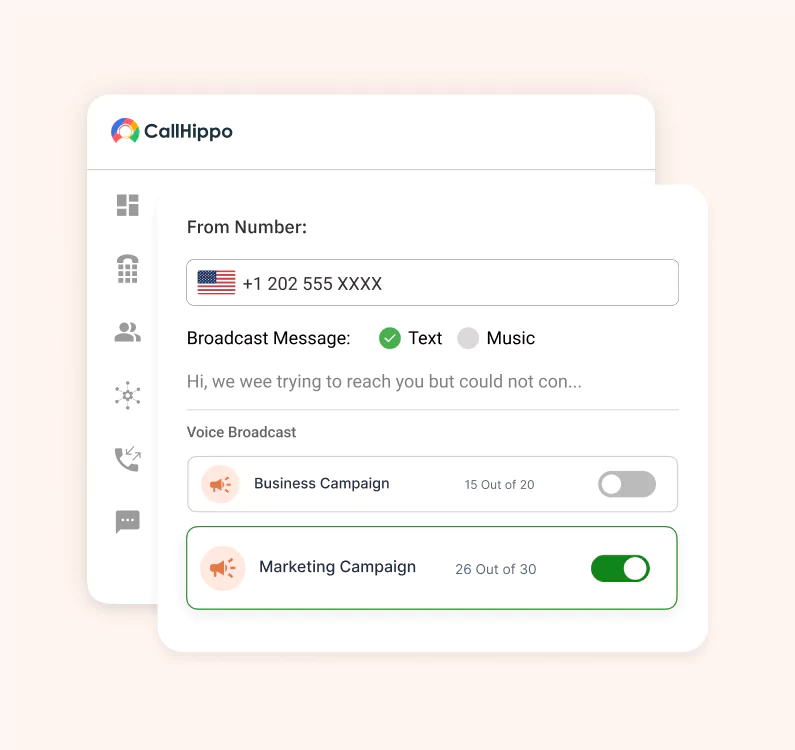







What is Voice Broadcasting?
Voice broadcasting is a communication system that allows businesses and organizations to send a recorded message or audio message to multiple phone numbers at once. Instead of live agents making individual phone calls, voice broadcasting software automatically calls mobile phones, landlines, or even answering machines, without requiring internet access.
How Voice Broadcasting Works?
Delivering a voice broadcast service is simple. Here’s how the system helps you send messages in just a few simple steps:

Start with a pre-recorded message or use text-to-speech to quickly record your voice message broadcasting. Craft your content carefully so every call recipient hears a clear, engaging audio message.

Import contacts or add the contact lists from your phone for effortless integration. Easily segment your audience by their interest, location, or other demographics for proper targeting.

Define schedule, retry logic, and redial attempts to maximize reach. This ensures your broadcast information goes out at the right time and increases delivery success.

The system places automated calls to every voice call recipient in your list, eliminating the need for live agents. It results in reducing manual efforts and saving more time.

Calls get dialed instantly, and voicemail drops are used when recipients don’t answer. This feature guarantees that your message is delivered whether customers pick up or not.

Allow your consumers to interact by pressing keys to respond to surveys, confirmations, or get information related to an account.

Get relevant reports with real-time information to check which contacts received the voice broadcast and which responded to the message.
What are the Benefits of Voice Broadcasting?
Voice broadcast software makes it easy to deliver messages instantly and keep your business running smoothly. It benefits organizations in several ways.

Broadcast to thousands of phone numbers in one campaign with automated voice broadcasting.

Automated phone calls reduce the need for live agents and lower operational expenses.

Voice broadcast doesn’t depend on internet access, as it reaches mobile phones and landlines directly.

Create pre-recorded messages tailored with names or reminders for ultimate personalization.

Let customers respond by pressing keys or leaving feedback. Interactive campaigns increase participation.

If recipients miss a call, voicemail broadcasting ensures customers can hear important messages later.
What are the Top Key Features to Look for in Voice Broadcasting Software?
Here are the features that make every campaign smarter, quicker, and better.

Take written text and instantly turn it into speech. This saves you time in composing messages and keeps individual messages clear.

Add interactive menus allowing recipients to respond by pressing keys. This allows feedback, confirmation, and surveys as well.

The machine will decide if a human answers or an answering machine picks up. This allows for smarter delivery.

Display a recognizable phone number every time you run campaigns, as it helps in creating a positive brand impression.

Upload custom pre-recorded greeting messages for each campaign to get a higher response rate.

Get voicemails transcribed so they can be easily reviewed for fast analysis of responses from your audience.

Instantly know how your campaign is performing with detailed reporting and analytics, including delivery rates, response rates, and more.

Protect your organization from being flagged as spam and maintain credibility with built-in spam protection features.
Pricing
-

 Calling
- 1 Free Phone Number
Get a dedicated standard phone number for each team member at no extra cost. Share numbers across multiple users for collaborative calling.
- Voicemail
- Click to Dial
- Business Hours
Define operating hours for each number to route calls appropriately.
-

 Messaging
 - SMS (Text messages) & MMS
- WhatsApp Business API
 Platform
- 2FA
Add an extra security layer by requiring a verification code in addition to your password.
- Desktop & Mobile Apps
-
Calling
- Unlimited Minutes (Includes Both Landline & Mobile Calling)
Shared pool of free calling minutes for your entire team. Valid for manual dialing to standard US/Canada numbers only.
- Forward to Device Automatically route incoming calls to your mobile or alternative device to never miss calls.
- Ring All Devices Ring simultaneously on all your logged-in devices (desktop, mobile, browser) for every call.
- AI Global Connect View caller's timezone before dialing to reach contacts at optimal times.
- Country Blocking Restrict outbound calls to specific countries to prevent unauthorized international dialing.
-
Messaging
-
100 SMS (Text Messages)
Standard A2P charges apply.
- SMS Templates Create and save message templates for one-click texting with consistent communication.
- Free Omnichannel Inbox


-

 Analytics
- Basic Report Analytics
- Call Logs (1 month) Access detailed records of all calls including duration, outcome, recordings, and participant information.
- Audit Logs Track all account changes and user actions for security, compliance, and accountability.
-
 Integrations
-
ZZapierSSlack50+WWebhook


 Popular
-
Calling
- Unlimited Minutes (Includes Both Landline & Mobile Calling)
Shared pool of free calling minutes for your entire team. Valid for manual dialing to standard US/Canada numbers only.
- Call Recordings Record and store calls for quality monitoring, training, and compliance.
- Multilingual IVR Offer IVR menu options in multiple languages to serve diverse customer bases.
- Call Distribution (Cascading) Route calls to agents in a priority sequence until someone answers.
- Custom Greetings Upload personalized welcome messages for callers to hear when they reach your number.
-
Messaging
-
500 SMS (Text Messages)
Standard A2P charges apply.
-
Analytics
- Reports / Analytics Get detailed insights and summarized analytics on team's calling performance.
- AI Voicemail Transcription Automatically convert voicemail audio to text for faster message review.
- Call Logs (Lifetime)
- Role Based Access Control Assign specific roles with tailored permissions to control what each user can view and manage.
-
Integrations
-
HHubSpotSSalesforcePPipedrive50+ZZoho
-
Calling
- Smart DID Routing Automatically routes calls to the best available agent based on real-time data.
- Multilevel IVR Create multi-step phone menus to route callers to the right department or person automatically.
- Call Blocking Block unwanted callers and spam numbers to keep your team focused on quality conversations.
- Holiday Routing Configure special call handling and greetings for holidays and non-business days.
- CRM-Based VIP Routing Route calls automatically to the correct contact/lead owner based on CRM information.
-
Messaging
-
1000 SMS (Text Messages)
Standard A2P charges apply.
-
 Enterprise
- Single Sign-On (SSO) Log in once to access CallHippo and all integrated tools with your company credentials.
- Custom Integrations Build advanced integrations with your systems—add click-to-call anywhere, sync call data with custom logic, and create workflows specific to your business.
- Dedicated Account Manager Resolve account queries efficiently with dedicated account manager.
- Personalized Onboarding Experience personalized onboarding for a tailored start.
- 24×7 & Phone Support
-
Integrations
-
HHubSpotSSalesforceZZoho50+ZZendesk
What are the Common Uses of Voice Broadcasting?
Voice broadcasting isn’t just a marketing trick; it’s a communication shortcut that works in more places than you’d expect. Think of it as your “one-to-many” channel that still feels personal when done right.
Emergency Notification
When things go sideways (storms, outages, safety issues), a call is still the fastest way to get everyone’s attention. No delays or assumptions if they saw the email.
Appointment Reminder
Missed slots may disappoint. A quick automated reminder call keeps people on schedule and saves you from wasted time and lost revenue.
Promotional Campaigns
Flash sale, event, or product drop? Voice broadcasting makes sure your message hits thousands at once, without your team dialing numbers for hours.
Surveys & Feedbacks
Forget long forms. People are more likely to tap a keypad response during a call than sit down and type out feedback.
Employee Communication
For teams spread out across locations, a voice broadcast is a surefire way to share shift changes, urgent notices, or all-hands updates without the Slack chaos.
Best Practices for Voice Broadcast Campaigns
Running a voice broadcast isn’t just about sending bulk messages. It’s about delivering the right message, at the right time, in a way that feels human and not robotic. Here are the best practices for voice broadcast campaigns:
- Make your messages as short and simple as possible, with only one call-to-action.
- Schedule broadcasts at the right time by considering different time zones and business hours.
- Redial failed calls at intervals, rather than continually calling the person over and over to get in touch.
- To make your voice broadcast messages more personal, add the recipient’s name or refer to their local area.
- Track results and monitor your campaigns to get more ROI.
Challenges & Limitations of Voice Broadcasting
Understanding the limitations of voice broadcasting helps in setting realistic expectations and running compliant campaigns.
Risk of Being Perceived as Spam
Overdoing it or sending irrelevant calls can hamper brand trust. If people feel bombarded, they’ll block your number or tune you out completely.
Declining Response if Overused
When audiences hear from you too often, engagement plummets; conversely, thoughtful reach-outs keep your voice broadcasts effective.
Technical Barriers in Remote Areas
A poor phone network in certain areas can stop your voice broadcast. It is difficult to completely overcome this limitation.
Compliance Restrictions in Certain Countries
Regulations on automated calls differ across different regions. So, staying ahead of local laws is mandatory for your business to avoid facing unnecessary penalties.
Cost vs ROI Considerations
Large-scale voice broadcast campaigns can get pricey. The real win comes when you’re tracking costs against results to ensure every broadcast earns its place.

“Thanks to the CallHippo team, we were able to resolve a tough issue with flagged phone numbers. As an EdTech startup, outbound calls are crucial for us. CallHippo's solution not only improved our attestation score but also boosted our answer rates and overall customer experience.”

Frequently Asked Questions
-
Pricing depends on call volume, duration, and location, usually billed per-minute or per-call. It stays cost-effective for campaigns like emergency notifications, reminders, or promotions.
-
You can send emergency alerts, appointment reminders, promotional campaigns, surveys, and employee updates, making it useful for both customers and internal teams.
-
Yes, but compliance matters. Businesses must follow telecom regulations, gain consent when required, and allow opt-outs to avoid penalties or spam labeling.
-
Best voice broadcasting service providers let you schedule campaigns in business-friendly hours across time zones, ensuring timely delivery of reminders, updates, and promotions.
-
Yes, interactive voice broadcasting allows responses via keypad inputs, making surveys and feedback campaigns more engaging and actionable.
Get International Phone Numbers
 Canada Virtual Phone Number
UK Virtual Phone Number
Canada Virtual Phone Number
UK Virtual Phone Number
 US Virtual Phone Number


