

 Updated : June 4, 2026
Imagine broadcasting an order update to 100,000 customers in a single click.
Now imagine taking payments inside the same chat and routing tough customer inquiries to a human agent, without switching apps.
That is what Telegram for Business unlocks for teams that actually know how to use it.
This guide covers why Telegram for business matters for B2B and B2C teams, the 7-step setup, and how Telegram compares to WhatsApp and Slack. By the end, you will know exactly where it fits in your stack.
What is Telegram for Business and How is it Different From a Regular Telegram Account?
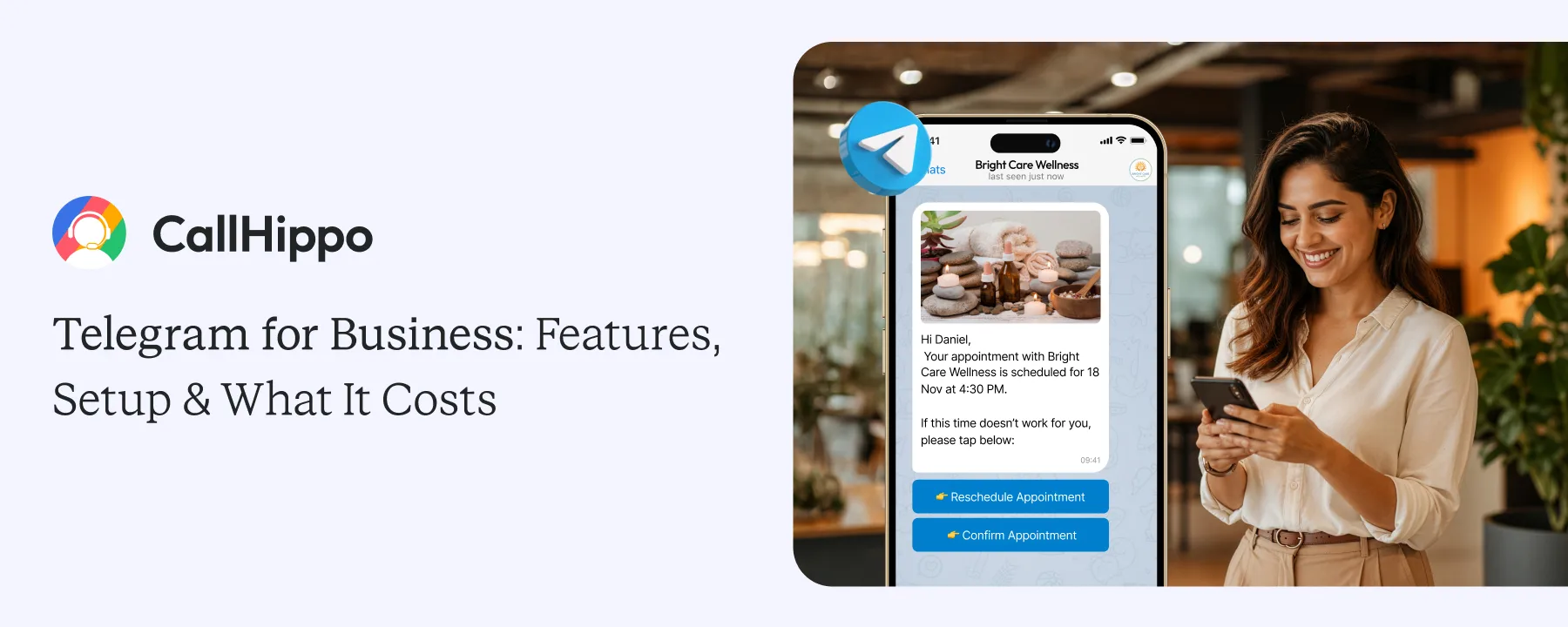
Telegram for Business is a free feature inside the regular Telegram app that turns any account into a business-ready workspace. You do not download a separate app. You just enable Business mode inside “Settings”, and your account suddenly gets a public profile, business hours, automated responses, quick reply templates, and chatbot support.
A regular account is built for one-on-one chats with friends and family. A Business account is built to handle inbound customer conversations, broadcast updates, provide customer support, and even capture leads through a bot.
Key differences:
- A regular account has no public channel or business hours; a Business account does.
- A regular account cannot send away messages automatically; a Business account can.
- A regular account does not connect to a chatbot; a Business Telegram account does.
Bottom line: Telegram for Business gives you the same Telegram your customers already know, with a layer of automation, branding, and structure on top.
Telegram Business Features That Matter for B2B and B2C Teams
The business features fall into three groups: profile, automation, and business messaging platform perks. Here is what each one actually delivers.
1. Profile and Discoverability Features
- Public business profile with logo, brief description, and contact details
- Custom business hours visible to anyone messaging you
- Location pin so customers can find your physical store
- Custom @username link, even without sharing a phone number
2. Messaging Automation Features
- Automated messages that fire when someone messages you for the first time
- Away messages that auto-reply outside business hours
- Quick replies (preset templates for “/order”, “/pricing”, “/refund”)
- Bot integration through the open Telegram Bot API or Telegram Business API
- Folders and tags to organize chats by status
3. Platform-Level Perks Telegram Brings to Business
- Free for unlimited messaging across users, group chats, and channels
- 2 GB file uploads (20x more than WhatsApp allows)
- Unlimited subscribers on Telegram channels
- Open Bot API with no Meta-style verification step
- Telegram cloud-hosted account that works on multiple devices
- Telegram lets you upload a 2 GB file in a single message. WhatsApp caps you at 100 MB. For teams that share creatives, recordings, or product files, that gap matters every day.
How to Set Up Telegram for Business in 7 Steps
Setting up a Telegram for Business account takes under 15 minutes. Here is how to use Telegram for business from scratch.
Step 1: Get a Virtual Phone Number for Telegram
Every Telegram account requires a phone number, and using your personal one ties your business identity to a single employee’s phone.
CallHippo gives you a virtual phone number for Telegram, so your business runs on a dedicated number you can scale, reassign, or transfer as your team grows.

The Business tier requires the latest version to appear in Settings.
Step 2: Open Settings and Tap “Telegram Business”
The option sits at the top of your settings list, just below your Telegram profile.
Step 3: Add a Public Profile
Upload your logo, write a short business description, and add contact details. Businesses can also use tools that help them create a profile picture aligned with their branding, making their Telegram presence look more professional and recognizable to customers.
Step 4: Set Your Business Hours
Customers see a small green “Available” badge during these hours and a yellow one outside them.
Step 5: Build Greeting and Away Messages
Greeting messages run on first contact. Away messages fire when customers message you outside set hours.
Step 6: Add Quick Replies
Save common answers as templates (/pricing, /demo, /refund) and pull them into chats with one keystroke.
Step 7: Connect a Bot
If you want full automation, hook in a Telegram bot through the BotFather. The bot can answer FAQs, qualify leads, and book demos around the clock.
- Test every greeting and away message from a friend's account before going live. The first impression a customer gets from your business chat is whatever your automation says.
Telegram Channels vs Groups vs Bots: Which One Fits Your Use Case?
Most teams confuse channels, groups, and bots. They are very different products with very different jobs.
| Feature | Channels | Groups | Bots |
|---|---|---|---|
- If you want to broadcast updates > Channel.
- If you want a community > Group.
- If you want automation > Bot.
Many businesses run all three together.
Telegram Business vs WhatsApp Business: A Side-by-Side Breakdown
The Telegram vs WhatsApp for business question depends on where your customers are and what you need to do. Here is how the two stack up across the most important dimensions.
| Dimension | Telegram Business | WhatsApp Business |
|---|---|---|
When to Pick Which?
The Telegram vs WhatsApp for business decision often comes down to two things: where your customers actually live, and how much you want to automate.
- Pick Telegram for Business: If your target audience is in Europe, the Middle East, parts of Africa, or Southeast Asia (regions where Telegram is widely used). Also, if you want unlimited automation, or if you publish content and run a community.
- Pick WhatsApp Business: If your customers are in the US, Latin America, or India, and expect one-to-one support, or you need default end-to-end encryption.
- Run both: If your customer base is global. Use Telegram for content and community, WhatsApp for one-on-one support.
Slack or Telegram for Business Communication? Picking the Right Tool for the Job
The Slack vs Telegram for business debate is really about job-fit. Slack is built for internal teams. Telegram is built for audience reach and customer engagement messaging. They are not interchangeable, even though they look similar at first glance.
| Use case | Slack wins | Telegram wins |
|---|---|---|
The short version of the Slack vs Telegram for business question: Slack is for the team inside your company, Telegram is for everyone outside it.
Building a Telegram Bot to Automate Sales, Support, and Lead Generation
A Telegram bot for business is one of the most powerful (and most underused) tools in this entire ecosystem. Bots run on the open Telegram Bot API, cost nothing, and work 24/7.
1. What a Telegram Bot Can Do for a Business?
- Greet new visitors and qualify them with two or three quick questions
- Auto-answer common FAQs (pricing, hours, return policy)
- Capture leads and push them straight to a CRM
- Take payments through Telegram’s built-in payment integrations
- Trigger notifications, reminders, and order updates
- Hand off complicated cases to a human agent
2. How to Build One (High Level)?
- Open the BotFather inside Telegram and type /newbot.
- Pick a name and a username for the bot.
- Copy the API token BotFather gives you.
- Connect the token to a no-code platform (Manychat, Botpress, Chatfuel) or a custom backend.
- Map out the conversation flow: greeting, questions, answers, escalation.
- Test every flow inside Telegram before going live.
3. When a Bot Isn’t Enough?
A bot answers questions. It does not negotiate, sell, or rescue an angry customer. The moment intent gets serious, the conversation needs a human voice, not another text reply. A well-built Telegram bot for business saves hundreds of hours every month, but it is only one piece of the customer experience.
Where Telegram Falls Short, and Where Voice Still Wins?
Telegram is excellent at scale, automation, and reach. It is not a complete answer to every business communication problem.
1. The US Adoption Problem
The US has roughly 8.5% Telegram users, 28.5% on WhatsApp, and a much higher share on iMessage. If your customer base is US-heavy, Telegram for Business should sit alongside SMS and email, not replace them.
2. Where Chat Genuinely Struggles
- High-emotion conversations (refunds, complaints, churn risk)
- Complex technical troubleshooting that needs screen sharing
- Negotiations with significant deal value on the line
- Anything that requires identity verification or compliance audit trails
3. When to Escalate From Telegram to Voice
If a chat thread crosses three back-and-forth messages without resolution, switch the customer to a phone call. Voice resolves emotional and complex cases roughly 3x faster than chat. Tone is data, and chat strips it out.
Building a Multi-Channel Customer Communications Stack: Telegram + Voice + CRM
The teams winning in 2026 do not pick between Telegram and voice. They wire both into a single customer timeline.
1. A 2×2 Decision Matrix: Chat vs. Voice
| Async (no rush) | Real-time (urgent) | |
|---|---|---|
2. Three Real Workflow Examples
Here is how three real teams already run Telegram, voice, and CRM as one connected workflow.
A. SaaS inbound lead
A visitor clicks the Telegram CTA on your pricing page. The bot qualifies them with three quick questions (industry, company size, use case). If they look like a hot lead, the system pushes them to a power dialer. An agent calls within 60 seconds. The call recording and the Telegram chat both sync to the CRM as a single timeline.
B. E-commerce post-purchase
The customer gets an order confirmation through your Telegram channel. When they hit an issue, the bot offers a quick FAQ. If they tap “Talk to a human,” the support line rings. AI call scoring flags angry customers so a supervisor can step in. E-commerce businesses can also use Telegram for business to send promotional messages to customers.
C. B2B outbound
A sales rep posts value-broadcasting messages in their Telegram channel. Interested prospects DM the bot. The bot books a call slot. A CallHippo agent calls at the booked time. Telegram thread plus call notes are both attached to the same CRM contact.
3. How to Wire It Up?
- Connect the Telegram bot to a webhook that pushes data into your CRM (HubSpot, Salesforce, Pipedrive, Zoho).
- Connect the CRM to a cloud phone system (CallHippo, Aircall, RingCentral) so it can trigger outbound calls.
- Send call recordings and AI scoring back to the CRM as conversation context.
- The result: every customer has one timeline, regardless of which channel they started on.
- Use the same contact ID across Telegram, your CRM, and your phone system. Without a shared ID, the data ends up in three silos, and you lose the entire benefit of going multi-channel.
Conclusion
Telegram for Business gives you a free, powerful channel to reach customers, broadcast updates, automate support, and capture leads. The features are easy to set up, the bot ecosystem is open, and the platform is one of the fastest-growing instant messaging apps in the world.
But Telegram alone might not be the full answer. Pair it with WhatsApp for one-to-one support, Slack for internal team chat, and a cloud phone system for the moments that need a human voice. That mix is what a modern and real-time communication stack looks like in 2026.

CallHippo brings every account, bot, and channel into one workspace, ready to plug into your Telegram and CRM stack.
Frequently Asked Questions
1. Is Telegram safe for business communication?
Yes. Telegram’s servers are encrypted and support end-to-end encryption to keep the customer data safe. Telegram business accounts can also enable two-factor authentication for extra protection. For sensitive customer information, always pair Telegram with role-based access controls inside your CRM.
2. Does Telegram for Business work in the United States?
Yes, there are a few things you must consider first. Roughly 17% of US adults use Telegram. If your customer base is US-heavy, Telegram for Business should sit alongside SMS, WhatsApp, and email rather than replace them.
3. Can I use Telegram for Business without sharing my phone number?
Yes. Set up a custom @username under Settings ? Privacy. Customers can message you through the username without ever seeing your phone number.
4. How many members can I have in a Telegram group or channel?
A Telegram group holds up to 200,000 members. A Telegram channel has no upper subscriber limit. That makes channels the better choice when you expect rapid audience growth or run a content-led strategy.
Published : May 1, 2026

Harsh Bairagi is a B2B SaaS content writer with over 4 years of experience in the tech industry. Harsh believes in creating good copies to bridge the gap between tech and emotion. When not chasing clean copy or clever metaphors, he is busy catching up on his favorite sports.

Subscribe to our newsletter & never miss our latest news and promotions.
 24k+ people have already subscribed



