

 Updated : March 11, 2026
Overview
Voice over Internet Protocol (VoIP) is a technology that enables voice communication over the Internet by converting voice signals into digital data packets. VoIP has grown into a robust communication platform offering features beyond calling, such as video conferencing, AI routing, and CRM integration.
- The Best VoIP Providers for Business
- CallHippo, RingCentral, Zoom Phone, Nextiva, Dialpad, Aircall, 8x8, Vonage, OpenPhone, Ooma, Zoho Voice.
VoIP technology benefits businesses of all sizes, especially those needing scalable, reliable, and feature-rich communication solutions for remote or distributed teams.
Let’s be honest—your customers expect more than just an answer. They want quick solutions, personalized service, and frictionless experiences.
And your team? They need a communication system that works – wherever they are.
That’s where a smart, cloud-based VoIP phone system comes in. Due to its extraordinary features, the VoIP service market is expected to grow to $236.25 billion in 2028 at a compound annual growth rate (CAGR) of 11.8%.
In this guide, we’ll walk through the best VoIP providers that help businesses deliver better conversations and stellar customer experiences.
What is a VoIP?
Voice over Internet Protocol (VoIP) is a technology that allows you to make voice calls using a broadband Internet connection instead of a regular (or analog) phone line.
VoIP technology converts voice into digital signals and transmits them as data packets. With its exceptional capabilities, VoIP phone systems are not just digital telephony systems; they are full-fledged business communications platforms.
How to Choose the Best VoIP Provider for Your Needs
Not all VoIP service providers can keep up with your business demands. Therefore, always choose the best bet after analyzing different alternatives.
Consider the factors below to choose one that fits your business like a glove.
1. Unlimited Calling
Opt for plans offering unlimited calls, especially if your team handles a high volume of phone calls daily. Look for:
- Global or domestic unlimited calling options
- No hidden throttling or per-minute charges
- Transparent fair usage policy
Example: A customer service team making 300+ outbound calls daily can reduce VoIP cost by 45% with unlimited plans.
2. Value for Money
Don’t let low pricing be your only deciding factor. The real question is—what are you getting for the cost?
A VoIP service provider may seem affordable upfront. Still, if it lacks critical features like call recording, CRM integrations, or support for mobile and desktop apps, you’ll likely end up paying more in add-ons or lost productivity.
Look for a VoIP provider that balances cost with functionality. Prioritize platforms that bundle in essential tools rather than charging extra for everything. That way, you’re not only saving money, you’re setting your team up for smarter workflows and smoother communication.

Create a quick checklist before choosing a plan: What features are must-haves for your business (e.g., call analytics, team messaging, or toll-free numbers)? How many users do you need today—and in six months? Then compare three providers side-by-side, not just by pricing, but by what they include for that price. Even a 7-day hands-on test can reveal more than hours of feature comparisons.
3. Installation Process and Dashboard
Choose a VoIP phone service with a short learning curve. You can expect below features:
- No equipment needed (skip the desk phones)
- Clean dashboard UI
- Onboarding in under 10 minutes
Always check for early exit penalties, setup or hardware charges, and costs for porting your phone number or enabling toll-free numbers.
In fact, before finalizing your VoIP provider, check out provisions for below fee types as well.
| Fee Type | Watch Out For |
|---|---|
| Setup Charges | Should be clearly disclosed or $0 |
| Porting Fees | Confirm if the current phone line transfer is free |
| Add-ons | Check charges for video conferencing or unlimited internet fax |
5. Must-Needed Features
Picking the right VoIP service means looking beyond just making calls. You want features that keep your team connected, ensure reliable call quality, and help you work smarter. Always look for the following must-have features in the VoIP:
- A good VoIP service must include call forwarding to keep teams connected.
- Look for 99% uptime, redundant cloud PBX infrastructure, and real-time jitter and latency controls to ensure call quality and reliability.
- The system should offer reporting tools that track average handling times, call drop rates, and agent responsiveness to optimize workflows.
- Choose a scalable VoIP phone provider that integrates seamlessly with CRMs, helpdesks, and productivity tools like HubSpot, Zendesk, and Slack.
6. AI-Powered Features
Many VoIP software options now include built-in AI to automate tasks, including:
- Transcription: Automatic logs of all conversations—helpful for training and compliance.
- Sentiment Analysis: Gauge how customers feel in real time during voice calls.
- Virtual Assistants: Use AI to route calls, schedule meetings, or answer FAQs.
Our selection criteria for the best VoIP providers include customer reviews, feature depth, integration capabilities, and pricing transparency. Please note that many of the highlighted pros and cons may be addressed in future updates or versions. Always check for the latest features and improvements before making your decision.
Top 11 VoIP Service Providers for Business
Here are the trending 11 business VoIP phone systems of 2026 to serve the varying needs of your business. Refer to their features, pros, cons, and pricing to choose the best VoIP provider for your business communication.
| Provider | Best For | Starting Price (per user/month) | Key Features |
|---|---|---|---|
| CallHippo | Global & remote teams | $0 (Basic) / $18 (Starter) | AI routing, call recording, CRM sync |
| RingCentral | Enterprise collaboration | $29.99 | Unified messaging, video conferencing, analytics |
| Zoom Phone | Zoom-based ecosystems | $10 | Cloud PBX, call queues, auto-attendant |
| Nextiva | Growing small businesses | $23.95 | Unified CX management, CRM, call recording |
| Dialpad | AI-driven calling | $15 | AI transcription, sentiment analysis |
| Aircall | Sales & support teams | $30 | Call routing, IVR, CRM integration |
1. CallHippo
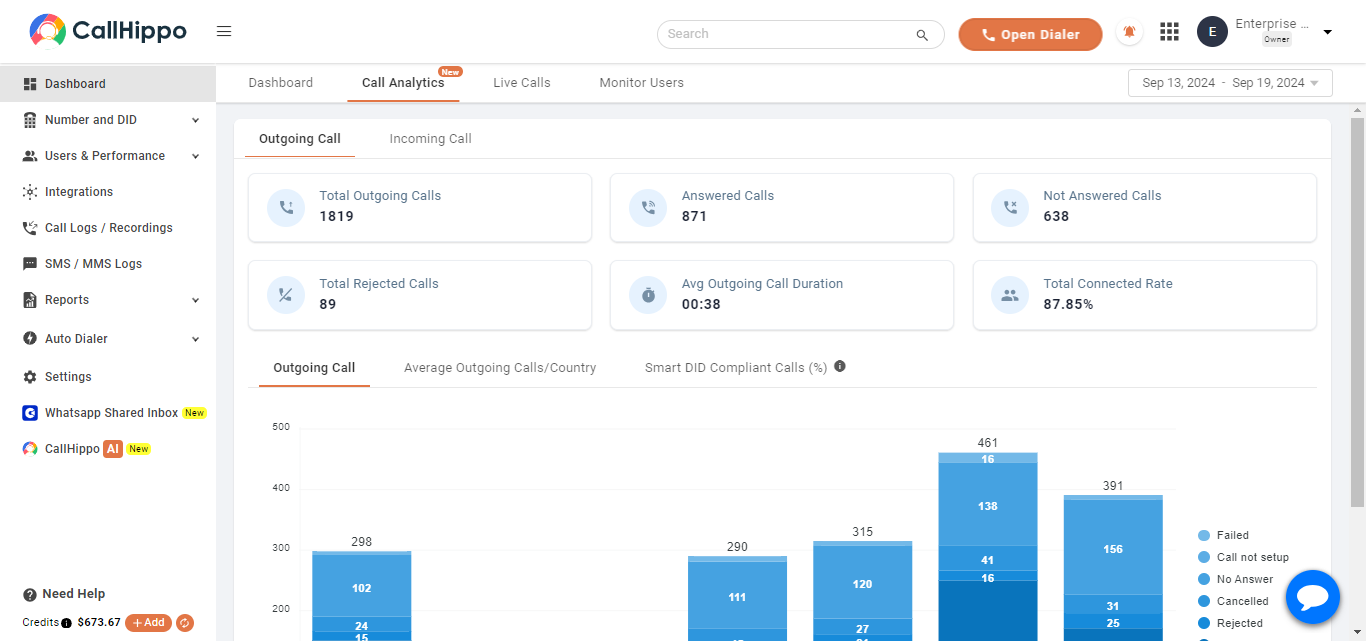
CallHippo is a well-acclaimed AI-powered virtual phone system provider that can help you boost productivity and streamline your business communications. Trusted by more than 5,000 companies like Amazon and Oracle, CallHippo provides innovative business VoIP solutions to give your business a competitive edge.
Key Features
- AI-Enabled Call Routing
- Sentiment Analysis
- In-Depth CRM Integration
- Advanced Call Performance Rating
- AI Voicebot
- Smart Call Forwarding
Pros
- CallHippo’s AI-driven insights help businesses make informed decisions for enhanced efficiency.
- It offers precise integrations with popular CRM tools for optimizing business workflows.
- With a 99.5% uptime, zero jitter, and zero latency, users experience reliable communication without interruptions.
Cons
- The AI voicebot may not understand complex customer queries accurately every time.
- Some advanced features are only available in higher-tier plans.
Pricing
- Starter Plan: $30/User/Month
- Professional Plan: $42/User/Month
- Ultimate Plan: $60/User/Month

2. RingCentral
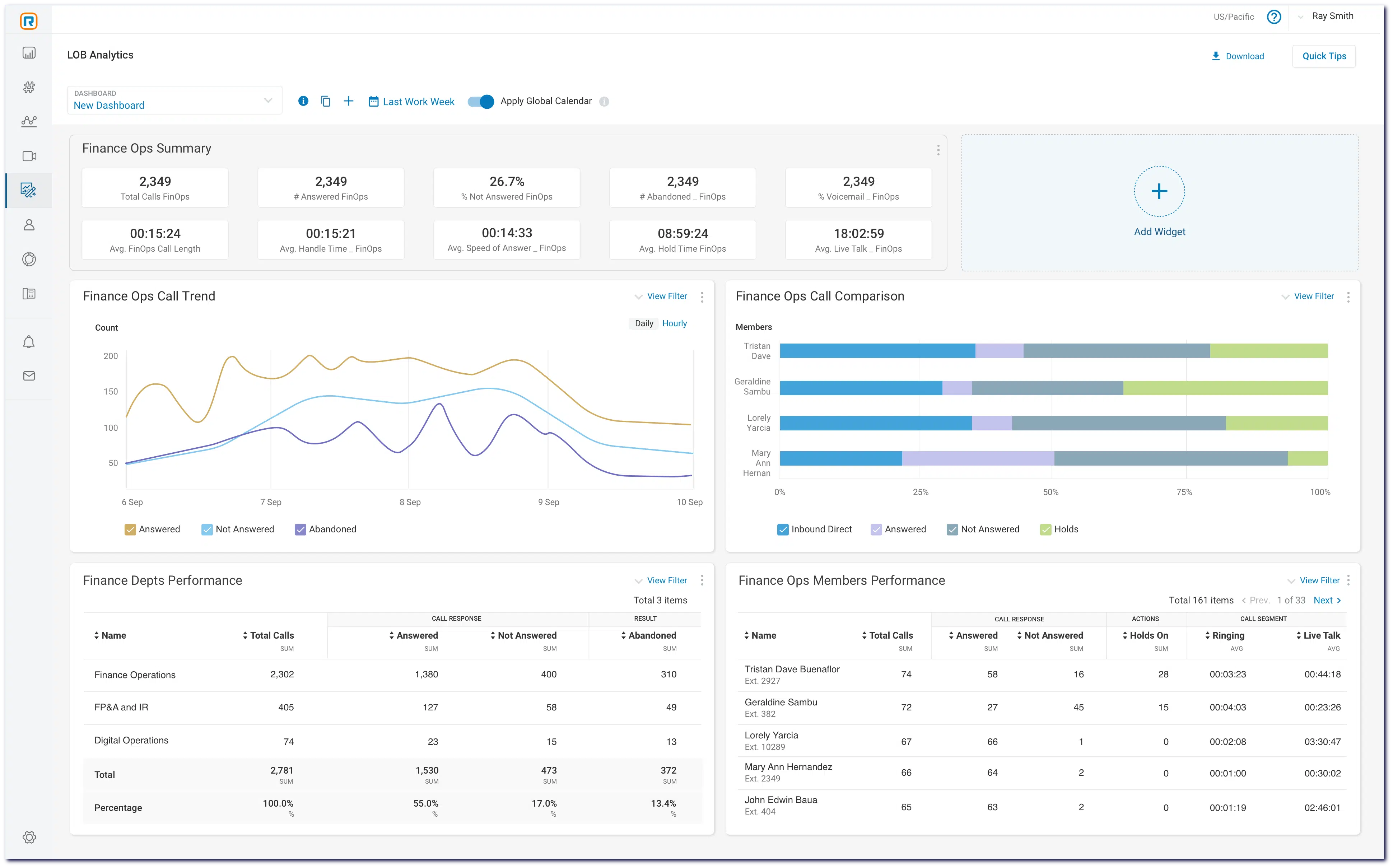
RingCentral is a highly preferred option among business VoIP providers as it offers a unified communications platform that can make business communication easier for modern companies. The platform has strong security features and reliable service with a 99.999% uptime guarantee. With its global PBX services available in over 40 countries, businesses can easily scale their communication needs.
Key Features
- Unified Communications
- Global PBX Services
- Video Conferencing
- Advanced Security Protocols
- Real-time Performance Insights
- Open APIs for Integration
- Multi-language Support
Pros
- RingCentral delivers smooth integration that can enhance the overall collaboration of your business.
- Users appreciate the intuitive interface, making it easy for teams to adopt and utilize effectively.
- This VoIP phone provider ensures outstanding reliability with a 99.999% uptime guarantee while minimizing disruptions for users.
Cons
- Users may experience occasional lag during video conferencing.
- The mobile app sometimes has limited functionality compared to the desktop version.
Pricing
- Core Plan: $20/User/Month
- Advanced Plan: $25/User/Month
- Ultra Plan: $35/User/Month
3. Zoom Phone
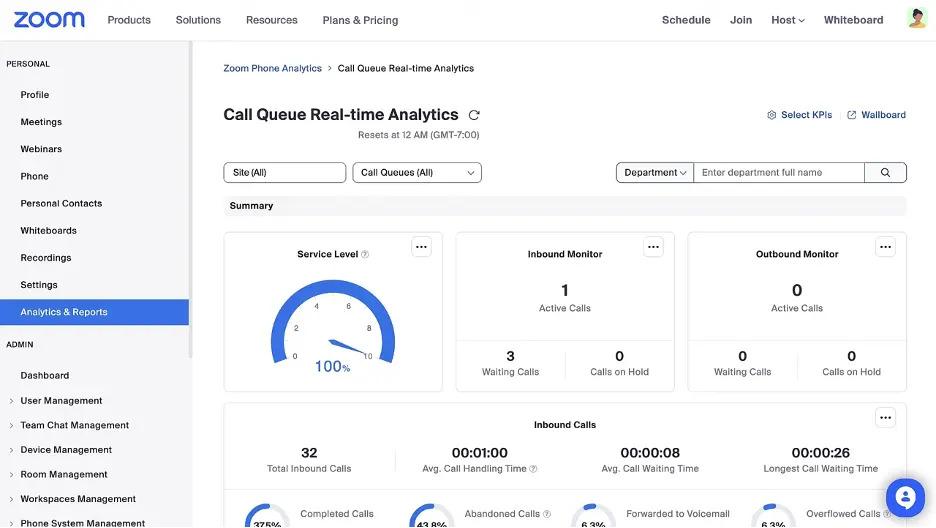
Zoom Phone brings the power of Zoom’s video platform into the VoIP phone system space. It’s best for teams already using Zoom for meetings and looking to simplify their business communications with an integrated voice as well as video experience.
Features
- Cloud-based Phone System
- Directory-based Dialing
- Business Hours Configuration
- Call Queues
- Native Voicemail
- Call Transfer
- Number Porting Support
Pros
- Zoom users benefit from a unified platform that combines meetings and calling in one interface.
- Remote and hybrid teams enjoy flexibility with mobile and desktop call access.
- IT teams find setup and management easy due to Zoom’s familiar admin interface.
- End users can experience reliable voice quality over any internet connection.
Cons
- Zoom Phone offers limited advanced call center tools.
- This platform has fewer CRM integrations.
- Its entry plan lacks some automation.
Pricing
- US & Canada Metered: Pay-as-you-go calling for $10/user/month.
- US & Canada Unlimited: Unlimited calling within the US and Canada for $15/user/month.
- Global Select: Unlimited regional calling in one of 48 supported countries and territories for $20/user/month.
- Business Plus: Supports 1–250 users, starting at $10/user/month, with plans scaling up to $22/user/month based on selected features.
4. Nextiva
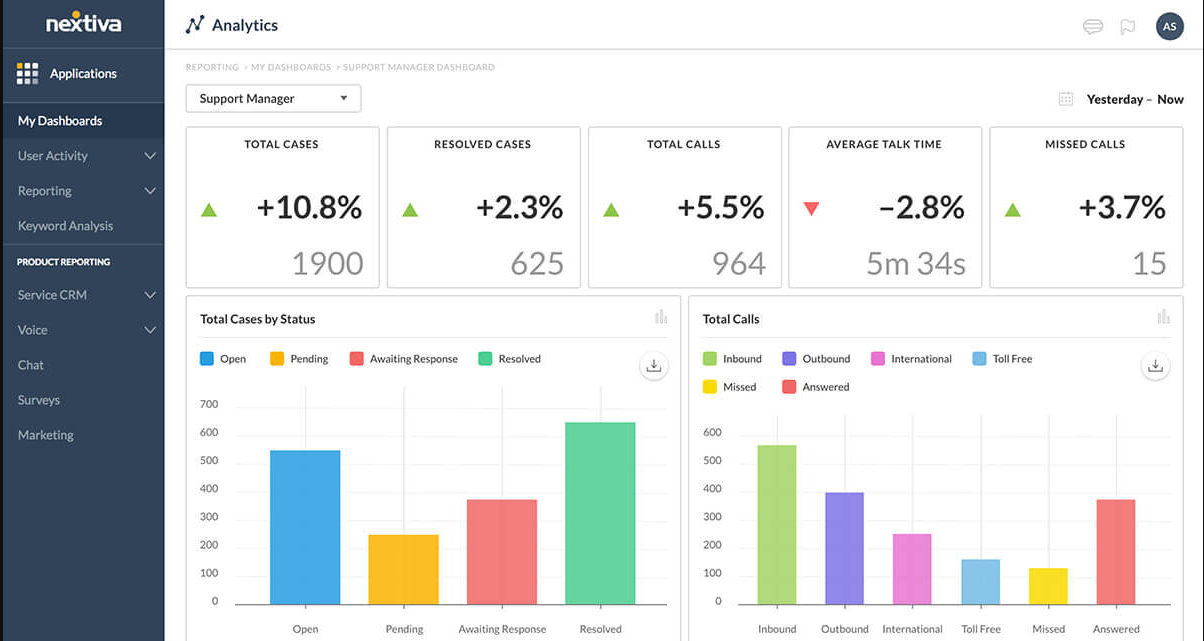
Nextiva stands out among the best VoIP service providers due to its Unified Customer Experience Management platform, which improves customer acquisition, retention, and growth. Indeed, this platform allows businesses to communicate with customers across multiple channels while delivering personalized support tailored to their needs.
Key Features
- Unified Customer Experience Management
- Customer Journey Orchestration
- Modern Contact Center
- Real-Time Insight
- Pre-Built AI and Automation
- Workforce Engagement Management
- Multi-Channel Support
Pros
- The platform’s AI capabilities simplify customer interactions and enhance user experience effectively.
- Nextiva’s real-time insights enable teams to respond quickly to customer needs and preferences.
- It provides better collaboration among teams with its solid integration with business tools.
Cons
- The customer support response time can be slower during high-demand periods.
- Some users find the reporting tools less customizable than expected for detailed analytics.
Pricing
- Digital: $20/User/Month
- Core: $30/User/Month
- Engage: $40/User/Month
- Power Suit: $60/User/Month
5. Dialpad
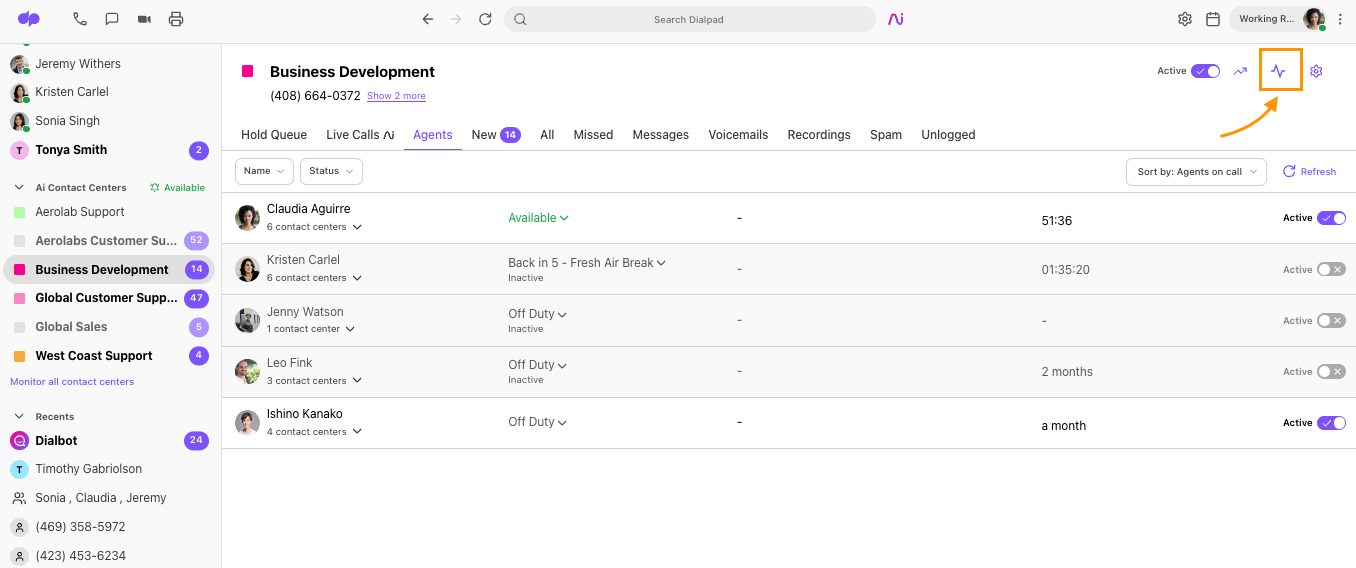
Dialpad stands out as a top choice among VoIP-seeking businesses. It delivers surefire business VoIP services to improve customer satisfaction and make operations smoother. With features like the AI Contact Center, businesses can quickly establish support centers and connect agents with customers across various channels.
Key Features
- AI Contact Center
- AI Agent Assist
- Real-Time Assist Cards
- AI Coaching Hub
- AI Scorecards
- AI CSAT
- Performance Monitoring
Pros
- Dialpad’s AI features help agents deliver quick and accurate responses to customer inquiries.
- The platform allows integration with various channels for enhancing agent and customer connectivity.
- Its single-platform approach reduces operational costs while streamlining multiple contact center products into one.
Cons
- The AI coaching features may not always provide relevant suggestions for performance improvement.
- Users sometimes experience delays in real-time assist cards during busy call periods.
Pricing
- Standard Plan: $15/User/Month
- Pro Plan: $25/User/Month
- Enterprise Plan: Customized pricing
6. Aircall
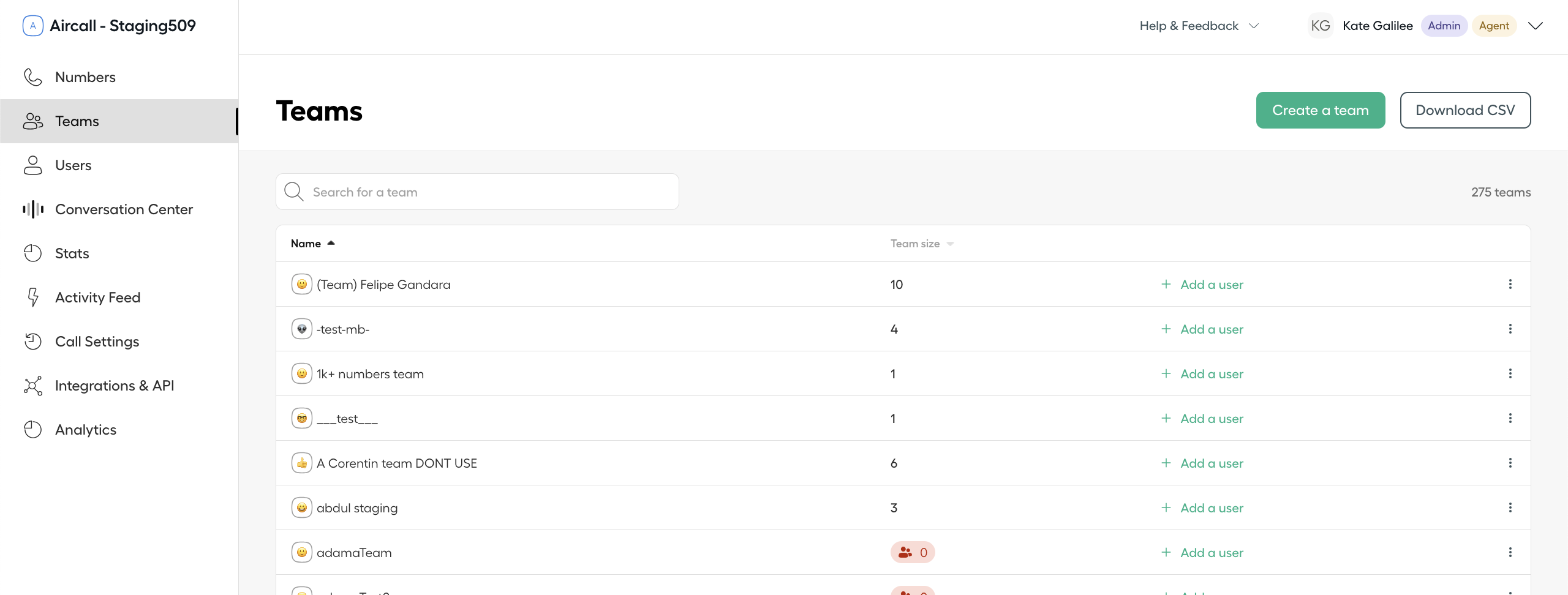
Aircall stands out as one of the top VoIP providers that offers a powerful phone system tailored for sales and support teams. This hosted VoIP solution is incredibly user-friendly and permits businesses to get started quickly without needing IT assistance.
Key Features
- Power Dialer
- Call Routing
- Interactive Voice Response (IVR)
- Call Recording
- Voicemail Drop
- Real-Time Modifications
Pros
- Aircall’s integration with popular tools ensures a smooth workflow across your existing software ecosystem.
- The AI-driven call insights help teams improve performance and make informed decisions.
- Users appreciate the quick setup process, allowing teams to start communicating almost immediately.
Cons
- Users may miss out on certain advanced features that larger VoIP providers typically offer.
- Occasionally, call quality can suffer, impacting the clarity of business communications.
Pricing
- Essentials: $30/user/month
- Professional: $50/user/month
7. 8X8
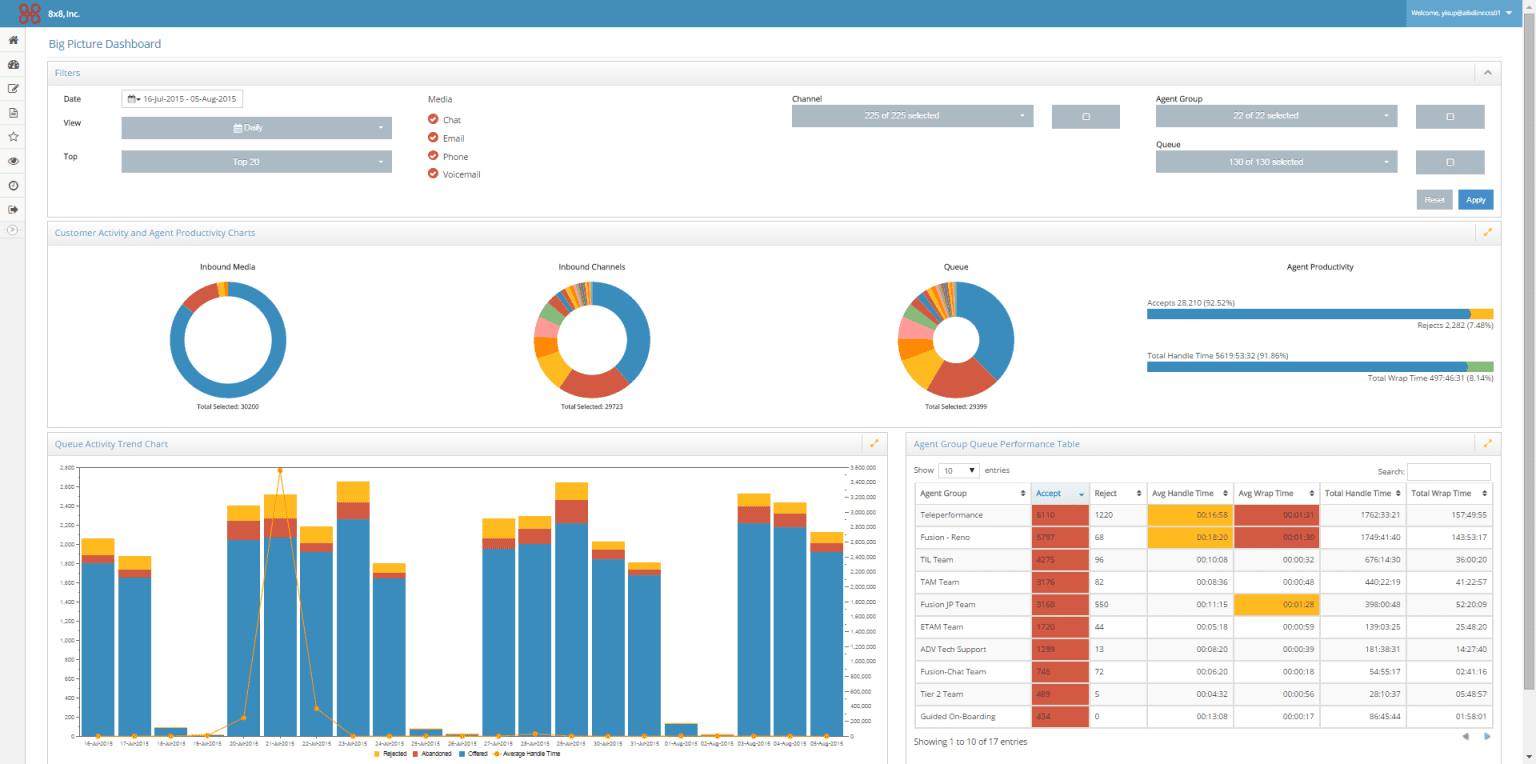
8X8 is the best VoIP phone provider that offers an impressive cloud-based virtual system to take your communication to the next level. Their hosted VoIP solutions allow businesses to simplify their voice services, quickly onboard new employees, and ensure high call quality.
Key Features
- Enterprise-grade cloud PBX
- Unlimited Calling, SMS & Fax
- Multi-Level Auto Attendant
- Call Recordings
- Visual Voicemail
- Call Monitoring
Pros
- 8X8 offers award-winning voice quality that ensures clear and professional communications across all devices.
- Its integration capabilities with CRM systems enhance productivity by streamlining business processes.
- The platform supports a global reach, automatically routing calls to deliver superior quality wherever you are.
Cons
- Users occasionally encounter call drops during high-traffic periods, affecting reliability.
- Some features may be overly complex for users unfamiliar with advanced VoIP systems.
Pricing
- Contact 8×8 directly.
8. OpenPhone
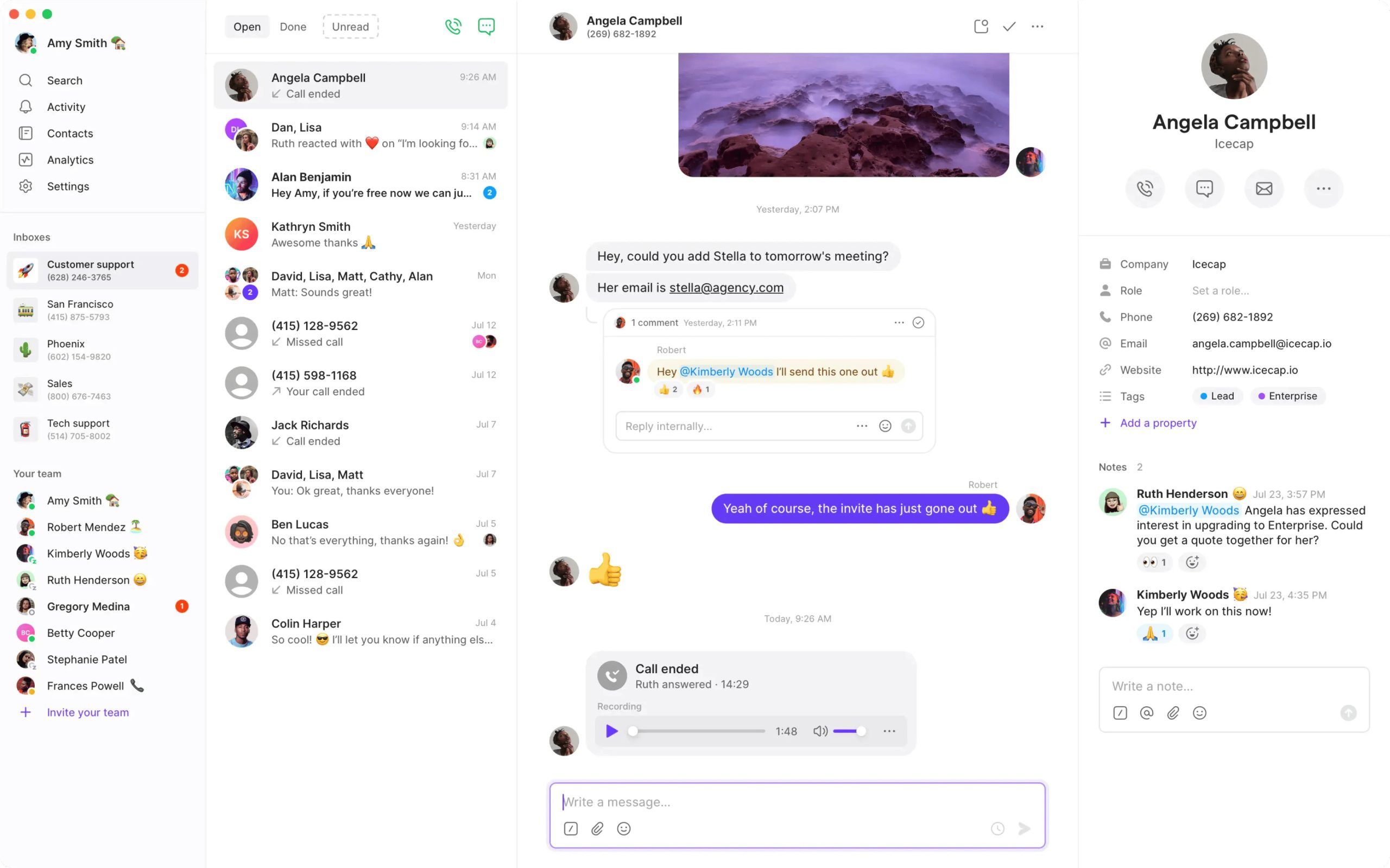
OpenPhone is a cloud-based, mobile-first business phone system tailored for startups, freelancers, and small businesses seeking simplicity and affordability. It allows users to separate business calls from personal numbers without needing extra devices. With features designed for remote teams—like shared numbers, team inboxes, and integrations—it offers a modern communication experience optimized for on-the-go work.
Features
- Shared Business Phone Numbers
- Call Forwarding
- Voicemail and Voicemail Transcription
- Slack and Zapier Integrations
- Call Recording
- Auto-Reply Management
- SMS and MMS Messaging
Pros
- OpenPhone provides an easy, hardware-free setup, ideal for small businesses.
- Its mobile-first design offers great flexibility for remote teams.
- OpenPhone includes shared inboxes that enhance team transparency for managers.
- This platform has an intuitive and clean interface that users can navigate effortlessly.
Cons
- OpenPhone has limited advanced reporting and call analytics capabilities.
- It offers only basic workflow automation, which may limit complex processes.
Pricing
- Starter: $15/user/month
- Business: $23/user/month
- Scale: $35/user/month
9. Vonage
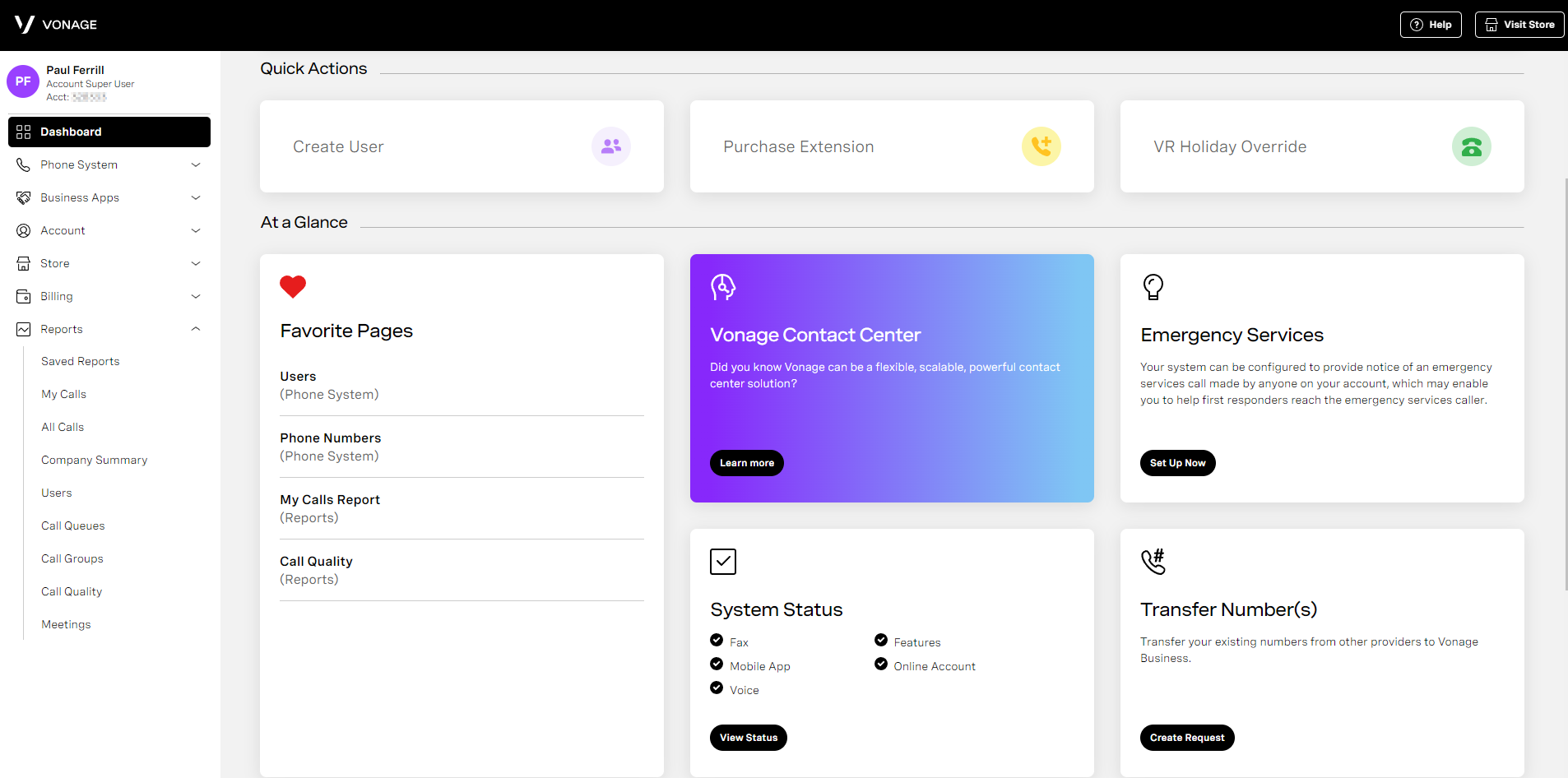
Vonage Business Communications (VBC) offers an all-in-one platform for voice, video, messaging, and SMS. This solution is specifically designed to improve business communication while integrating with popular CRMs and productivity tools. Plus, its user-friendly desktop and mobile apps allow employees to connect with clients and colleagues without any hassle.
Key Features
- Video Conferencing
- Virtual Receptionist
- Call Recording
- International Numbers
- SmartWAN
Pros
- Advanced features cater to both team collaboration and customer engagement.
- Customizable call routing ensures effective management of incoming calls for seamless operations.
- The mobile app allows users to maintain connectivity and functionality from anywhere, enhancing flexibility.
Cons
- Users may face occasional glitches with the mobile app during peak call times.
- The virtual receptionist feature might not offer enough personalization options for branding.
Pricing
- Mobile Plan: $13.99 per line per month
- Premium Plan: $20.99 per line per month
- Advanced Plan: $27.99 per line per month
10. Ooma
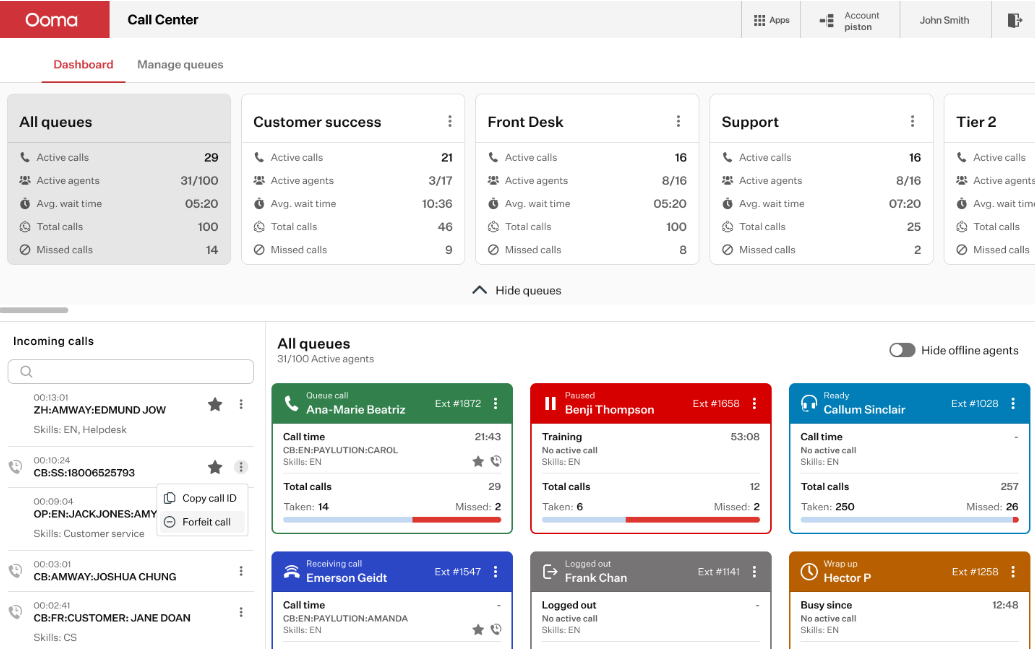
Ooma provides innovative communication solutions designed specifically for your business needs. As one of the top VoIP providers, Ooma recognizes that each business is unique and requires a tailored approach. Its hosted VoIP services help teams communicate more effectively to improve customer service.
Key Features
- Hybrid environments
- SIP trunking
- Microsoft Teams integration
- Caller Info Match
- Ring Groups
- CRM integration
Pros
- Their mobile and desktop apps enable jitter-free communication from any location with excellent voice clarity.
- The Customer Success Team offers unmatched support for smooth deployment and ongoing assistance.
Cons
- Some users feel that the mobile app lacks advanced features present in the desktop version.
Pricing
Ooma has different pricing plans and extra services that can be customized to fit what clients need. Visit the website to know more.
11. Zoho Voice
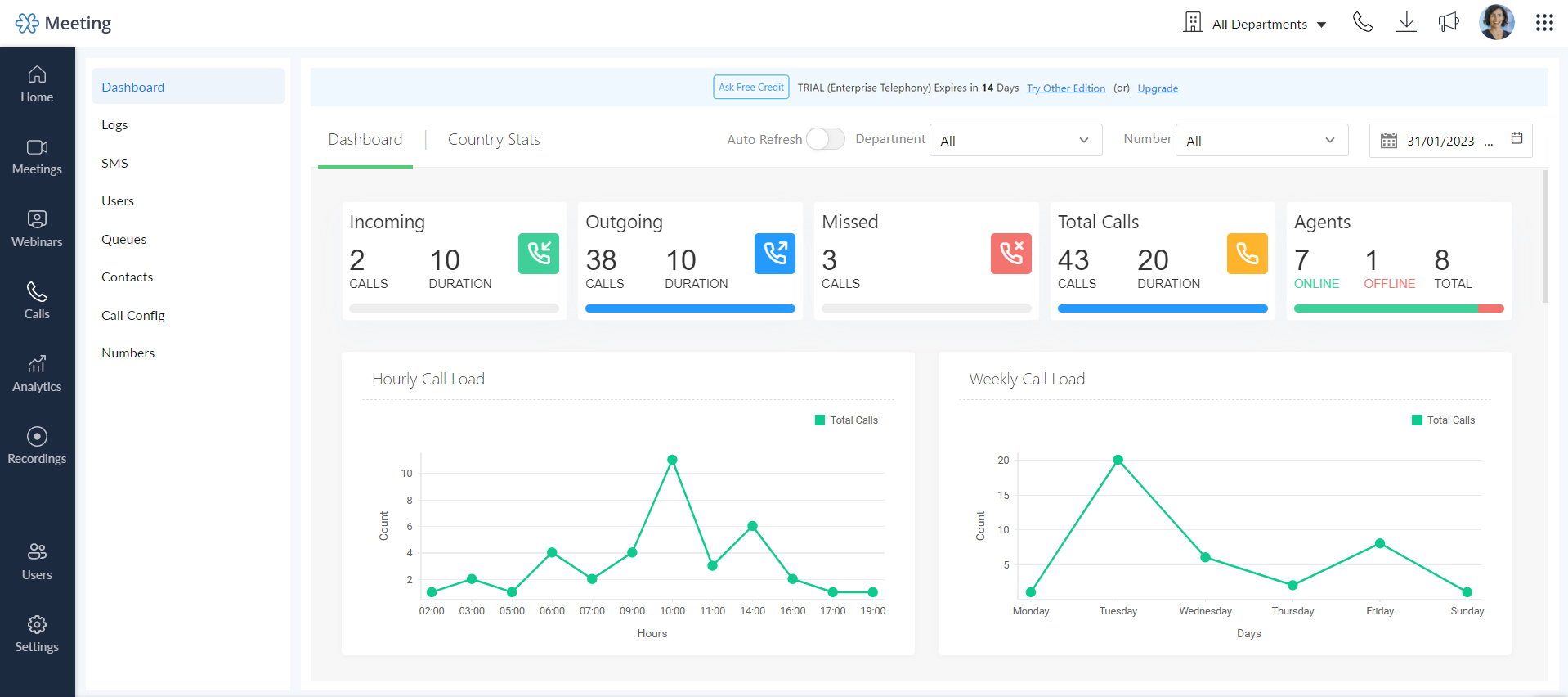
Zoho Voice is a cloud-based VoIP phone system designed to integrate with the Zoho ecosystem. This ability makes it an excellent choice for businesses already using Zoho CRM and other Zoho applications. Apart from this, it simplifies call management and customer interaction by unifying communication channels and automating workflows.
Features
- Native integration with Zoho CRM
- Cloud PBX with customizable call routing
- Click-to-call and call transfer
- Number masking
- Call queues
- Agent performance dashboards
Pros
- Zoho Voice delivers reliable call management features that enhance customer interactions.
- It supports remote teams with flexible access through web and mobile apps.
- This platform is extremely cost-effective and easy to use.
Cons
- Zoho Voice has limited third-party integrations beyond Zoho products.
- It offers fewer advanced call routing features for complex call centers.
- This platform’s brand recognition is lower outside of the Zoho user base.
Pricing
- Basic: $34 per user/month
- Standard: $49 per admin & 10 telephony agents
 : Top Free VoIP Phone Service for Businesses
Benefits of Using VoIP Services
Switching to VoIP phone services brings several benefits that can shoot up your ROI and profit in the long term. We have listed the major benefits of leveraging VoIP services for your business.
- Add users with one click and assign numbers instantly, which makes it perfect for growing call centers or distributed teams.
- Experience fewer dropped calls with reliable VoIP services that can keep you connected even during outages.
- Stay connected beyond your office walls with mobile, desktop apps, and virtual extensions.
- Benefit from versatile features like multi-device sync, screen sharing during sales calls, and scheduling based on business hours.
Wrapping Up
Picking the right VoIP provider can change how your business talks to customers. Regardless of your team size and industry, these tools help any business stay connected and fulfill customer communication needs. Think about what your business really needs and choose a provider that fits just right. Indeed, it’s time to make your calls clearer, faster, and more personal in 2026 and beyond.
FAQs
1. Is VoIP reliable for business calls?
Yes, VoIP is highly reliable for business communications when paired with a stable internet connection.
2. What internet speed is required for VoIP?
For high-quality VoIP calls, a minimum of 100 kbps (kilobits per second) upload and download speed per call is recommended. For example, a small team making multiple simultaneous calls should have a proportionally higher bandwidth.
3. Are VoIP calls secure?
VoIP calls can be very secure when providers implement strong encryption protocols like TLS (Transport Layer Security) and SRTP (Secure Real-time Transport Protocol).
Published : May 22, 2025

Jainy Patel is a content strategist having 8+ years of industry experience. Her expertise lies in developing marketing and content strategies for different VoIP solutions. Jainy is committed to helping companies streamline their communication and improve customer engagement with personalized & targeted content.

Subscribe to our newsletter & never miss our latest news and promotions.
 24k+ people have already subscribed


