
 Updated : June 12, 2026
Outbound sales reps spend roughly 60 percent of their shift on non-talk activity. That includes dialing, leaving voicemails, taking notes, and waiting for connections.
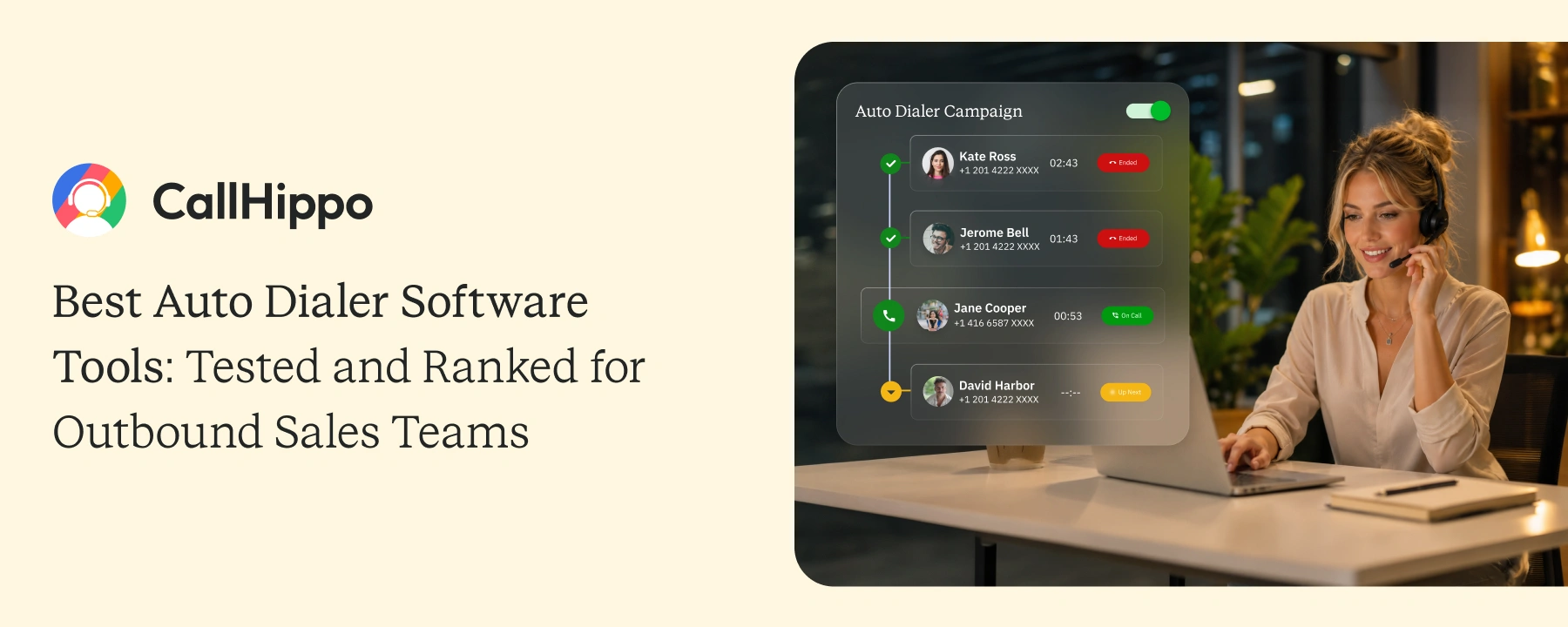
Auto dialer software exists to eliminate that wait time. The right tool can double the number of conversations per rep per day.
The wrong tool just adds another monthly subscription. This blog ranks the 10 best auto dialer programs for 2026 based on hands-on testing.
Quick Verdict: Which Auto Dialer Wins and for Which Team
The right auto dialer depends on your team’s size and sales motion.
- Mid-market outbound teams: Use CallHippo for parallel dialing plus 100+ CRM integrations without enterprise pricing.
- SDR teams dialing 150+ calls daily: Use Orum for the highest parallel dialing throughput available.
- Founder-led or small outbound teams: Use PhoneBurner for instant connection on every answered call.
- Enterprise contact centers with complex routing: Use Five9 or Talkdesk for predictive dialing at scale.
Each of these has been tested across pricing, dialing modes, CRM sync, and TCPA compliance features.
What Separates a Useful Auto Dialer From an Expensive One in 2026
Most sales teams pick an auto dialer based on the demo. The real test happens six months in. Here are four criteria that separate a useful auto dialer from an expensive one.
1. Connect Rate vs Dial Rate: The Metric Most Teams Measure Wrong
Dial rate measures how many calls a rep makes per hour. Connect rate measures how many of those calls reach a real person. Most teams chase dial rate and ignore connect rate. The right auto dialer software should improve both at once.
2. CRM Sync Depth: Why “Integrates With Salesforce” Means Different Things
“Integrates with Salesforce” is the most overused phrase in sales tech. Some vendors use native two-way sync. Others route calls through Zapier or middleware. Native sync logs every call instantly with full context. Zapier sync adds delays and breaks during peak hours.
3. The Four Dialer Modes and Which Sales Motion Each One Fits
| Mode | Best For | Call Volume | Risk of Abandonment |
|---|---|---|---|
| Power Dialer | Solo reps and SMBs | 100-150 calls/day | |
| Predictive Dialer | High-volume contact centers | 200-400 calls/day | |
| Parallel Dialer | Mid-market SDR teams | 150-300 calls/day | |
| Preview Dialer | Complex B2B sales | 30-60 calls/day |
4. AI Voicemail Drop: What It Is and When It Actually Increases Callbacks
AI voicemail drop lets reps leave a pre-recorded message in one click. The dialer system detects an answering machine and drops the audio messages automatically. This saves reps roughly 30 seconds per missed call. Across 100 daily dials, that adds up to 30 minutes back per rep per day.
- Reps using auto dialers average 120 to 150 calls per day. Reps dialing manually average 50 to 60. The gap is not skill. It is wait time between calls, which auto dialers eliminate entirely.
Auto Dialer Software Comparison Table
Here is how the 10 auto dialer software options stack up at a glance.
| Tool | Dialer Mode | Starting Price | CRM Integrations | TCPA Tools | Best For | |
|---|---|---|---|---|---|---|
| 1 |  PhoneBurner | Power | $140/user/mo | 10+ | Yes | High-volume power dialing |
| 2 |  Orum | Parallel | Not published | Salesforce, HubSpot | Yes | Enterprise SDR |
| 3 |  CallHippo | Power / Parallel / Predictive / Preview | $0/user/mo | 100+ | Yes | Mid-market outbound |
| 4 |  Aircall | Power | $30/user/mo + calls | 100+ | Yes | HubSpot/Salesforce teams |
| 5 |  Kixie | Power / Predictive | Not published | 20+ | Yes | Local presence dialing |
| 6 |  Five9 | Power / Predictive / Progressive / Preview | $119/Monthly/Seat | 50+ | Yes | Enterprise contact center |
| 7 |  CloudTalk | Power / Preview | $19/user/mo | 30+ | Yes | European market teams |
| 8 |  Dialpad | Power (add-on) | $39/user/mo | 70+ | Yes | AI coaching + dialing |
| 9 |  Talkdesk | Predictive / Preview / Power | $85/user/mo | 60+ | Yes | Blended contact center |
The 10 Best Auto Dialer Software Tools in 2026
Here are the 10 top auto dialer software tools in 2026 to make it easy for you to analyze and select a dialer for your business.
1. PhoneBurner: Best for High-Volume Teams That Need Instant Connection on Every Answered Call
PhoneBurner is the cleanest power dialer for teams that want zero delay between phone calls.
Key strengths:
- 4x faster dialing than manual with no abandonment risk
- Instant connection, so the rep is already live when the prospect picks up
- Built-in voicemail drop and email follow-up automation
Where it falls short: PhoneBurner is a power dialer only. Teams needing predictive or parallel dialing will hit the ceiling fast.
Pricing: Starts at $140 per user per month (billed annually).
Best fit: Built for teams that dial 100 to 200 numbers a day and want maximum talk time per call.
- PhoneBurner does not offer predictive or parallel dialing. Teams that need to dial multiple lines simultaneously will find PhoneBurner's power dialer ceiling lower than the advertised call volume gains suggest.
 : Best Cold Calling Dialers: Features, Pricing, & Reviews
2. Orum: Best for SDR Teams Dialing 150+ Calls Per Day
Orum is the parallel dialer of choice for SDR teams running 150 or more daily dials per rep.
Key strengths:
- Dials up to 10 lines in parallel at the same time
- AI voice detection skips voicemails and bad numbers automatically
- Salesforce and HubSpot integration with deep call logging
Where it falls short: Orum focuses on volume. Teams that need contact center routing or inbound handling will need a separate tool.
Pricing: Not published. Minimum 3-seat required.
Best fit: Built for SDR teams with 50+ seats running structured outbound at scale.
- Orum does not publish pricing publicly. Teams routinely report sticker shock at the demo. Budget for enterprise-tier pricing before requesting a quote.
3. CallHippo: Best for Mid-Market Teams Running Multi-Line Outbound
CallHippo is the auto dialing software for mid-market outbound teams that need parallel dialing without enterprise pricing.
Key strengths:
- Power, parallel, predictive, and preview dialing modes all in one platform
- 100+ CRM integrations, including Salesforce, HubSpot, Zoho, and Pipedrive
- Local presence dialing across 150+ countries
Where it falls short: Advanced AI analytics like sentiment scoring sit on the AI Copilot add-on, not the base plan.
Pricing: Starts at $0 per user per month.
Best fit: Built for mid-market sales teams running outbound across multiple regions.
- CallHippo's Parallel Dialer is available as an add-on. Teams quoting from the Starter plan often miss this until after signup. Confirm which dialing mode is included on your chosen tier before committing.
CallHippo's auto dialer helps your reps to work with more efficiency when serving your global clients.
Take a 10-Day Free Trial No credit card required!4. Aircall: Best for Teams Already Running HubSpot or Salesforce at Scale
Aircall is the auto dialer for teams already using HubSpot or Salesforce as their primary system of record.
Key strengths:
- Native two-way CRM sync that holds at scale
- 100+ pre-built integrations across sales and support tools
- Clean interface that reps adopt fast without training
Where it falls short: Aircall offers power dialing only. Teams looking for parallel or predictive modes will hit the limit.
Pricing: Starts at $30 per user per month (billed annually) with a 3-seat minimum.
Best fit: Built for HubSpot or Salesforce-centric sales teams scaling from 10 to 50 reps.
- Aircall's minimum seat requirement (3 seats) and per-minute billing on some plans have surprised smaller teams mid-billing cycle. Verify your expected monthly minute volume before selecting a plan.
5. JustCall: Best for Sales Teams Dialing Across Multiple Time Zones
JustCall is the auto dialer software for teams dialing across multiple time zones with automated scheduling.
Key strengths:
- Time zone-aware dialing for international outbound campaigns
- AI call scoring and transcription are available on higher tiers
- 100+ CRM and sales tool integrations supported
Where it falls short: JustCall’s analytics dashboards are functional but less polished than Aircall or CallHippo.
Pricing: Starts at $29 per user per month (billed annually).
Best fit: Built for sales teams dialing globally with rep distributions across regions.
- JustCall's AI features (AI-powered call scoring, real-time agent assist) are on higher-tier plans only. Several G2 reviews note the gap between what's shown in the demo and what's included in the entry plan.
6. Kixie: Best for B2B Sales Teams Using Local Presence at Scale
Kixie is the auto dialer for B2B sales teams that rely heavily on local presence to boost answer rates.
Key strengths:
- Local presence dialing in every US area code
- Power and predictive dialing modes in one tool
- Native HubSpot, Salesforce, and Pipedrive integration
Where it falls short: Kixie’s international coverage is thinner than CallHippo or CloudTalk.
Pricing: Not published.
Best fit: Built for US-focused B2B sales teams running outbound by region.
- Kixie's local presence feature uses a shared number pool. Multiple users in the same area code may be calling from the same local number, which can trigger spam flags on high-volume call lists.
7. Five9: Best for Enterprise Contact Centers With Complex Routing
Five9 is the enterprise contact center platform for blended inbound and outbound with multi-channel routing.
Key strengths:
- Power, predictive, preview, and progressive dialing modes
- Enterprise-grade compliance with HIPAA, PCI, and SOC 2
- Advanced workforce management and analytics built in
Where it falls short: Five9 is overkill for teams under 100 seats. Setup takes weeks, not days.
Pricing: $119 Monthly/Seat.
Best fit: Built for contact centers with 100+ seats running blended sales and support.
- Five9 requires a minimum annual contract and does not publish per-seat pricing. G2 reviews from mid-market buyers (50-200 seats) consistently cite implementation costs and onboarding timelines of 8 to 14 weeks as underestimated during the sales process.
8. Dialpad: Best for Revenue Teams That Need AI Call Summaries and Coaching
Dialpad is the auto dialer for revenue teams that want AI call summaries and coaching baked into the platform.
Key strengths:
- Real-time AI transcription and sentiment analysis
- Native AI note taker and call summaries after every call
- Strong integration with Salesforce and HubSpot
Where it falls short: Dialing is not the headline feature. The auto dialer comes as an add-on, not a core capability.
Pricing: Starts at $39 per user per month plus the dialer add-on.
Best fit: Built for teams that prioritize AI coaching over pure dial volume.
- Dialpad's auto dialer is an add-on, not a core feature. Teams buying Dialpad primarily for dialing often find they've paid for a communications platform with dialing bolted on, not a dialer-first tool.
9. CloudTalk: Best for Scaling Sales Teams Calling Into European Markets
CloudTalk is the outbound dialer software for sales teams calling into European markets with strong local coverage.
Key strengths:
- 160+ international numbers across the EU and global markets
- Smart dialer with intelligent call queuing
- Native sync with HubSpot, Salesforce, and Pipedrive
Where it falls short: Analytics are less robust than Aircall or JustCall at equivalent plans. Preview and power dialers are only included in the Expert plan.
Pricing: Starts at $19 per user per month (billed annually).
Best fit: Built for sales teams expanding outbound into European or APAC markets.
- CloudTalk's analytics features lag behind Aircall and JustCall at equivalent price points. Teams that rely on real-time coaching dashboards for managers report limited functionality on non-Enterprise plans.
10. Talkdesk: Best for Blended Inbound/Outbound Contact Centers
Talkdesk is the enterprise platform for blended inbound and outbound teams that need predictive dialing and contact center routing in one place.
Key strengths:
- Offers predictive, preview, and power dialer modes
- 30+ compliance certifications, including HIPAA and PCI
- AI-powered quality management is built into the platform
Where it falls short: Talkdesk is built for enterprise. Mid-market teams will overspend on features they do not use. The dialers are available as an add-on.
Pricing: $85 per user/per month
Best fit: Built for contact centers with 200+ seats running regulated outbound.
- Talkdesk's pricing is enterprise-only and non-transparent. Multiple G2 reviewers note that the predictive dialer requires dedicated implementation support. Self-serve setup is not an option on most plans.
- What this table doesn't show is onboarding time. Teams switching from manual dialing to a predictive or parallel dialer typically spend 2 to 3 weeks on list hygiene, CRM field mapping, and rep training before connect rates stabilize. Budget for this before your first billing cycle.
How to Choose Auto Dialer Software Without Regretting It Six Months In
The right call automation software is the one that fits how your team actually sells. Three steps narrow the shortlist fast.
1. Pick the Dialer Type That Matches How Your Team Sells
- Map your average daily dial volume per rep.
- Match that volume to a dialer mode (power, predictive, parallel, or preview).
iii. Eliminate vendors whose primary mode does not match your needs.
If reps dial 50 to 100 numbers a day, a power dialer fits. For 150 or more daily dials per rep, parallel or predictive dialing is required. Above 300 daily dials, only predictive scales without dropping the connect rate significantly.
: Manual Dialing is Draining Your Agent’s Productivity: Call Center Dialer Can Fix That2. Four Costs Vendors Don’t Mention Until After You Sign
| Cost | What It Means | When It Hits |
|---|---|---|
| Per-minute overage | Charges above your included minutes | First peak billing month |
| Annual contract lock-in | No mid-year exit option | Quarter 2 if rollout fails |
| Minimum seat counts | Hidden floor on smaller teams | After demo, before contract |
| Implementation fees | Setup, training, migration costs | Within first 30 days |
3. The Compliance Questions to Ask Any Vendor Before Signing
Before signing, ask the vendor for written answers to these four questions:
- Does the dialer support one-to-one consent logging per the FCC 2024 rules?
- Does it scrub against the National DNC registry automatically?
- Does it block calls to numbers in states requiring all-party consent?
- Does it disclose AI voice usage per the FCC January 2026 rules?
If the vendor cannot answer in writing, that is your answer.
TCPA, GDPR, and State Auto-Dialer Laws: What Your Vendor Should Be Doing
Compliance is the part most auto dialer programs gloss over in demos. Skipping it can shut down your outbound program overnight.
- The FCC's 2024 one-to-one consent rule (effective January 2025) requires that consent be obtained specifically for each business placing calls. A blanket opt-in for "marketing calls" no longer covers automated dialing. Verify your dialer vendor's consent log features before using predictive or auto dial modes on any list older than 12 months.
- TCPA (US): TCPA requires prior express written consent before making auto-dialed calls to mobile numbers. Violations cost $500 to $1,500 per call. A 1,000-call campaign without consent can land at $1.5M in damages.
- GDPR (EU): GDPR requires a lawful basis for processing customer data, including call recordings. EU residents have the right to request deletion of their call records at any time.
- State-level laws: Florida, Oklahoma, and Washington have passed mini-TCPA laws with stricter consent rules. Texas added similar requirements in 2025. Always check the rules for every state your reps call into.
Call log exports from your dialing system are your evidence trail in any TCPA dispute. Pick a vendor that retains exportable logs for at least seven years. This guide is informational only. Always consult your legal team before launching a new outbound campaign.
Conclusion
Auto dialer software has become the dividing line between top and average outbound teams. Reps without one dial 50 calls a day. Reps with one dial 150 to 200. The gap shows up in the pipeline by the second month.
For mid-market teams, CallHippo closes that gap fast. Power, parallel, preview, and predictive modes are ready in three minutes. 100+ CRM integrations included. Outbound scales without the enterprise price tag.

Power, parallel, preview, and predictive dialing in one platform. Setup in three minutes.
FAQs
1. What is auto dialer software?
Auto dialer software automatically dials phone numbers from a contact list. It then connects answered calls to available call center agents on the team. The system eliminates the wait time between manual dials. Most auto dialers include power, predictive, parallel, or preview modes. The right tool can double a rep’s daily talk time without adding headcount.
2. What is the difference between an auto dialer and a power dialer?
A power dialer is one type of auto dialer. It dials one number at a time and connects the rep to live answers. An auto dialer is the broader category that also includes predictive, parallel, and preview modes. Power dialers fit smaller teams. Predictive and parallel modes fit higher-volume operations.
3. How much does auto dialer software cost?
Auto dialer software ranges from $25 to $150 per user per month. Mid-market platforms like CallHippo, Aircall, and JustCall sit between $25 and $50 per user. Enterprise platforms like Five9 and Talkdesk run higher with custom pricing. Most vendors charge extra for AI features, parallel dialing modes, and implementation services.
4. Can auto dialer software integrate with CRM systems?
Yes, most modern auto dialer programs integrate with major CRM platforms. Native integration logs every call to the right contact record automatically. CallHippo integrates with 100+ CRMs natively.
Published : June 11, 2026

Harsh Bairagi is a B2B SaaS content writer with over 4 years of experience in the tech industry. Harsh believes in creating good copies to bridge the gap between tech and emotion. When not chasing clean copy or clever metaphors, he is busy catching up on his favorite sports.

Subscribe to our newsletter & never miss our latest news and promotions.
 24k+ people have already subscribed



