
 Updated : September 7, 2026
You run a modern stack, and it works fine. Your phone system quietly logs calls in the CRM, so you don’t have to think about it.
Then you add a tool that also handles customer records. Maybe a helpdesk, maybe a second CRM. Or you switch CRMs altogether.
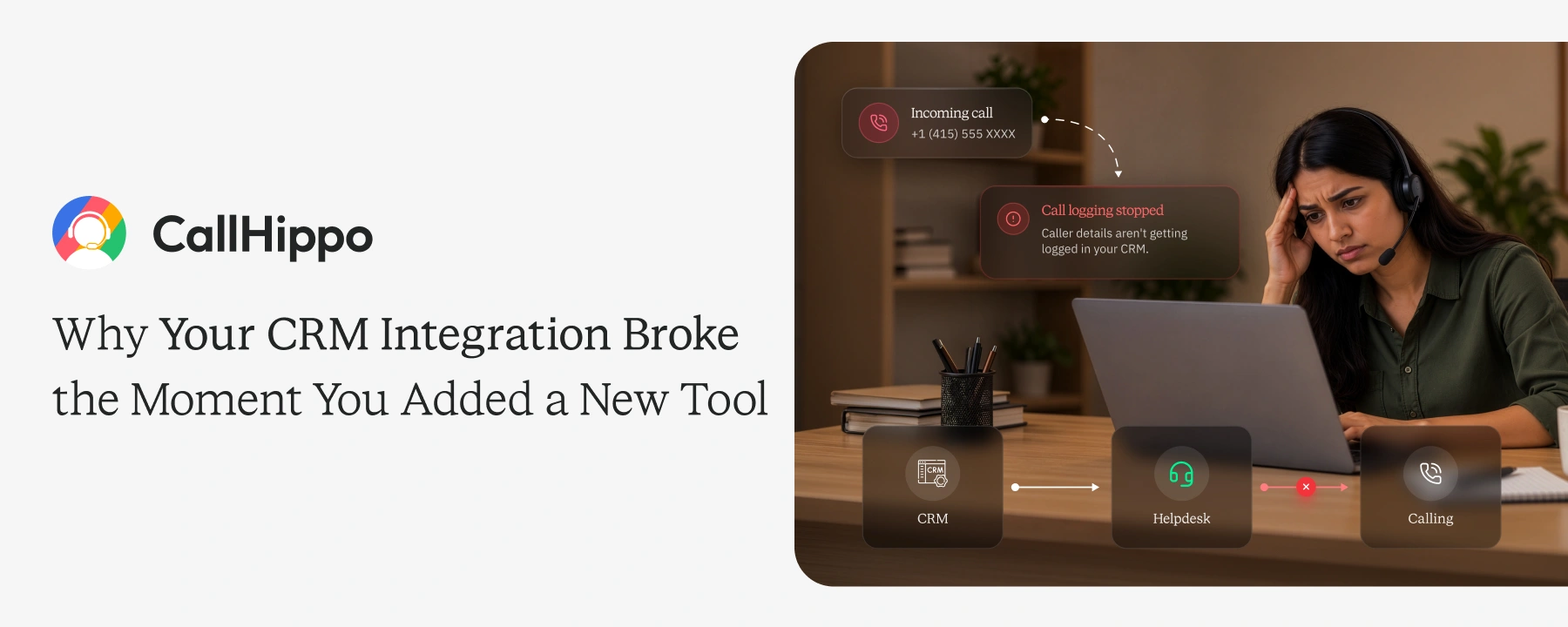
Suddenly, the calls stop being logged, and reps go back to typing notes by hand. This post explains why it happens, what it costs you, and how to stop it.
The Problem: Your Phone System Was Never Built for More Than One CRM
Here is the core issue. Most phone systems are built to connect with just one CRM. That single connection is where everything breaks.
1. What “CRM Integration” Actually Means in Most Phone Systems
An integration is a direct connection to one specific CRM. It maps each call to that CRM’s fields and records. It was coded for that one system, not your whole stack. Change the stack, and the wiring no longer fits.
2. The Symptoms of a Broken CRM Integration
The signs are easy to spot once you know them.
- New calls never appear in the CRM.
- The screen pop that shows caller details goes blank.
- Click-to-call buttons stop dialing.
Reps notice first, but the data gap reaches you.
Why This Happens: Integrations Are Built for One CRM, Not a Category
The root cause is simple. These connections are built narrow, not broad.
1. Native Integrations Are Built for One CRM’s System
A native integration is written against one CRM’s API. It expects that CRM’s exact fields and layout. Another CRM speaks a different language. The old connection cannot read it.
2. Vendor Partnerships Decide Which CRMs Get Supported
Support is not automatic. It follows business partnerships and customer demand. Popular CRMs get built first. Smaller or newer ones wait, or never arrive.
3. Custom or Self-Built CRMs Are Rarely Included
Many companies build their own CRM. Off-the-shelf integrations do not know it exists. So the phone system has nothing to connect to. Those calls stay stranded outside your records.
The Real Cost of a Broken CRM Integration
Think about how you run every other channel. You use specialized tools for email, LinkedIn, and your CRM. Why not for calling? When the phone is the weak link, the cost adds up fast.
1. Reps Go Back to Logging Calls by Hand
Manual logging eats selling time. Reps type notes instead of dialing. Many skip logging entirely when they get busy. Your pipeline data turns thin and unreliable.
2. Call Context and Follow-Ups Get Lost
Every call holds context. “Who called”, “what was said”, “what comes next”, etc. When calls stop syncing, that context vanishes. Follow-ups slip, and warm leads go cold.
3. Calls Land in the Wrong CRM Record
Sometimes calls sync, but to the wrong place. A call attaches to an old or duplicate record. Now two systems disagree about the truth. Your reports quietly start to lie to you.
 : Your Dialer Should Know When it is Illegal to Call
What to Check Before You Sign a Phone System Contract
Most of this pain is avoidable. You just need to ask these four questions before you buy.
1. Ask Which CRMs Are Natively Supported
Get the exact list in writing. CallHippo offers 100+ integrations. It natively supports Salesforce, HubSpot, Zoho, and many other CRMs. Confirm your CRM sits on that list.
2. Ask What Happens When You Add a Second CRM
Stacks grow over time. Ask if the system connects more than one CRM at once. Make sure a second tool will not break the first.
3. Ask How Custom CRMs Get Connected
If you built your own CRM, ask directly. CallHippo offers an open API for exactly this. It connects to a custom CRM where no prebuilt option exists.
4. Ask About Extra Costs for New Integrations
Some connections carry hidden fees. Ask what each integration costs. Ask whether adding one later will change your bill.
: Your Reps are Calling at the Wrong Time, and it is Burning Your LeadsSetting Up a Phone System That Won’t Break When Your CRM Stack Changes
Setup decides whether the system lasts. A few steps keep it stable.
1. Connect More Than One CRM Without Losing Data
Map each CRM before you go live. Decide which calls sync where. CallHippo lets you connect multiple CRMs and route call data cleanly.
2. Use an Open API for CRMs That Aren’t Supported
No prebuilt option? Use the open API or Zapier. This route connects a custom or niche CRM. Your calls still land in the right record.
3. Test the Integration Before Rolling It Out to Everyone
Never launch to the whole team at once. Test with a small group first. Place real calls and check the logs. Fix the gaps before the full rollout.
: Best Auto Dialer Software Tools: Tested and Ranked for Outbound Sales TeamsConclusion
Your phone is a core system, not a side tool. Treat it like one. The right setup logs every call in every CRM, automatically. That means time saved and pipeline you can trust. Ask the hard questions before you sign. Your future stack will thank you.

Frequently Asked Questions
1. Can one phone system connect to two CRMs at the same time?
Yes, the right one can. CallHippo connects to more than one CRM at once. Each call routes to the correct system.
2. What happens to call logs if I switch CRMs?
Old logs stay in the old CRM. New calls sync to the new one after you reconnect. Plan the switch so nothing falls through.
3. Does CallHippo support custom or self-built CRMs?
Yes. CallHippo offers an open API for custom CRMs. It connects systems that have no prebuilt integration.
4. Is Zapier a reliable substitute for a native CRM integration?
It is reliable for many use cases. Native support runs deeper for daily, high-volume syncing. Zapier fills the gaps native coverage misses.
5. How long does it take to reconnect a phone system after a CRM migration?
Often just a few hours. You reconnect the integration and remap the fields. Testing takes a little longer.
6. What questions should I ask a phone system vendor about CRM integration before buying?
Ask which CRMs are native. Ask about second CRMs, custom CRMs, and extra costs. Get every answer in writing.
Published : September 7, 2026

Satyaki is an SDR Lead at CallHippo with over three years of experience in B2B and B2C SaaS sales, specializing in lead generation, pipeline management, and international markets. Passionate about building meaningful connections, he brings a strategic yet people-first approach to driving business growth.

Subscribe to our newsletter & never miss our latest news and promotions.
 24k+ people have already subscribed