

 Updated : May 7, 2026
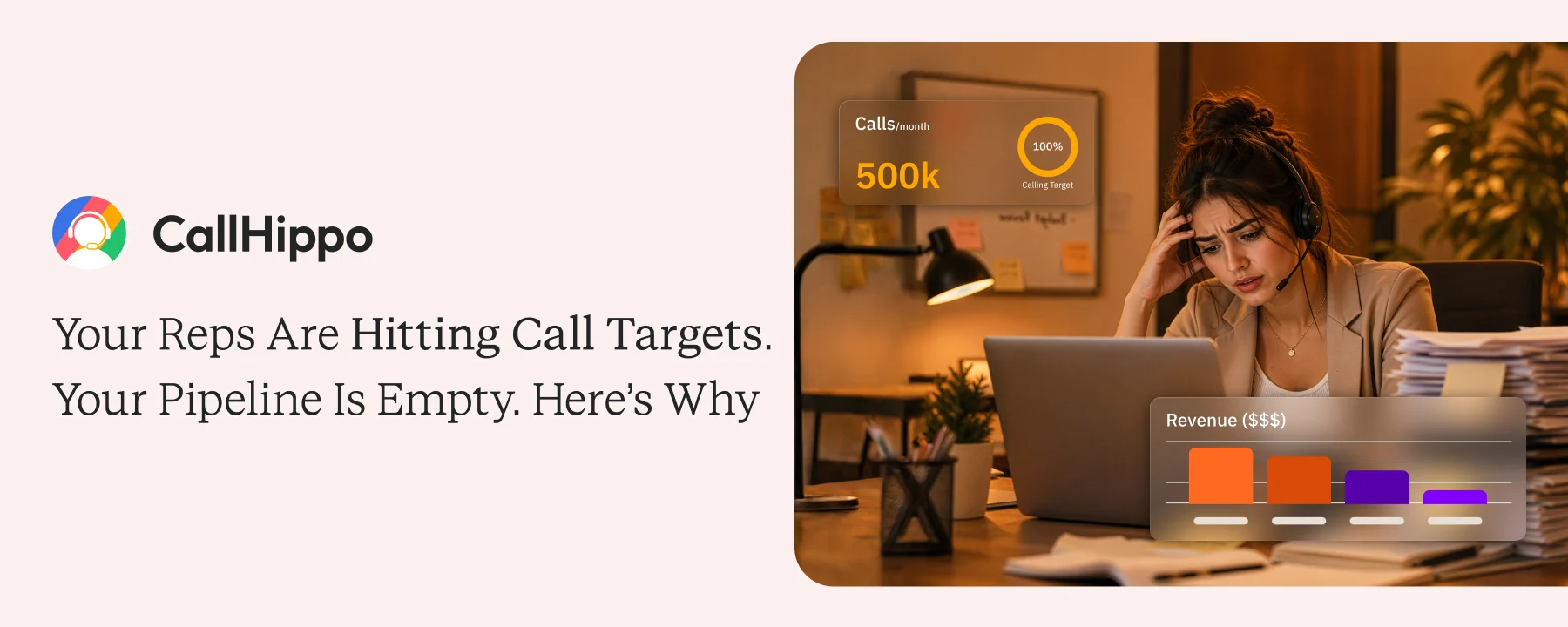
Every revenue leader has faced this. The activity dashboard says the team is hitting dial targets every week, but the pipeline says something very different.
The instinct is to coach the reps, push the script harder, or rebuild the list. None of those fixes the actual problem. The problem is the metric you are measuring.
This piece breaks down why dial counts can stay high while pipeline stays flat, and what to track instead.
The Numbers Look Right, the Pipeline Doesn’t
Imagine you are having a Monday standup. The week’s report shows 1,800 dials across the team, well past target, and the talk time on the dashboard also looks healthy.
Yet the pipeline added in the same week is half of what it should be.
This pattern repeats across outbound teams every quarter. The numbers tell one story, and the revenue tells another. Nobody can quite explain the gap.
Most managers blame the reps or the lists, but the real cause sits inside the metric itself.
A Dial is not a Conversation, and Your Report Doesn’t Know the Difference
A dial is when the phone connects to a number. A conversation is when a real person answers and talks back. Most dialer reports treat both the same way, which makes the dashboard look healthy even when no real conversations are happening.
1. How Voicemail Attempts Get Logged as Completed Dials
When a rep dials a prospect, and the call rolls to voicemail, the system logs it as a completed dial. The rep moves on, but the prospect was never actually reached.
Across a 200-dial day, this is brutal. Half the team’s dials might be voicemail hits, but the report shows 200 dials and signals success.
 : What is Carrier Voicemail and How to Manage It?
2. What “80 Dials” Actually Looks Like in a Real Calling Session
A rep with 80 dials in a day might have had 50 real conversations. The other 30 calls were voicemails, no answers, or wrong numbers.
The dashboard does not separate these out, so the rep looks productive on paper while their pipeline contribution is near zero.
When Target is Measured by Dials, Reps Focus on Volume
If dial count is the only target on the wall, reps will chase dial count. That is not lazy behavior. That is your team doing exactly what you asked them to do.
1. Why This Behavior Is Invisible in Standard Activity Reports
One rep dials 100 numbers and hangs up after two rings, never giving anyone a chance to pick up. Another dials the same 100 numbers and stays on the line long enough to actually talk to people.
Both show 100 dials on the dashboard, but only one of them did real work. Standard activity reports do not flag the difference. The dashboard treats both reps as equal performers.
2. What a Gamed Dial Count Looks Like vs. a Real One
A real dial count comes with a healthy live conversation rate. A gamed dial count shows up as high dial volume with a live conversation rate near zero.
Same dial number, totally different output. The fix is not coaching the rep; the fix is a metric that tells the difference.
: Best Professional Voicemail Greetings with Ready-to-Use ScriptsWhat Your Report Is Measuring vs. What It Is Missing
Most dialer reports give you one number: dials. That is the start of the story, not the end of it. You need three numbers to see what is actually happening on the floor.
1. Dials, Live Connects, and Talk Time: Why All Three Numbers Are Required
A dial tells you the rep tried. A live connect tells you a real person answered. Talk time on answered calls tells you whether the rep had a real conversation or got a 10-second hang-up.
All three together show whether your team is selling or just dialing. One alone tells you almost nothing.
2. Why “Voicemail Detection” Makes Your Reports More Reliable
Without voicemail detection, every call looks the same on the report. With it, the system separates voicemails from live answers automatically.
CallHippo’s call analytics feature splits dials into live connects and no-answers. Also, its answering machine detection feature helps you distinguish between live answers and voicemail. So managers see what their team actually achieved, not just what they attempted.
That visibility is the difference between a Monday standup based on the right number and one built on the wrong one.
: How to Forward a VoicemailWhat Real Manager Visibility Into Outbound Activity Looks Like
A useful activity report does not stop at “how many dials.” It tells you who is actually moving the business forward, and who is hitting the metric without doing the work.
1. The Metrics That Show Who Is Actually Selling
Four numbers matter, in order:
- Dial count (the attempt)
- Live connection rate (the real reach)
- Talk time on answered calls (the engagement)
- Pipeline added per 100 connects (the outcome)
Together, they tell you which reps are creating real conversations and which ones are inflating the dashboard.
2. How to Spot the Gap Before It Runs Through an Entire Campaign
A rep whose dial count stays flat but whose live conversation rate is dropping is the early warning sign. By the time the pipeline reflects it, the campaign is already cooked.
CallHippo’s analytics surface this in real time. Live conversation rate, voicemail rate, and talk time are updated in real-time. A manager who spots the slip on Tuesday morning can fix it by Tuesday afternoon. A manager who waits for Friday’s report has already lost the week.
Fix the Metric Before You Coach the Rep
The reps are working great, the metric isn’t. Most teams set dial count as the primary target because it is easy to measure. The operational fix is straightforward. Add live conversation rate alongside dial count on the dashboard, or replace dials entirely as the primary target.
Configure your dialer to log voicemail attempts separately from live connects so the data is clean from day one. Set thresholds. A rep at 80 dials with 2 conversations gets coached differently than a rep at 80 dials with 12 conversations.
If your team is hitting dial targets but missing pipeline, do not start with the rep; instead, start with the report. The rep will follow whatever metric you put on the wall. To know the calling data better, use CallHippo. It helps you gain the data-driven insights that are needed to analyze and monitor the effectiveness of your dials.

Frequently Asked Questions
1. What is the difference between a dial and a live connect?
A dial is any time the rep places a call. A live connect is when a real human picks up and talks back. Most dialers count both as “dials” by default, which makes activity look stronger than it really is.
2. How do I know if my reps are gaming dial counts?
Check the live conversation rate alongside the dial count. If dials are high but the live conversation rate is near zero, the dial count is being gamed, or the list is dead.
3. What metrics should replace dial count as the primary target?
Live conversation rate, talk time on answered calls, and pipeline added per connect. Together, those three numbers show whether the team is having real sales conversations or just attempting them.
4. How does voicemail detection affect call reporting?
Voicemail detection separates calls that hit voicemail from calls that reach a live person. Without it, both look identical in the report. With it, you can see what your team actually achieved versus what they only attempted.
5. Can I see live vs. voicemail separation in real time?
Yes. Modern dialers like CallHippo separate live connects from voicemails on a real-time dashboard. Managers see the live conversation rate per rep as it happens, not in a weekly summary that arrives too late to act on.
Published : May 5, 2026

Uzma is an SDR Leader at CallHippo with a proven track record in global sales and lead generation. She works closely with sales and support teams to bridge the gap between conversations and revenue by optimizing outreach, improving connect rates, and streamlining communication workflows. Her expertise lies in building scalable calling strategies that drive consistent pipeline growth.

Subscribe to our newsletter & never miss our latest news and promotions.
 24k+ people have already subscribed



