
Auto Dialer Software
Manual dialing kills 40% of your team’s day. CallHippo’s auto dialer eliminates the wait, busy signals, and voicemail dead ends. Reps talk to more prospects in less time. The result is pipeline growth without additional headcount.
- Better connect rates through Answering Machine Detection and Voicemail Drop
- Power, Parallel, and Attempt Manager dialing modes for every campaign
- List screening and configurable abandonment limits for your outbound compliance program.
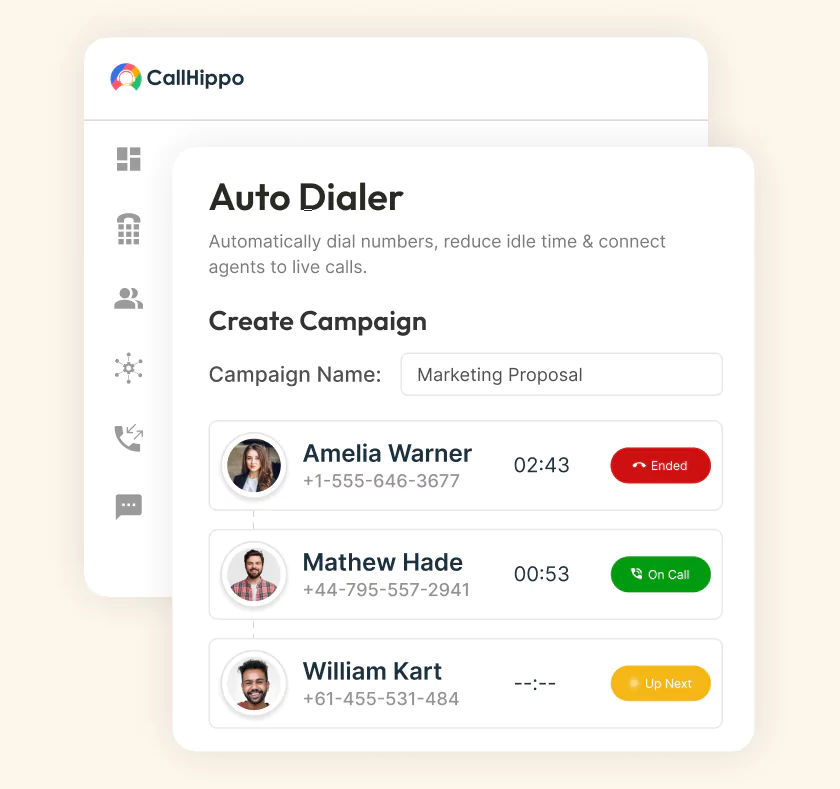







Why Manual Dialing Is Costing Your Team More Than You Think
Manual dialing hurts your business in ways no report captures. Fewer meetings booked, slower callback times, and deals die because reps could not get to the follow-up in time. Every second spent typing a number is a second not spent selling. Each rep’s half the day gets swallowed by dial mechanics.
The best conversations happen when reps are in rhythm. Manual dialing kills that rhythm before it starts. The end result is predictable. Fewer dials, lower connect rates, and rep morale that drains a little more every day.
Set Up CallHippo’s Auto Dialer in 3 Minutes
Three steps and your team is dialing at 3x volume. The whole configuration runs from one admin panel.

Upload contacts from CSV or sync from HubSpot, Salesforce, or Zoho. Name the campaign, pick a caller ID, and set the dialing window.

Pick Power, Parallel, or Attempt Manager based on the campaign. Configure ring time, retry rules, abandonment thresholds, and DNC scrubbing.

Reps log in and start dialing. Managers watch live connect rates, agent status, and campaign performance. The analytics dashboard updates in real-time.
3 Types of Auto Dialers: And When to Use Each
Not every campaign needs the same dialer. The right choice depends on your call volume, script complexity, and compliance needs.
- Power Dialer: One Agent, One Call at a Time
Power dialer connects an agent to the next number instantly. The previous call ends, the next one begins. Best for scripted outbound where every live pickup matters. - Parallel Dialer: Algorithm-Driven High-Volume Dialing
Parallel dialer places multiple calls at once. The agent connects to the first live pickup. Connect rates climb 3-5x compared to power dialing. - Attempt Manager: Controlled Pacing for Scripted Calls
A progressive dialer logs every call attempt in sequence. Agents track outreach history, tag statuses, and manage follow-ups manually.
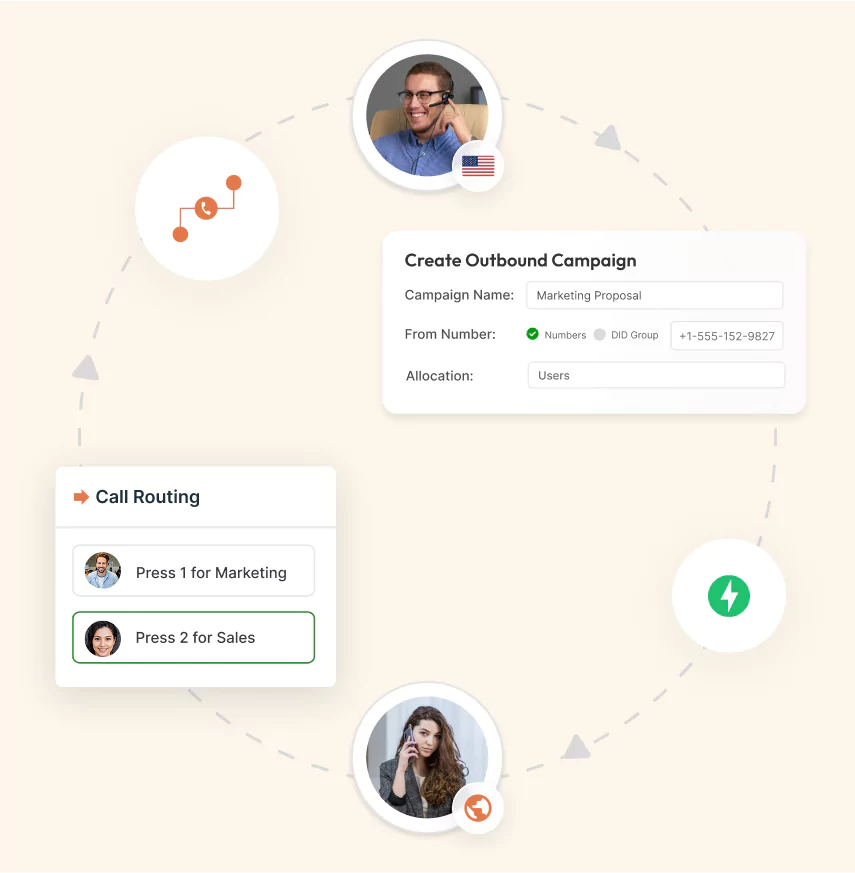
Key Features of CallHippo’s Auto Dialer Software
Eight features of auto dialer software built for outbound teams that measure pipeline, not just call volume.

Click any phone number in HubSpot, Salesforce, or Zoho. The call dials through CallHippo and logs to the contact automatically.

Reps hit voicemail 30-40% of the time. Voicemail drop plays a prerecorded message and moves on. One click, no re-recording.

AMD identifies voicemail within first two seconds of pickup. Live calls route to agents; voicemails route to drop or skip.

Match outbound caller ID to the prospect's area code automatically. Local presence lifts pickup rates by 2-3x on cold calls.

Every campaign scrubs against federal, state, and internal DNC lists automatically. Litigator scrubs run alongside for extra protection.

Live dashboards show call connect rates, average talk time, etc. Drill down by campaign, list, or number in real time.

Managers listen, whisper, or barge into live calls without disrupting the conversation. Real-time coaching happens on the call, not after.

Run multiple outbound campaigns in parallel with separate scripts and caller IDs. Compare performance side by side from one dashboard.
Pricing
-

 Calling
- Pay Only for Numbers
- Voicemail
- Click to Dial
- Business Hours
Define operating hours for each number to route calls appropriately.
- Smart Failover System
If a call fails to complete, Attempt Manager surfaces it for retry on a number you've assigned to the campaign, improving call connection success rates.
-

 Messaging
 - SMS (Text messages) & MMS
- WhatsApp Business API
 Platform
- 2FA
Add an extra security layer by requiring a verification code in addition to your password.
- Desktop & Mobile Apps
-
Calling
- Unlimited Minutes (Includes Both Landline & Mobile Calling)
Shared pool of free calling minutes for your entire team. Valid for manual dialing to standard US/Canada numbers only.
- Forward to Device Automatically route incoming calls to your mobile or alternative device to never miss calls.
- Ring All Devices Ring simultaneously on all your logged-in devices (desktop, mobile, browser) for every call.
- Country Blocking Restrict outbound calls to specific countries to prevent unauthorized international dialing.
-
Messaging
-
100 SMS (Text Messages)
Standard A2P charges apply.
- SMS Templates Create and save message templates for one-click texting with consistent communication.
- Free Omnichannel Inbox


-

 Analytics
- Basic Report Analytics
- Call Logs (1 month) Access detailed records of all calls including duration, outcome, recordings, and participant information.
- Audit Logs Track all account changes and user actions for security, compliance, and accountability.
-
 Integrations
-
ZZapierSSlack50+WWebhook


 Popular
-
Calling
- Unlimited Minutes (Includes Both Landline & Mobile Calling)
Shared pool of free calling minutes for your entire team. Valid for manual dialing to standard US/Canada numbers only.
- Call Recordings Record and store calls for quality monitoring, training, and compliance.
- Multilingual IVR Offer IVR menu options in multiple languages to serve diverse customer bases.
- Call Distribution (Cascading) Route calls to agents in a priority sequence until someone answers.
- Custom Greetings Upload personalized welcome messages for callers to hear when they reach your number.
-
Messaging
-
500 SMS (Text Messages)
Standard A2P charges apply.
-
Analytics
- Reports / Analytics Get detailed insights and summarized analytics on team's calling performance.
- AI Voicemail Transcription Automatically convert voicemail audio to text for faster message review.
- Call Logs (Lifetime)
- Role Based Access Control Assign specific roles with tailored permissions to control what each user can view and manage.
- Call Transcription
-
Integrations
-
HHubSpotSSalesforcePPipedrive50+ZZoho
-
Calling
-
Unlimited Minutes (Includes Both Landline & Mobile Calling)
Shared pool of free calling minutes for your entire team. Valid for manual dialing to standard US/CA numbers only.
- Smart DID Routing Automatically routes calls to the best available agent based on real-time data.
- Multilevel IVR Create multi-step phone menus to route callers to the right department or person automatically.
- Call Blocking Block unwanted callers and spam numbers to keep your team focused on quality conversations.
- Holiday Routing Configure special call handling and greetings for holidays and non-business days.
- CRM-Based VIP Routing Route calls automatically to the correct contact/lead owner based on CRM information.
-
Messaging
-
1000 SMS (Text Messages)
Standard A2P charges apply.
- Analytics
- Call Summary
-
 Enterprise
- Single Sign-On (SSO) Log in once to access CallHippo and all integrated tools with your company credentials.
- Custom Integrations Build advanced integrations with your systems—add click-to-call anywhere, sync call data with custom logic, and create workflows specific to your business.
- Dedicated Account Manager Resolve account queries efficiently with dedicated account manager.
- Personalized Onboarding Experience personalized onboarding for a tailored start.
- 24×7 & Phone Support
-
Integrations
-
HHubSpotSSalesforceZZoho50+ZZendesk
Auto Dialer Use Cases by Industry
Different industries dial for different reasons. Here’s how the right auto dialer software adapts to unique workflows.
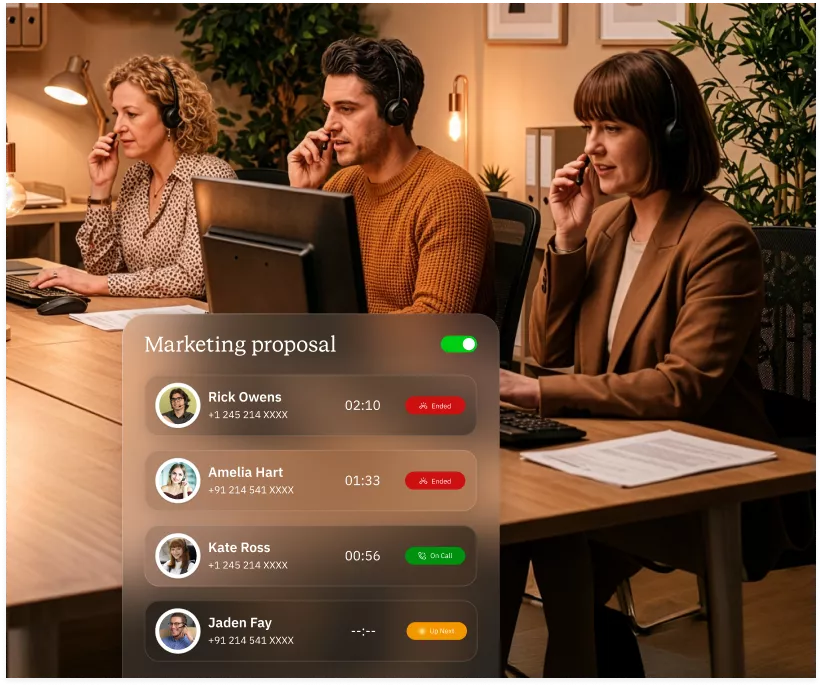
B2B SaaS Sales Teams
SDRs making 80-200 dials a day cannot afford manual friction. Parallel dialer and voicemail drop can double the booked meetings per rep.
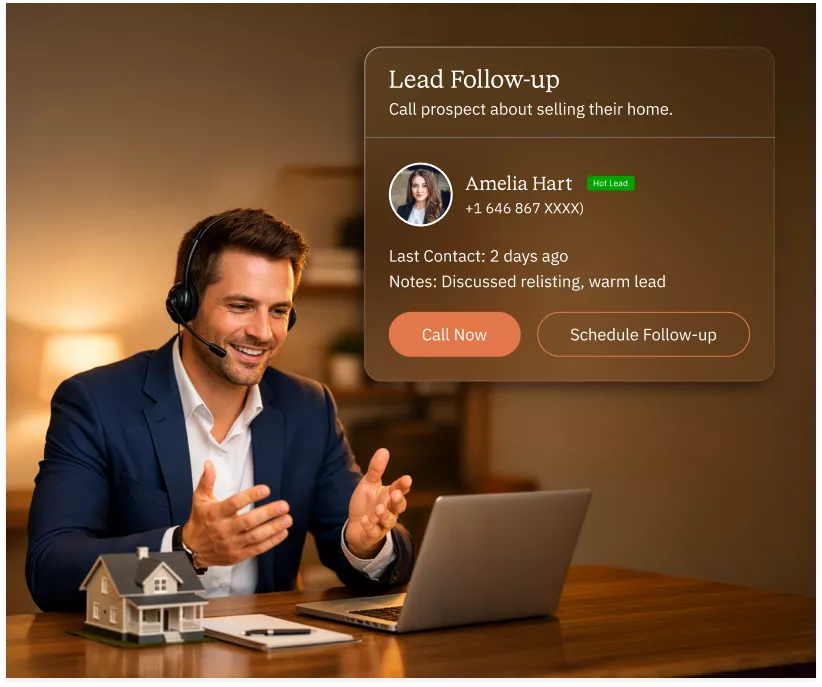
Real Estate Agents & Brokerages
Real estate agents call new listings, cold leads, and past clients daily. Power dialer with local DIDs lifts connect rates in every market.
Insurance Sales & Collections
Insurance sales combines high call volume with strict compliance rules. Attempt Manager plus DNC scrubbing keeps every dial legal.
Recruiting & Staffing Agencies
Recruiters place hundreds of screening calls a week. A power dialer with automatic dispositions cuts admin time and speeds candidate-to-hire cycles.
Best Auto Dialer Software Compared: 8 Tools Reviewed
Eight auto dialer tools ranked by real outbound usage. Each entry covers what it does well, who it fits, what’s missing, and where pricing starts.
JustCall
JustCall is a cloud-based business phone system and auto dialer built for small to mid-market sales and support teams. It bundles calling, SMS automation, and native CRM sync into one platform.
Key Features
- Sales dialer
- SMS automation
- Multi-level IVR
- Native HubSpot and Salesforce integrations
- Real-time call transcription
Best For
- Small SDR teams needing a simple auto dialer with CRM sync.
What’s Missing
- Parallel dialer, advanced AMD, real-time coaching tools.
Pricing
- Starts at $29/user/month
Aircall
Aircall is a cloud-based business phone system designed for sales and support teams standardized on HubSpot or Salesforce. It provides a power dialer, call routing, and native CRM logging into one clean platform.
Key Features
- Power dialer
- Click-to-call
- Deep CRM integrations
- Call recording
- Ring groups for team distribution
- Custom call tagging and dispositions
Best For
- Sales teams standardized on HubSpot or Salesforce.
What’s Missing
- Parallel dialer, native voicemail drop, high-volume tools.
Pricing
- Starts at $30/user/month (3-seat minimum)
CallHippo
CallHippo is an AI-powered business communication platform built for outbound sales teams scaling calls across markets. It combines multiple dialer modes, AI Copilot, and 100+ CRM integrations at the most affordable per-user pricing in the category.
Key Features
- Power, parallel, and attempt manager dialers
- Answering machine detection
- Voicemail drop
- Smart DID routing
- 100+ CRM integrations
- Live call monitoring, whisper, and barge
- DNC list scrubbing and compliance controls
- AI Copilot with transcription and post-call summaries
Best For
- Outbound sales teams scaling calls across markets.
What’s Missing
- Enterprise SIP trunking on entry plans.
Pricing
- Starts at $0/user/month
PhoneBurner
PhoneBurner is a US-focused power dialer built for domestic outbound sales teams. It emphasizes one-click voicemail drop, email cadence automation, and simple workflow design over enterprise-grade complexity.
Key Features
- Power dialer
- One-click voicemail drop
- Call recording
- Call disposition tagging
Best For
- US-based sales teams focused on domestic outbound.
What’s Missing
- Parallel dialer, deep global coverage, native SMS.
Pricing
- Starts at $140/user/month
RingCentral
RingCentral is a full UCaaS platform combining voice, video, messaging, and a contact center auto dialer under one contract. It targets large enterprises that want a single vendor for internal collaboration and external customer communication.
Key Features
- Unified voice, video, and messaging platform
- Multi-level IVR
- Voicemail-to-email transcription
- Call whispering, monitoring, and barge
Best For
- Large enterprises wanting one contract for voice, video, and dialer.
What’s Missing
- Dedicated parallel dialer, outbound-specific pricing.
Pricing
- Starts at $20/user/month (dialer needs higher tier)
CloudTalk
CloudTalk is a cloud-based call center software with auto dialer functionality, built for support-heavy teams with outbound needs. It focuses on inbound call routing, IVR flow design, and 40+ business tool integrations.
Key Features
- Power dialer
- Click-to-call
- IVR
- Skills-based routing
- Real-time analytics dashboard
- 40+ integrations
Best For
- Support-heavy teams with outbound needs on top.
What’s Missing
- Parallel dialer, advanced AMD, high-volume features.
Pricing
- Starts at $25/user/month
Dialpad
Dialpad is an AI-powered business communications platform with a built-in auto dialer and real-time conversation intelligence. It’s targeted at teams that want AI transcription, live coaching prompts, and post-call summaries built into every conversation.
Key Features
- AI-powered dialer
- Real-time transcription
- Coaching prompts
- Built-in video meetings
- Call routing and queues
- Call monitoring, whisper, and barge
Best For
- Teams wanting AI transcription and coaching built in.
What’s Missing
- True parallel dialer, per-seat cost runs high.
Pricing
- Starts at $15/user/month
Kixie
Kixie is a sales engagement platform with a PowerCall dialer built for HubSpot and Salesforce users. It focuses on local presence dialing, SMS automation, and click-to-call workflows for mid-market sales teams.
Key Features
- PowerCall dialer
- HubSpot and Salesforce integration
- Local presence
- Click-to-call from any browser tab
- Call disposition tagging
- Voicemail drop
Best For
- Mid-market SMB teams on HubSpot or Salesforce.
What’s Missing
- Parallel dialer, advanced compliance tools, global coverage.
Pricing
- Starts at $35/user/month
Is Auto Dialing Legal? TCPA & Compliance Guide
Auto dialing is legal in the US when done right. The wrong setup can trigger TCPA violations that cost $500-$1,500 per call.
What the TCPA Says About Automated Dialing
The TCPA requires prior express consent before auto-dialing mobile numbers. Business landlines fall under different rules with lighter consent requirements.
FCC’s 2024 Consent Rules: What Changed for Outbound Teams
The FCC’s 2024 ruling ended the “lead generator loophole.” Consent now applies to one seller only, not to affiliated third parties.
Managing and Scrubbing Your DNC List
Scrub every outbound list against federal and state DNC registries before dialing. Internal DNC requests apply for 5 years after the initial opt-out.
Acceptable Abandonment Rates and Dropped Call Limits
TCPA caps abandonment rate at 3% per 30-day period, per campaign. Higher rates trigger regulatory scrutiny and potential fines.
How CallHippo’s Compliance Features Keep You Protected
CallHippo scrubs every dial against federal, state, and internal DNC lists automatically. Abandonment rate controls keep every campaign inside TCPA thresholds.
How to Choose the Right Auto Dialer for Your Business?
The right auto dialer depends on your team’s volume, cadence, and compliance profile. Four questions to answer before you sign.
Match Dialer Type to Your Lead Volume and Cadence
Under 80 dials per rep per day, a power dialer works. Over 150, a parallel dialer is the only way to keep reps productive.
Evaluate CRM Integration Depth: Not Just “Compatible With”
Every dialer claims CRM integration. Ask specifically: does it auto-create contact records? Log dispositions? Trigger cadences? Update deal stages?
Questions to Ask During Any Auto Dialer Demo
Ask about parallel dialer, voicemail drop cost, AMD accuracy, and DNC scrubbing cadence. Never sign without seeing live compliance controls.
Watch for These Hidden Costs in Auto Dialer Pricing
Per-seat pricing hides the real cost. Watch for per-minute overages, DID rental fees, voicemail drop add-ons, and mandatory annual contracts.
How Does an Auto Dialer Work?
Auto dialer software runs on four connected stages, from list import to CRM sync. Here is what happens between the click and the connect.
Lead List Import and Contact Queue Setup
Contact lists upload via CSV or CRM sync. The system deduplicates, scrubs against DNC lists, and builds the dialing queue.
Dialing Logic, Drop Detection, and Agent Connection
The dialer places calls based on your chosen mode. AMD detects voicemails automatically. Live pickups route to available agents instantly.
Disposition Handling and Post-Call Automation
After every call, reps tag a disposition (interested, callback, DNC, wrong number). The system triggers the next action: retry, cadence enrollment, or contact removal.
CRM Sync and Real-Time Reporting Loop
Every call, disposition, and recording syncs back to your CRM contact record. Analytics dashboards update in real time so managers coach on live data.

“Thanks to the CallHippo team, we were able to resolve a tough issue with flagged phone numbers. As an EdTech startup, outbound calls are crucial for us. CallHippo's solution not only improved our attestation score but also boosted our answer rates and overall customer experience.”

Frequently Asked Questions
-
Auto dialer software automatically places outbound calls from a list of contacts. It removes manual dialing, connects live pickups to agents, and drops voicemails automatically.
-
A power dialer dials one number per agent at a time. A predictive dialer dials multiple numbers ahead of agent availability using algorithms.
-
A parallel dialer places multiple calls simultaneously from one agent. It connects to the first live pickup. A predictive dialer uses AI to time calls.
-
Yes. CallHippo integrates natively with HubSpot, Salesforce, Zoho, Pipedrive, and 95+ other CRM and helpdesk platforms. Every call logs automatically.
-
A power dialer averages 50-80 calls per hour per agent. A parallel dialer pushes that to 150-200 calls per hour, depending on connect rates.
-
AI auto dialing uses machine learning to predict optimal call times and detect voicemails faster. Connect rates improve by 30-40% compared to manual dialing.
-
No. CallHippo's auto dialer runs on any laptop or mobile with an internet connection. No headsets, PBX, or SIP hardware required.
-
AMD identifies the voicemail system automatically. Reps can drop a prerecorded message with one click and move to the next dial without waiting.
-
Yes. CallHippo offers a free trial with test credits included. No credit card required to start dialing.
Related Post

Get International Phone Numbers
 Canada Virtual Phone Number
UK Virtual Phone Number
Canada Virtual Phone Number
UK Virtual Phone Number
 US Virtual Phone Number


