Get a Business Phone System for Your Team
Run all your business calls from one place. Make and receive calls from anywhere, on any device, with ease. Set it up in minutes and start having meaningful conversations with your customers.
- Set up your business phone system online in minutes
- Call and text your customers from any device, anywhere
- Easily add or remove users as your team scales
 No credit card required.
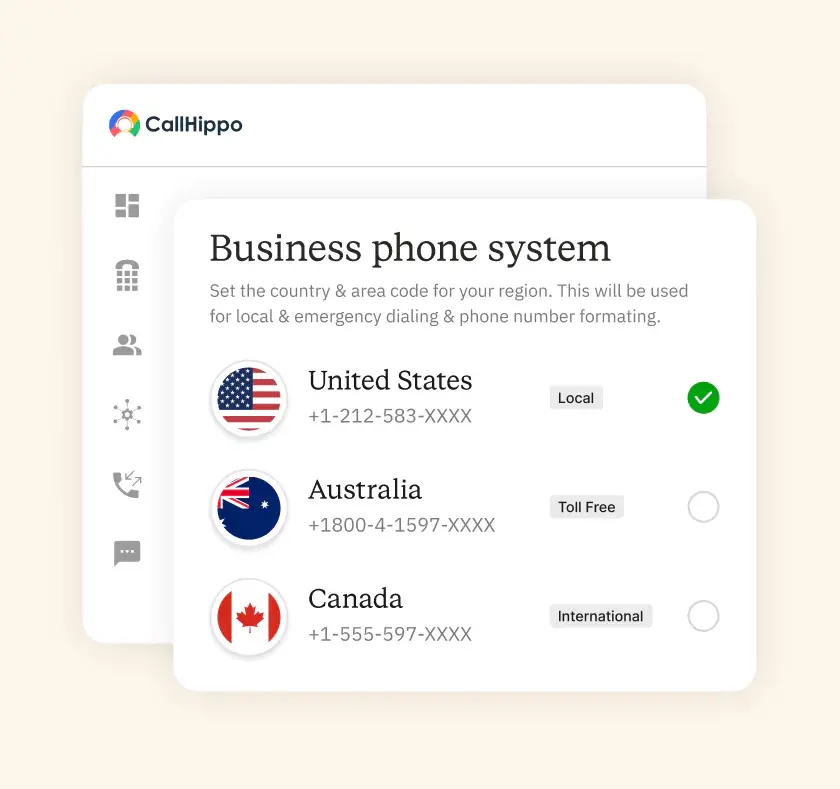







An affordable business phone system with CRM integration connects to your CRM, logs every call automatically and keeps per-user fees and add-ons easy to compare as you grow. CallHippo is a cloud phone system for sales and support teams, with click-to-dial and call logging for HubSpot, Salesforce, Zoho CRM and others, plus a free 10-day trial.
| Capability | What you get with CallHippo |
|---|---|
| Click-to-dial from the CRM | Call from HubSpot, Salesforce, Zoho CRM and others without switching apps |
| Automatic call logging | Calls, texts, recordings and voicemails logged to the CRM contact on the HubSpot, Salesforce and Zoho CRM integrations |
| Recordings and voicemail on the record | Managers review calls in one place |
| Real-time contact sync | Records stay current |
| Numbers in 150+ countries | Reach customers where they are |
| Trial | Free 10-day trial, no card needed |
How Does a Business Phone System Work?
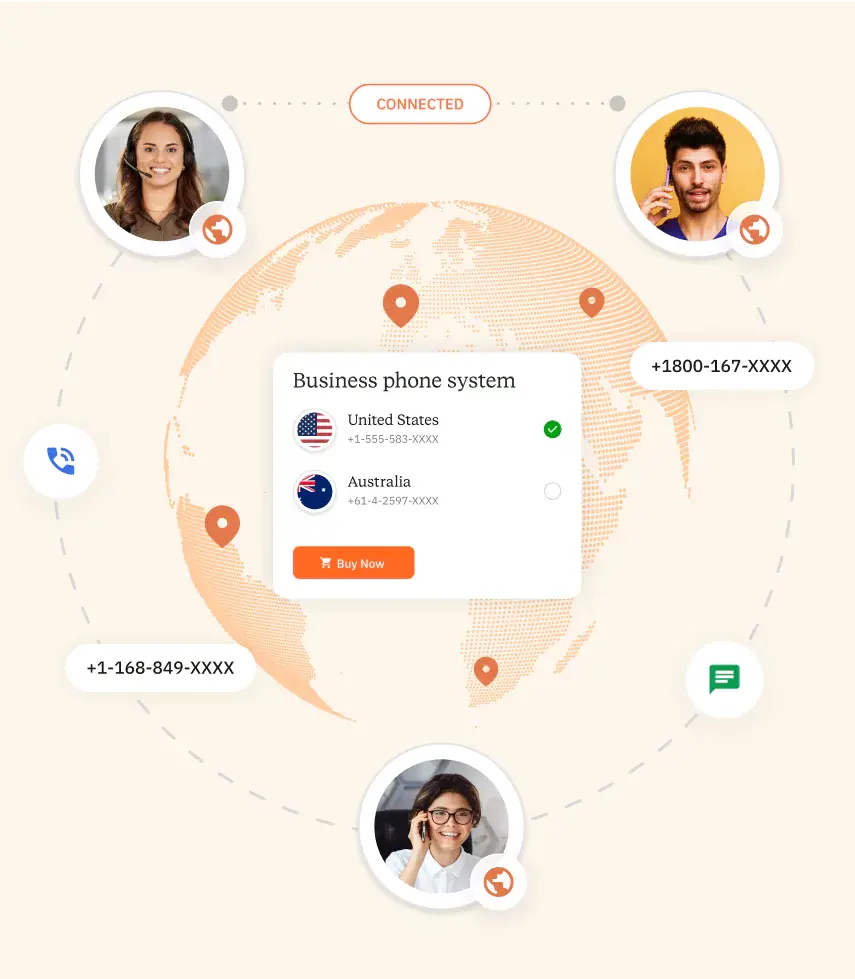
A business phone system connects your calls over the internet. Here is how it works, step by step.

Your calls no longer need copper phone lines. Instead, they travel as data over the internet. This keeps call quality high and your monthly costs low.

Every incoming call follows simple rules you set. The system sends it to the right agent or team. Customers reach the correct person without long waits or transfers.

Your agents log in from a laptop, phone, or desk device. One account keeps them reachable at the office or at home. No extra hardware is ever required.
What are the Different Types of Business Phone Systems?
Not every business phone system works the same way. Here are the four main types you should know.
- Traditional PBX
A traditional PBX runs on physical hardware inside your office. It uses copper lines to route calls between desk phones. This setup works, but it costs more and cannot scale quickly. - VoIP
VoIP sends your calls over the internet instead of phone lines. It lowers costs and adds smart calling features. Most modern business telephone systems now run on VoIP for its flexibility. - Hosted PBX Solutions
A hosted PBX lives in the cloud, not in your office. Your provider manages the servers, updates, and maintenance for you. You get PBX-style call control without buying or housing any hardware. - Cloud UCaaS
Cloud UCaaS brings calls, video, and messaging into one platform. Your team collaborates from a single app, on any device. It suits growing companies that want every channel working together.
What are the Benefits of Implementing a Business Phone System?
The right business phone system does more than place calls. Here are the benefits your team gets.

One platform holds your calls, texts, and voicemails together. Your team stops switching between tools and starts moving faster.

Calls over the internet cost far less than traditional lines. You cut hardware bills and pay one simple monthly rate.

Smart routing sends callers to the right person fast. Shorter waits and quick answers keep your customers happy.

Your calls and data stay protected with strong encryption. Trusted safeguards keep every conversation private, secure, and compliant.

Your team makes business calls from home or the office. One login keeps the whole team connected anywhere.

Add new users the moment you hire, in just a few clicks. Remove them just as fast when plans change.
What are the Key Features of Business Phone Systems?
A strong business phone system comes packed with useful tools. Here are the features that matter the most.

Route, hold, transfer, and forward calls with a few clicks. Your team handles every call smoothly and never drops one.

Catch every missed call with clear, reliable voicemail. Read messages as text or listen whenever it suits you.

Record calls and track key metrics in one place. Use real data to coach your team and improve results.

A friendly menu greets callers and points them to the right team. Customers reach help fast, day or night.

Take your business number anywhere on your phone or laptop. Your team stays reachable far beyond the office desk.

Connect your phone system to the CRM you already use. Every call logs automatically beside the right customer record.

Handle calls, texts, and chats from one shared inbox. Your team answers every channel without missing a message.

Let AI transcribe calls, summarize notes, and surface next steps. Your team saves time and never loses key details.
Pricing
-

 Calling
- Pay Only for Numbers
- Voicemail
- Click to Dial
- Business Hours
Define operating hours for each number to route calls appropriately.
- Smart Failover System
If a call fails to complete, Attempt Manager surfaces it for retry on a number you've assigned to the campaign, improving call connection success rates.
-

 Messaging
 - SMS (Text messages) & MMS
- WhatsApp Business API
 Platform
- 2FA
Add an extra security layer by requiring a verification code in addition to your password.
- Desktop & Mobile Apps
-
Calling
- Unlimited Minutes (Includes Both Landline & Mobile Calling)
Shared pool of free calling minutes for your entire team. Valid for manual dialing to standard US/Canada numbers only.
- Forward to Device Automatically route incoming calls to your mobile or alternative device to never miss calls.
- Ring All Devices Ring simultaneously on all your logged-in devices (desktop, mobile, browser) for every call.
- Country Blocking Restrict outbound calls to specific countries to prevent unauthorized international dialing.
-
Messaging
-
100 SMS (Text Messages)
Standard A2P charges apply.
- SMS Templates Create and save message templates for one-click texting with consistent communication.
- Free Omnichannel Inbox


-

 Analytics
- Basic Report Analytics
- Call Logs (1 month) Access detailed records of all calls including duration, outcome, recordings, and participant information.
- Audit Logs Track all account changes and user actions for security, compliance, and accountability.
-
 Integrations
-
ZZapierSSlack50+WWebhook


 Popular
-
Calling
- Unlimited Minutes (Includes Both Landline & Mobile Calling)
Shared pool of free calling minutes for your entire team. Valid for manual dialing to standard US/Canada numbers only.
- Call Recordings Record and store calls for quality monitoring, training, and compliance.
- Multilingual IVR Offer IVR menu options in multiple languages to serve diverse customer bases.
- Call Distribution (Cascading) Route calls to agents in a priority sequence until someone answers.
- Custom Greetings Upload personalized welcome messages for callers to hear when they reach your number.
-
Messaging
-
500 SMS (Text Messages)
Standard A2P charges apply.
-
Analytics
- Reports / Analytics Get detailed insights and summarized analytics on team's calling performance.
- AI Voicemail Transcription Automatically convert voicemail audio to text for faster message review.
- Call Logs (Lifetime)
- Role Based Access Control Assign specific roles with tailored permissions to control what each user can view and manage.
- Call Transcription
-
Integrations
-
HHubSpotSSalesforcePPipedrive50+ZZoho
-
Calling
-
Unlimited Minutes (Includes Both Landline & Mobile Calling)
Shared pool of free calling minutes for your entire team. Valid for manual dialing to standard US/CA numbers only.
- Smart DID Routing Automatically routes calls to the best available agent based on real-time data.
- Multilevel IVR Create multi-step phone menus to route callers to the right department or person automatically.
- Call Blocking Block unwanted callers and spam numbers to keep your team focused on quality conversations.
- Holiday Routing Configure special call handling and greetings for holidays and non-business days.
- CRM-Based VIP Routing Route calls automatically to the correct contact/lead owner based on CRM information.
-
Messaging
-
1000 SMS (Text Messages)
Standard A2P charges apply.
- Analytics
- Call Summary
-
 Enterprise
- Single Sign-On (SSO) Log in once to access CallHippo and all integrated tools with your company credentials.
- Custom Integrations Build advanced integrations with your systems—add click-to-call anywhere, sync call data with custom logic, and create workflows specific to your business.
- Dedicated Account Manager Resolve account queries efficiently with dedicated account manager.
- Personalized Onboarding Experience personalized onboarding for a tailored start.
- 24×7 & Phone Support
-
Integrations
-
HHubSpotSSalesforceZZoho50+ZZendesk
How Does CallHippo Compare to Other Business Phone Systems?
See how CallHippo stacks up against other business phone systems on price, trials, and best fit.
| Tool | Best For | Free Trial | Starting Price (billed annually) | |
|---|---|---|---|---|
| 1 |

CallHippo
|
For businesses wanting an all-in-one, budget-friendly system with a free plan. |
10-day free trial
|
Free plan, then from $19/user/month |
| 2 |
 Nextiva
|
Businesses that put customer experience first and want one connected platform. |
7-day free trial
|
$15/user/month |
| 3 |
RingCentral
|
Teams of any size that want a robust, feature-rich cloud platform. |
14-day free trial
|
$20/user/month |
| 4 |
 Dialpad
|
Small to mid-sized teams wanting an AI-powered platform for calls, chats, and meetings. |
14-day free trial
|
$15/user/month |
| 5 |
 8x8
|
Global teams and contact centers needing international reach and strong security. |
30-day free trial
|
$24/user/month (X2) |
| 6 |
 Grasshopper
|
Solopreneurs and very small teams needing a professional number without hardware. |
7-day free trial
|
$14/month flat |
*Prices verified as of September 2026.
How to Choose The Right Business Phone System?
Choosing a business phone system takes more than picking the lowest price. Weigh these five factors first.
Assessing Business Size and Needs
Start with your team size and call volume. A small business phone system fits a lean team, while larger firms need advanced routing and more lines.
Evaluating Feature Requirements
List the features your team truly uses every day. Focus on call routing, recording, and integrations, and skip the extras you will never actually touch.
Considering Integration with Existing Tools
Your phone system should connect to the tools you already run, such as the CallHippo HubSpot integration, CallHippo Salesforce integration and CallHippo Zoho CRM integration. Check that it links with your CRM, helpdesk, and calendar without any extra work.
Budgeting and Total Cost of Ownership
Look past the sticker price to the true, full cost. Add setup fees, add-ons, and per-user charges, then compare that total honestly across every provider.
Vendor Reputation and Customer Support
Read reviews and test the support team before you commit. Reliable uptime and fast human help matter far more once real problems begin to appear.

“Thanks to the CallHippo team, we were able to resolve a tough issue with flagged phone numbers. As an EdTech startup, outbound calls are crucial for us. CallHippo's solution not only improved our attestation score but also boosted our answer rates and overall customer experience.”

Frequently Asked Questions
-
A business phone system lets your whole team make and receive calls over the internet from anywhere.
-
PBX relies on physical hardware to route calls through private lines. VoIP transmits calls through the internet, cutting down equipment needs, boosting mobility, and rolling out new features quicker.
-
Most companies, including CallHippo, handle number transfers so you can bring your current numbers without interrupting service.
-
Trusted companies encrypt calls and data, control access through user roles, and provide activity logs, storage controls, and compliance tools.
-
With cloud VoIP, create an account, pick numbers, set up call routing and menus, add team members, and run tests. No complicated installation or wiring needed.
-
UCaaS brings calling, messaging, video, and teamwork together on one platform, boosting efficiency while cutting down on multiple applications.
-
iPhone, Android, and browser apps let you make, answer, and move calls while representing your company professionally.
-
Pick a cloud solution. Add team members, phone numbers, and capabilities whenever needed, and update your plan as requirements evolve.
-
Business phone systems for small businesses often start near $15 per user monthly. CallHippo offers a free plan.
-
It is a cloud business phone system that logs calls to your CRM and lets you call from CRM records, with clear per-user fees and few paid add-ons. CallHippo integrates with HubSpot, Salesforce, Zoho CRM and others.
-
CallHippo lists integrations for HubSpot, Salesforce, Zoho CRM, Pipedrive and many more in its App Marketplace, plus a custom CRM integration.
-
Yes. Calls, texts, recordings and voicemails are logged to the CRM contact automatically on the HubSpot, Salesforce and Zoho CRM integrations.
-
Compare total cost, not headline fees: per-user charges, add-ons for SMS, AI or recording, number costs and any integration fees.
-
Yes. CallHippo offers a free 10-day trial with no card needed.