
AI Call Transcription Software
Turn every call into searchable transcription your team can actually act on. CallHippo records, transcribes, and summarizes each conversation automatically. Coach agents, stay compliant, and never lose an important detail again.
- Automatic call transcription and summaries generated after every conversation
- Searchable transcripts you can find, filter, and review instantly
- Sentiment analysis and coaching insights built into every call
 No credit card required.
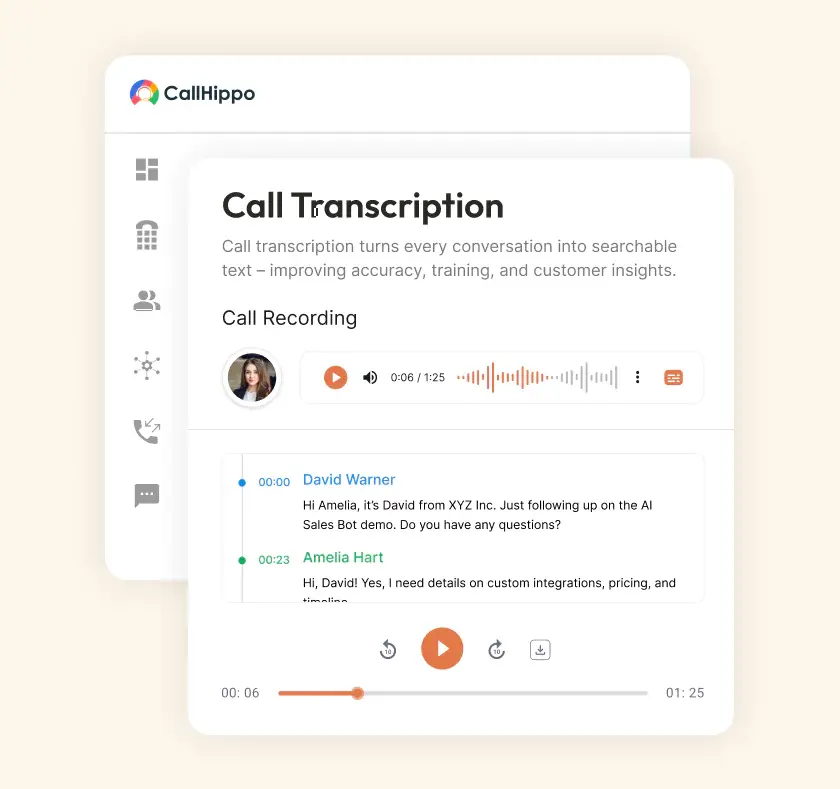







How to Setup Call Transcription with CallHippo?
Getting started takes just a few minutes. Create your account, then switch on auto transcription. Adjust the settings to match how your team already works.

Create your CallHippo account and add your team members. Assign phone numbers and set permissions in a few clicks.

Turn on auto transcription from your settings panel. Every recorded call now converts to text without manual work.

Choose your language, storage rules, and summary format. Tailor phone call transcription to fit your workflow and compliance needs.
What are the Key Features of Call Transcription Software?
Good call transcription software does far more than convert speech to text. Here is what powers CallHippo’s transcription engine.

Every call converts to accurate text the moment it ends. No recording gets left untranscribed or forgotten.

See how customers feel during each conversation. AI Copilot flags positive, negative, and neutral moments instantly.

Read your voicemails instead of listening to them. Scan messages quickly and respond to urgent ones first.

Find any word, name, or phrase across past calls. Searchable transcripts turn hours of audio into instant answers.

Get a clean summary of every call automatically. Key points, action items, and outcomes captured without note-taking.

Listen to live calls, barge in, or whisper guidance. Support your agents in the moment that matters most.

Track talk time, connect rates, and agent performance. Turn call data into decisions that improve your numbers.

Log transcripts into HubSpot, Salesforce, Zoho, and more. Keep every conversation attached to the right contact.
What are the Benefits of Call Transcription Software?
Transcription is not just a record of what happened. It changes how your team trains, sells, and serves customers.

Spot recurring complaints and fix them fast. When you understand what customers say, you serve them better.

Give every team member access to call content. Transcripts make conversations available to people who cannot listen.

New agents learn from real transcripts, not theory. They see what good conversations actually sound like.

Keep accurate written records for audits and disputes. Meet legal requirements without scrambling for proof later.

Managers review calls without sitting through every recording. Skim transcripts and focus coaching where it counts.

Agents stay present instead of scribbling notes. The transcript captures everything so they focus fully on conversation.
Pricing
-

 Calling
- Pay Only for Numbers
- Voicemail
- Click to Dial
- Business Hours
Define operating hours for each number to route calls appropriately.
- Smart Failover System
If a call fails to complete, Attempt Manager surfaces it for retry on a number you've assigned to the campaign, improving call connection success rates.
-

 Messaging
 - SMS (Text messages) & MMS
- WhatsApp Business API
 Platform
- 2FA
Add an extra security layer by requiring a verification code in addition to your password.
- Desktop & Mobile Apps
-
Calling
- Unlimited Minutes (Includes Both Landline & Mobile Calling)
Shared pool of free calling minutes for your entire team. Valid for manual dialing to standard US/Canada numbers only.
- Forward to Device Automatically route incoming calls to your mobile or alternative device to never miss calls.
- Ring All Devices Ring simultaneously on all your logged-in devices (desktop, mobile, browser) for every call.
- Country Blocking Restrict outbound calls to specific countries to prevent unauthorized international dialing.
-
Messaging
-
100 SMS (Text Messages)
Standard A2P charges apply.
- SMS Templates Create and save message templates for one-click texting with consistent communication.
- Free Omnichannel Inbox


-

 Analytics
- Basic Report Analytics
- Call Logs (1 month) Access detailed records of all calls including duration, outcome, recordings, and participant information.
- Audit Logs Track all account changes and user actions for security, compliance, and accountability.
-
 Integrations
-
ZZapierSSlack50+WWebhook


 Popular
-
Calling
- Unlimited Minutes (Includes Both Landline & Mobile Calling)
Shared pool of free calling minutes for your entire team. Valid for manual dialing to standard US/Canada numbers only.
- Call Recordings Record and store calls for quality monitoring, training, and compliance.
- Multilingual IVR Offer IVR menu options in multiple languages to serve diverse customer bases.
- Call Distribution (Cascading) Route calls to agents in a priority sequence until someone answers.
- Custom Greetings Upload personalized welcome messages for callers to hear when they reach your number.
-
Messaging
-
500 SMS (Text Messages)
Standard A2P charges apply.
-
Analytics
- Reports / Analytics Get detailed insights and summarized analytics on team's calling performance.
- AI Voicemail Transcription Automatically convert voicemail audio to text for faster message review.
- Call Logs (Lifetime)
- Role Based Access Control Assign specific roles with tailored permissions to control what each user can view and manage.
- Call Transcription
-
Integrations
-
HHubSpotSSalesforcePPipedrive50+ZZoho
-
Calling
-
Unlimited Minutes (Includes Both Landline & Mobile Calling)
Shared pool of free calling minutes for your entire team. Valid for manual dialing to standard US/CA numbers only.
- Smart DID Routing Automatically routes calls to the best available agent based on real-time data.
- Multilevel IVR Create multi-step phone menus to route callers to the right department or person automatically.
- Call Blocking Block unwanted callers and spam numbers to keep your team focused on quality conversations.
- Holiday Routing Configure special call handling and greetings for holidays and non-business days.
- CRM-Based VIP Routing Route calls automatically to the correct contact/lead owner based on CRM information.
-
Messaging
-
1000 SMS (Text Messages)
Standard A2P charges apply.
- Analytics
- Call Summary
-
 Enterprise
- Single Sign-On (SSO) Log in once to access CallHippo and all integrated tools with your company credentials.
- Custom Integrations Build advanced integrations with your systems—add click-to-call anywhere, sync call data with custom logic, and create workflows specific to your business.
- Dedicated Account Manager Resolve account queries efficiently with dedicated account manager.
- Personalized Onboarding Experience personalized onboarding for a tailored start.
- 24×7 & Phone Support
-
Integrations
-
HHubSpotSSalesforceZZoho50+ZZendesk
What are the Challenges of Call Transcription (and How CallHippo Solves Them)?
Every transcription tool faces the same three hurdles. Accuracy, processing speed, and telling voices apart cleanly. Here is how CallHippo handles each one.
Accuracy Issues
Poor audio quality ruins most call transcripts. CallHippo uses trained AI models to capture words clearly. It stays accurate even on noisy or fast calls.
Latency
Slow processing delays your follow-ups and next steps. Transcripts and summaries arrive right after the call ends. Your team acts while the conversation is still fresh.
Speaker Identification
Mixing up who said what breaks the context. CallHippo separates speakers on every call automatically. So every conference call transcript shows exactly who spoke.
How Does CallHippo Transcribe Your Calls?
Behind every transcript is a simple, automated flow. It runs from the first hello to the final summary. Here is exactly what happens on every single call.
Start the Call
Make or receive a call as you normally would. No plugins, no extra steps, nothing to remember.
Call Recording Captured
CallHippo records the conversation automatically in the background. The audio is stored securely and ready for processing.
AI Processing
AI converts the recording into clean, readable text. It identifies speakers and picks up key moments.
Post-Call Summary
You get a full transcript plus a short summary. Action items and highlights are ready right away.
Analyze & Improve
Example: Managers review transcripts weekly, identifying recurring complaints about billing delays. They then update invoicing processes to save time and improve customer satisfaction significantly.
How Do Teams Use Call Transcription?
Transcription is not one feature built for one job. Sales, support, and compliance teams each use it differently. They all rely on it to hit their goals.
Quality Assurance and Call Scoring
QA teams read transcripts to score calls fairly. They check tone, scripts, and outcomes without replaying audio.
Compliance and Dispute Records
Legal teams keep written proof of every agreement. When disputes arise, the transcript settles it quickly.
Sales Coaching and Agent Training
Managers pull real examples from top and struggling reps. Coaching gets specific because the evidence is right there.
Auto-Logging Transcripts to Your CRM
Transcripts flow into your CRM alongside each contact. Reps see the full history without switching tools.

“Thanks to the CallHippo team, we were able to resolve a tough issue with flagged phone numbers. As an EdTech startup, outbound calls are crucial for us. CallHippo's solution not only improved our attestation score but also boosted our answer rates and overall customer experience.”

Frequently Asked Questions
-
Call transcription turns spoken conversations into written text automatically. You can read, search, and review calls instead of replaying.
-
CallHippo transcribes each call right after it ends. You get the transcript and summary within moments.
-
Transcripts are stored securely inside your CallHippo dashboard. You can search any word or phrase across calls.
-
Yes, CallHippo protects your data with strong encryption. Strict access controls mean only your team sees transcripts.
-
No, everything runs in the cloud through CallHippo. You only need internet and your existing devices.
-
No, indeed, call transcription and call recording are different things. Recording captures audio entry, while transcription transforms conversations into text. CallHippo offers both capabilities, enabling businesses to store, review, and analyze calls effectively, thus enhancing compliance, training, and customer service by offering a truthful and accessible record of every interaction.
-
Yes, most of the contemporary transcription software does allow doing transcriptions across multiple languages. CallHippo gives businesses a good chance to serve international clients by transcribing conversations into the language of their choice. This fosters inclusivity, sharpens communication, and adds confidence to companies looking to globalize. This also allows customers to have consistent experiences regardless of regions or language differences.

