Get an IVR System
Set up an IVR system that answers every call, routes it to the right team, and gives customers instant self-service. Cut wait times, reduce agent load, and scale without hiring more people.
- Set up a business IVR system in under 3 minutes
- Route callers to the right team, every single time
- Handle 100+ concurrent calls without adding new agents
 No credit card required.
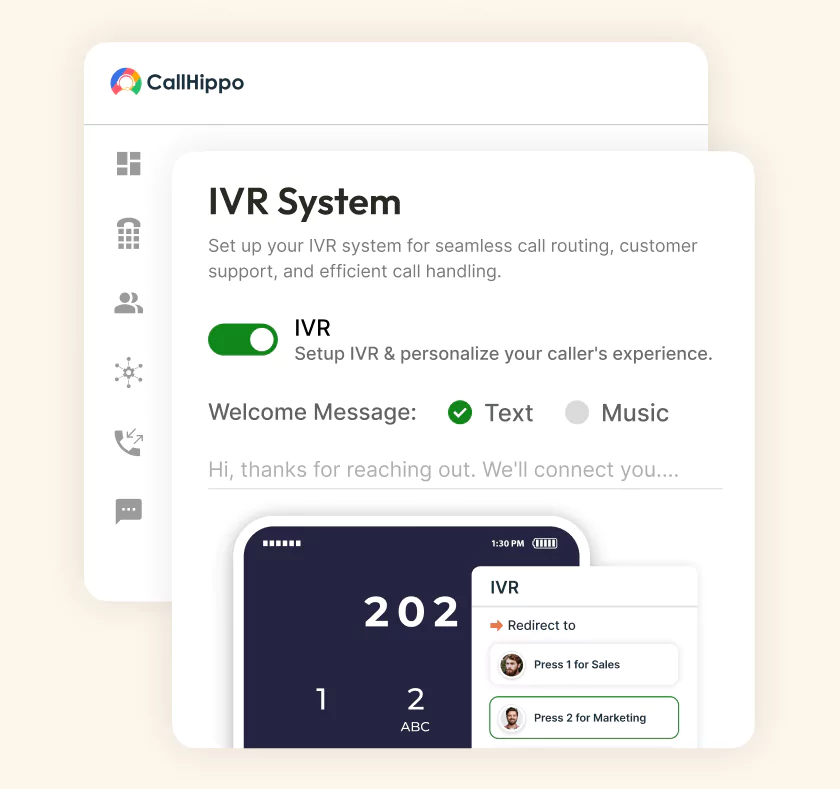







How Does an IVR System Work?
An IVR system greets callers, understands their needs, and connects them to the right agent.

CTI links your IVR system with your CRM, so calls and customer data work together in real time. Agents see full caller info before the phone rings.

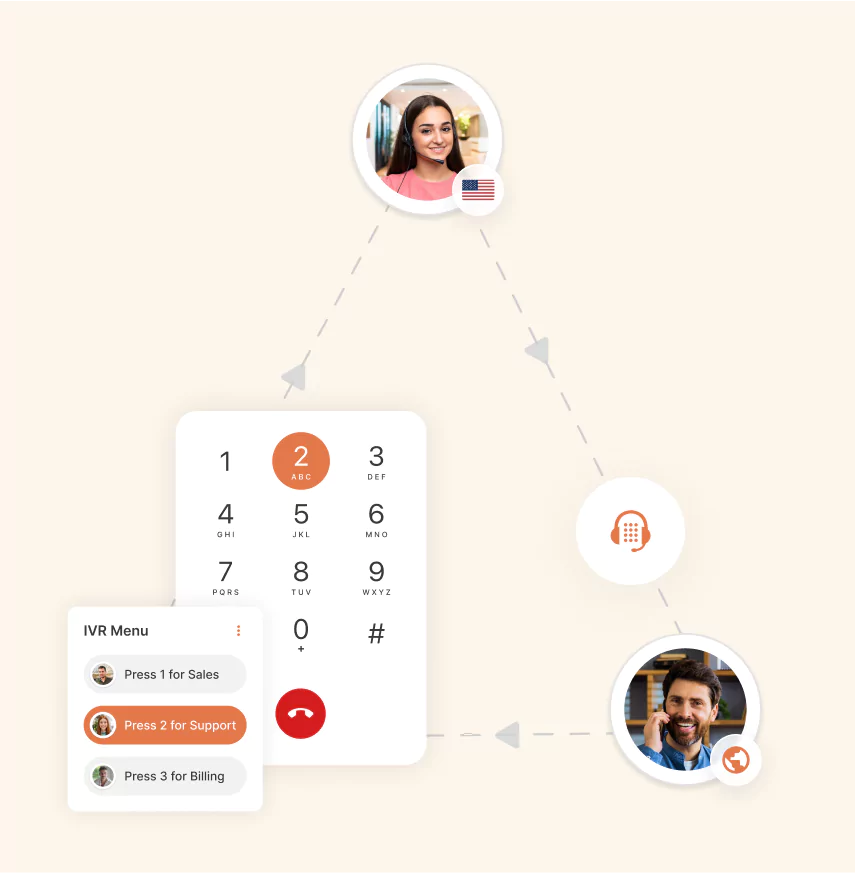
Callers hear a menu of options and respond by pressing keys or speaking. The IVR software interprets that input and moves the call forward automatically.

Once the IVR captures caller intent, it routes the call to the right department based on skills, availability, language, or shift schedule. No manual transfers needed.
What are the Benefits of Using an IVR System?
An IVR phone system saves time, cuts costs, and improves the customer experience across every call.

IVR handles hundreds of simultaneous calls without any hassle. Growing businesses scale support without hiring proportionally more agents.

Automating call routing and repetitive queries reduces headcount needs. Businesses save thousands each month while maintaining the same service quality.

Every IVR interaction generates data on volume, wait times, drop-offs, and choices made. Managers turn that data into smarter decisions.

Automating repeat queries cuts agent call volume significantly. Reps deal with fewer routine requests and stay focused longer.

Faster routing means less hold time and quicker resolutions. Customers walk away with better experiences and stronger brand loyalty.

Calls reach the right expert on the first try. Issues get solved in one conversation instead of multiple frustrating transfers.
What are the Key Features of an IVR Phone System?
The best IVR software ships with these features built in and ready to use.

Route every incoming call to the right agent, department, or voicemail based on rules you set once inside the dashboard.

Callers speak their needs in natural language instead of pressing keys. The IVR understands intent and routes calls in seconds.

Record custom greetings that match your brand voice. Change prompts for business hours, holidays, or campaigns without any technical help.

Automatic Call Distribution pairs with IVR to send callers to the most available and skilled agent. Wait times drop significantly.

Serve customers in their preferred language automatically. IVR software detects language choice and delivers the menu accordingly, every single call.

Pull customer records into the IVR flow instantly. Agents see purchase history, past tickets, and preferences before the call connects.

Create layered menus that guide callers through multiple choices. Route complex queries to the exact team without any manual help.

Record every IVR-routed conversation for training, compliance, and quality reviews. Search recordings by keyword to find important calls fast.
What are the Different Types IVR System?
Not every IVR solution works the same way. Businesses pick the type that fits their needs.
- Touch-Tone (DTMF) IVR
The most common IVR type. Callers press keys on the keypad to choose menu options, and the system routes them accordingly. Simple, reliable, and widely supported. - Conversational (AI-Powered) IVR
Conversational IVR uses natural language processing to understand what callers say. Instead of pressing buttons, customers ask questions in plain English and get instant, human-like responses. - Visual IVR
Visual IVR shows menu options on a smartphone screen instead of playing them as audio. Callers tap through choices faster, and businesses cut hold times significantly. - Outbound IVR
Outbound IVR calls customers with reminders, alerts, or surveys automatically. Perfect for payment notifications, appointment confirmations, and feedback collection at scale, with zero manual dialing.
Pricing
-

 Calling
- Pay Only for Numbers
- Voicemail
- Click to Dial
- Business Hours
Define operating hours for each number to route calls appropriately.
- Smart Failover System
If a call fails to complete, Attempt Manager surfaces it for retry on a number you've assigned to the campaign, improving call connection success rates.
-

 Messaging
 - SMS (Text messages) & MMS
- WhatsApp Business API
 Platform
- 2FA
Add an extra security layer by requiring a verification code in addition to your password.
- Desktop & Mobile Apps
-
Calling
- Unlimited Minutes (Includes Both Landline & Mobile Calling)
Shared pool of free calling minutes for your entire team. Valid for manual dialing to standard US/Canada numbers only.
- Forward to Device Automatically route incoming calls to your mobile or alternative device to never miss calls.
- Ring All Devices Ring simultaneously on all your logged-in devices (desktop, mobile, browser) for every call.
- Country Blocking Restrict outbound calls to specific countries to prevent unauthorized international dialing.
-
Messaging
-
100 SMS (Text Messages)
Standard A2P charges apply.
- SMS Templates Create and save message templates for one-click texting with consistent communication.
- Free Omnichannel Inbox


-

 Analytics
- Basic Report Analytics
- Call Logs (1 month) Access detailed records of all calls including duration, outcome, recordings, and participant information.
- Audit Logs Track all account changes and user actions for security, compliance, and accountability.
-
 Integrations
-
ZZapierSSlack50+WWebhook


 Popular
-
Calling
- Unlimited Minutes (Includes Both Landline & Mobile Calling)
Shared pool of free calling minutes for your entire team. Valid for manual dialing to standard US/Canada numbers only.
- Call Recordings Record and store calls for quality monitoring, training, and compliance.
- Multilingual IVR Offer IVR menu options in multiple languages to serve diverse customer bases.
- Call Distribution (Cascading) Route calls to agents in a priority sequence until someone answers.
- Custom Greetings Upload personalized welcome messages for callers to hear when they reach your number.
-
Messaging
-
500 SMS (Text Messages)
Standard A2P charges apply.
-
Analytics
- Reports / Analytics Get detailed insights and summarized analytics on team's calling performance.
- AI Voicemail Transcription Automatically convert voicemail audio to text for faster message review.
- Call Logs (Lifetime)
- Role Based Access Control Assign specific roles with tailored permissions to control what each user can view and manage.
- Call Transcription
-
Integrations
-
HHubSpotSSalesforcePPipedrive50+ZZoho
-
Calling
-
Unlimited Minutes (Includes Both Landline & Mobile Calling)
Shared pool of free calling minutes for your entire team. Valid for manual dialing to standard US/CA numbers only.
- Smart DID Routing Automatically routes calls to the best available agent based on real-time data.
- Multilevel IVR Create multi-step phone menus to route callers to the right department or person automatically.
- Call Blocking Block unwanted callers and spam numbers to keep your team focused on quality conversations.
- Holiday Routing Configure special call handling and greetings for holidays and non-business days.
- CRM-Based VIP Routing Route calls automatically to the correct contact/lead owner based on CRM information.
-
Messaging
-
1000 SMS (Text Messages)
Standard A2P charges apply.
- Analytics
- Call Summary
-
 Enterprise
- Single Sign-On (SSO) Log in once to access CallHippo and all integrated tools with your company credentials.
- Custom Integrations Build advanced integrations with your systems—add click-to-call anywhere, sync call data with custom logic, and create workflows specific to your business.
- Dedicated Account Manager Resolve account queries efficiently with dedicated account manager.
- Personalized Onboarding Experience personalized onboarding for a tailored start.
- 24×7 & Phone Support
-
Integrations
-
HHubSpotSSalesforceZZoho50+ZZendesk
What are the IVR Use Cases Across Industries?
Every industry uses IVR software differently. Here are six sectors putting it to work every day.
Customer Service
Support teams route callers to the right agent based on issue type, language, or account tier. Wait times drop and first-call resolution improves noticeably every quarter.
Banking and Finance
Customers check balances, transfer funds, and report lost cards through secure IVR menus. Financial institutions cut agent load significantly while keeping every transaction fully protected.
Healthcare
Patients book appointments, refill prescriptions, and get lab results through IVR self-service. Front desks handle fewer routine calls and focus on patients who truly need help.
Hospitality and Travel
Hotels and airlines use IVR for booking confirmations, room service, and flight status updates. Guests get instant answers even during peak seasons when phone lines flood.
Government
Public agencies route citizens to the right department for licenses, permits, and welfare queries. IVR handles high call volumes during tax season or emergencies without collapse.
Education
Schools and universities use IVR for admissions queries, fee payments, and exam schedules. Students and parents get instant answers without waiting for office hours to open.
How to Choose the Right IVR Service for Your Business?
Picking the right IVR solution comes down to four practical checks.
Identify Your Business Needs and Call Volume
Start with the numbers. How many calls does your team handle daily? What percentage need agent involvement? The IVR system you buy must match this exact reality.
Evaluating IVR Features and Capabilities
Not every IVR software offers speech recognition, CRM integration, or multi-language menus. List the features that solve your specific pain points before comparing vendors on price.
Integration with Existing Communication Systems
Check whether the IVR connects with your CRM, helpdesk, and current phone infrastructure. Poor integration creates silos and forces agents to switch between tools constantly, hurting productivity.
Pricing and Support Considerations
Compare setup fees, monthly plans, and hidden charges for call minutes. Also verify onboarding support and response times, because your IVR system will need help occasionally.
What are the Best Practices for IVR Implementation?
A great IVR system depends on smart implementation, not just powerful features.
Setting Up Call Flow and Menu Options
Keep menus short and logical. Callers should reach their goal in three levels or less. Long menus frustrate people and increase abandonment rates within the first minute.
Testing and Optimizing your IVR System
Keep menus short and logical. Callers should reach their goal in three levels or less. Long menus frustrate people and increase abandonment rates within the first minute.
Monitoring and Analyzing IVR Performance
Watch call volume, abandonment rates, and menu drop-offs weekly. IVR analytics show exactly where callers get lost, so you can tweak the flow and improve outcomes continuously.
Ensuring Compliance and Security in IVR Systems
Handle sensitive data with encryption and PCI-DSS compliance. IVR systems collecting payments or personal information must meet legal standards, or the business faces heavy fines fast.
What are Common IVR Challenges and How to Solve Them?
IVR software works well when set up right. These five issues trip most teams up.
Handling Complex Call Flows
Complicated menus confuse callers and drive up abandonment. Break flows into shorter branches. Use conditional logic, so callers see only what applies to their specific situation each time.
Avoiding Customer Frustration with Long Menu
Nobody wants to hear eight options before finding help. Limit each menu to three or four choices. Offer an escape route to a live agent immediately when needed.
Overcoming Technical Issues and Downtime
Choose an IVR solution with 99.99 percent uptime and multiple data centers. Test failover procedures often. Downtime during business hours costs more than most teams realize.
High Call Abandonment Rate
Long wait times and confusing menus cause abandonment. Add a callback option so customers hang up and get called back instead of holding for an available agent.
Negative Customer Sentiments
Poorly designed IVR damages brand perception fast. Monitor sentiment through post-call surveys. Redesign menus quickly whenever customers repeatedly complain about specific parts of the calling experience.

“Thanks to the CallHippo team, we were able to resolve a tough issue with flagged phone numbers. As an EdTech startup, outbound calls are crucial for us. CallHippo's solution not only improved our attestation score but also boosted our answer rates and overall customer experience.”

Frequently Asked Questions
-
An IVR system is automated phone software that plays menu options and routes callers to the right team.
-
An IVR service provider is a company that offers cloud-based or on-premise IVR solutions to help businesses manage inbound and outbound calls through automated menus.
-
CallHippo IVR system can go live in 3 minutes. Complex setups with CRM integration take slightly longer.
-
Yes. CallHippo IVR works with your existing business numbers, so no porting is needed. Just connect and start routing calls.
-
IVR is about managing call flow with automated menus, while VoIP (Voice over Internet Protocol) is the technology that transmits voice calls over the internet instead of traditional phone lines. Simply put, VoIP is the backbone for making calls, and IVR is the smart layer that organizes them.
-
Getting an IVR number is simple: choose a provider, select a virtual phone number, and set up your call routing rules. Many platforms, like CallHippo, let you configure everything online within minutes.
-
Yes, the vast majority of the IVR systems come with call recording functionality built in for quality assurance, compliance, and training purposes. Call recording helps businesses assess the performance of agents, identify service gaps, and rectify disputes for faster conflict resolution. With CallHippo's IVR system, inbound and outbound calls can be recorded automatically and stored securely in the cloud at any time.
-
Both cut down the amount of time spent on managing calls, but their functionalities differ. An Auto Attendant simply tells the caller what to do based on key inputs (i.e., "Press 1 for Sales," etc.). It is a basic routing mechanism. However, an IVR system is more than that. Not only can it accept key input, but it also allows for two-way interaction via speech recognition with self-service menus. This allows customers to check balances, book an appointment, or track orders themselves without any human agency. In short, Auto Attendants route calls, and IVR systems are capable of managing smart automated conversations.
-
IVR phone system services costs depend on the providers, call traffic, and required features. Cloud-based IVR solutions, like CallHippo, allow for pricing transparency and flexibility. CallHippo has pricing plans that range from $19 per user/month for basic IVR features to $42 per user/month for the most advanced features, including artificial intelligence analytics, call recordings, and integrations with CRMs.