
Make Calls From Browser
Switching between desk phones and calling apps slows teams down. CallHippo allows you to make calls from browser that keeps business calls inside your web browser, where your team already works.
- No downloads. No desk phones.
- Plug in a headset, open your browser, and start calling.
- Sales and support teams stay reachable anywhere, without losing visibility into calls.
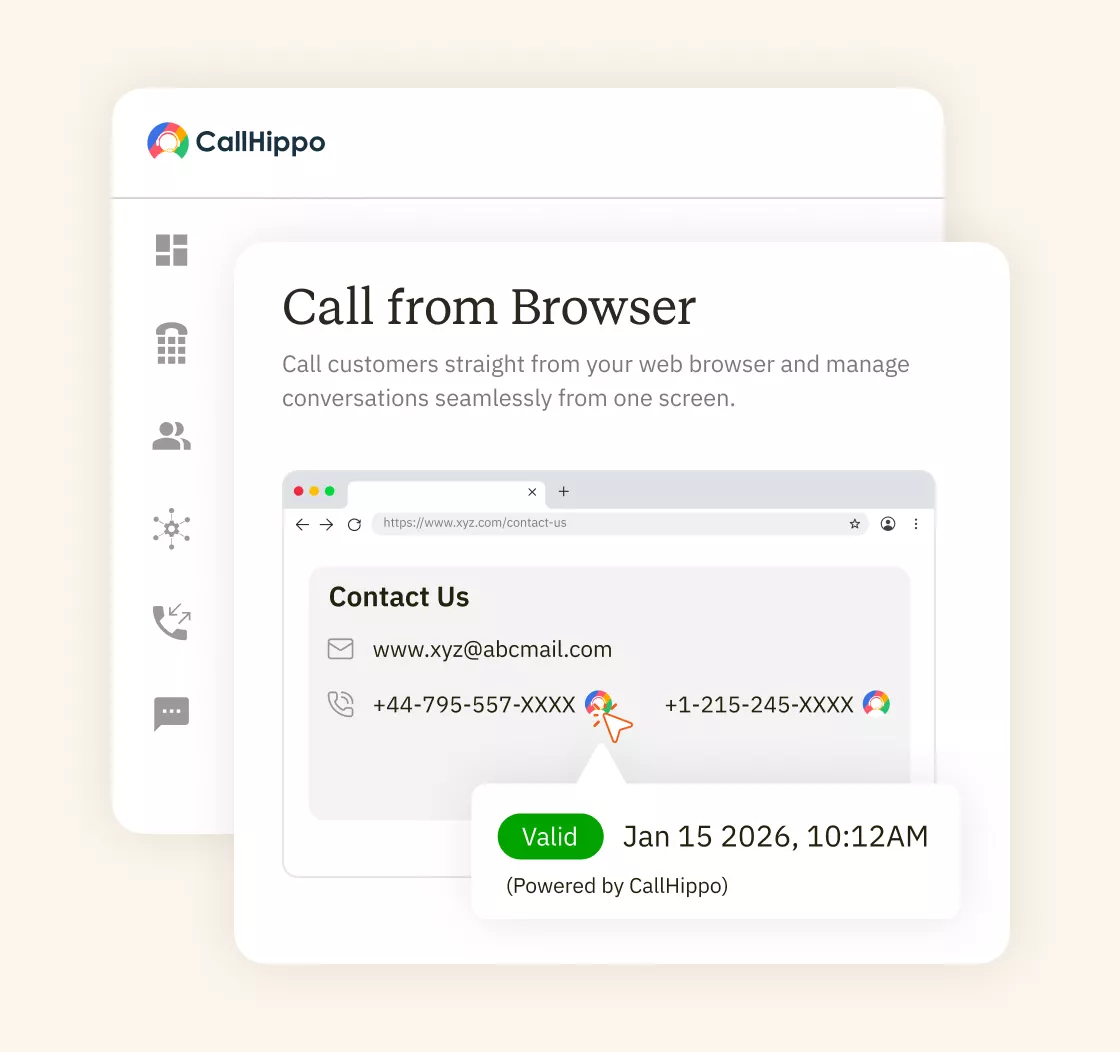







What Is Call From Browser?
Call from browser lets your team make and receive phone calls without desk phones or extra apps. Outgoing and incoming calls happen directly in your web browser using a headset or built-in mic. There’s nothing to install. Once logged in, your business number works the same everywhere, keeping your team connected and professional wherever they are.
How To Call From Browser Using CallHippo?
To make a call from browser with CallHippo is simple and fast.

Start by creating an account on the CallHippo, even from your mobile device. Go to the dashboard, and access browser-based calling through a free trial or entry plan. There’s no hardware to buy and no setup delays.

Log in from Chrome, Firefox, Edge, or Safari from your desktop or mobile phone. The dialer runs inside your browser and uses your mic or headset for audio.

Once you’re logged in, the browser dialer is ready. Plug in a headset, dial the number, and the call connects over the internet. Inbound calls land in the same browser window, with routing, voicemail, and recordings already in place.
What Are the Key Features for Browser Calling?
For browser calling, CallHippo has features that make daily operations easier and more reliable.

Clear, consistent audio ensures every browser phone call sounds professional and reliable.

AI-Copilot reviews calls and generates summaries, giving teams insights without interrupting live conversations.

Speed up dialing from web pages while the call continues in the browser using your mic and headset.

All web browser calls are encrypted and secure, protecting sensitive business conversations.

Track call activity, durations, and team performance for every web browser phone call.

Automatically generated summaries help teams review key points without replaying entire calls.

Call from web browser works on Chrome, Firefox, Edge, and Safari without extensions.

Missed calls are stored as voicemails inside your CallHippo account.
What are the Use Cases for Call from Browser?
Call from browser helps teams start calling immediately, remove setup friction, and manage calls without apps, desk phones, or extra hardware.
- Sales Teams Making Calls From Browser
Sales teams call from their browser to move faster between leads and live conversations. Calls happen inside the browser, even on a cell phone, so reps don’t switch tabs or devices. This makes follow-ups quicker, reduces missed calls, and keeps outreach consistent when teams scale or work across locations. - Support Teams Handling Calls on Browser
Support teams handle inbound and outbound calls directly in the browser while keeping call history, voicemails, and recordings in one place. Agents stay available without desk phones, and managers get visibility into missed calls and workloads. It simplifies daily support operations without adding new tools. - Remote Teams Using Browser Phone Calls
Remote teams use browser phone calls to stay reachable without installing apps or carrying work phones. Team members log in, plug in a headset, and take calls using their business virtual phone number. It works well for hybrid teams that need flexibility without losing call control or accountability.
Pricing
-

 Calling
- 1 Free Phone Number
Get a dedicated standard phone number for each team member at no extra cost. Share numbers across multiple users for collaborative calling.
- Voicemail
- Click to Dial
- Business Hours
Define operating hours for each number to route calls appropriately.
-

 Messaging
 - SMS (Text messages) & MMS
- WhatsApp Business API
 Platform
- 2FA
Add an extra security layer by requiring a verification code in addition to your password.
- Desktop & Mobile Apps
-
Calling
- Unlimited Minutes (Includes Both Landline & Mobile Calling)
Shared pool of free calling minutes for your entire team. Valid for manual dialing to standard US/Canada numbers only.
- Forward to Device Automatically route incoming calls to your mobile or alternative device to never miss calls.
- Ring All Devices Ring simultaneously on all your logged-in devices (desktop, mobile, browser) for every call.
- AI Global Connect View caller's timezone before dialing to reach contacts at optimal times.
- Country Blocking Restrict outbound calls to specific countries to prevent unauthorized international dialing.
-
Messaging
-
100 SMS (Text Messages)
Standard A2P charges apply.
- SMS Templates Create and save message templates for one-click texting with consistent communication.
- Free Omnichannel Inbox


-

 Analytics
- Basic Report Analytics
- Call Logs (1 month) Access detailed records of all calls including duration, outcome, recordings, and participant information.
- Audit Logs Track all account changes and user actions for security, compliance, and accountability.
-
 Integrations
-
ZZapierSSlack50+WWebhook


 Popular
-
Calling
- Unlimited Minutes (Includes Both Landline & Mobile Calling)
Shared pool of free calling minutes for your entire team. Valid for manual dialing to standard US/Canada numbers only.
- Call Recordings Record and store calls for quality monitoring, training, and compliance.
- Multilingual IVR Offer IVR menu options in multiple languages to serve diverse customer bases.
- Call Distribution (Cascading) Route calls to agents in a priority sequence until someone answers.
- Custom Greetings Upload personalized welcome messages for callers to hear when they reach your number.
-
Messaging
-
500 SMS (Text Messages)
Standard A2P charges apply.
-
Analytics
- Reports / Analytics Get detailed insights and summarized analytics on team's calling performance.
- AI Voicemail Transcription Automatically convert voicemail audio to text for faster message review.
- Call Logs (Lifetime)
- Role Based Access Control Assign specific roles with tailored permissions to control what each user can view and manage.
-
Integrations
-
HHubSpotSSalesforcePPipedrive50+ZZoho
-
Calling
- Smart DID Routing Automatically routes calls to the best available agent based on real-time data.
- Multilevel IVR Create multi-step phone menus to route callers to the right department or person automatically.
- Call Blocking Block unwanted callers and spam numbers to keep your team focused on quality conversations.
- Holiday Routing Configure special call handling and greetings for holidays and non-business days.
- CRM-Based VIP Routing Route calls automatically to the correct contact/lead owner based on CRM information.
-
Messaging
-
1000 SMS (Text Messages)
Standard A2P charges apply.
-
 Enterprise
- Single Sign-On (SSO) Log in once to access CallHippo and all integrated tools with your company credentials.
- Custom Integrations Build advanced integrations with your systems—add click-to-call anywhere, sync call data with custom logic, and create workflows specific to your business.
- Dedicated Account Manager Resolve account queries efficiently with dedicated account manager.
- Personalized Onboarding Experience personalized onboarding for a tailored start.
- 24×7 & Phone Support
-
Integrations
-
HHubSpotSSalesforceZZoho50+ZZendesk

“Thanks to the CallHippo team, we were able to resolve a tough issue with flagged phone numbers. As an EdTech startup, outbound calls are crucial for us. CallHippo's solution not only improved our attestation score but also boosted our answer rates and overall customer experience.”

Frequently Asked Questions
-
Yes. CallHippo lets you make online phone calls from web browser like Chrome using a headset or mic and an internet connection.
-
Yes. Call from browser works entirely over the internet using VoIP technology without relying on traditional phone lines.
-
CallHippo supports browser calling on Google Chrome, Firefox, Edge, and Safari without requiring plugins or mobile app downloads.
-
Call quality depends on internet stability and headset quality. Restricted corporate networks may affect performance.
Get International Phone Numbers
 Canada Virtual Phone Number
UK Virtual Phone Number
Canada Virtual Phone Number
UK Virtual Phone Number
 US Virtual Phone Number


