Call Forwarding Service
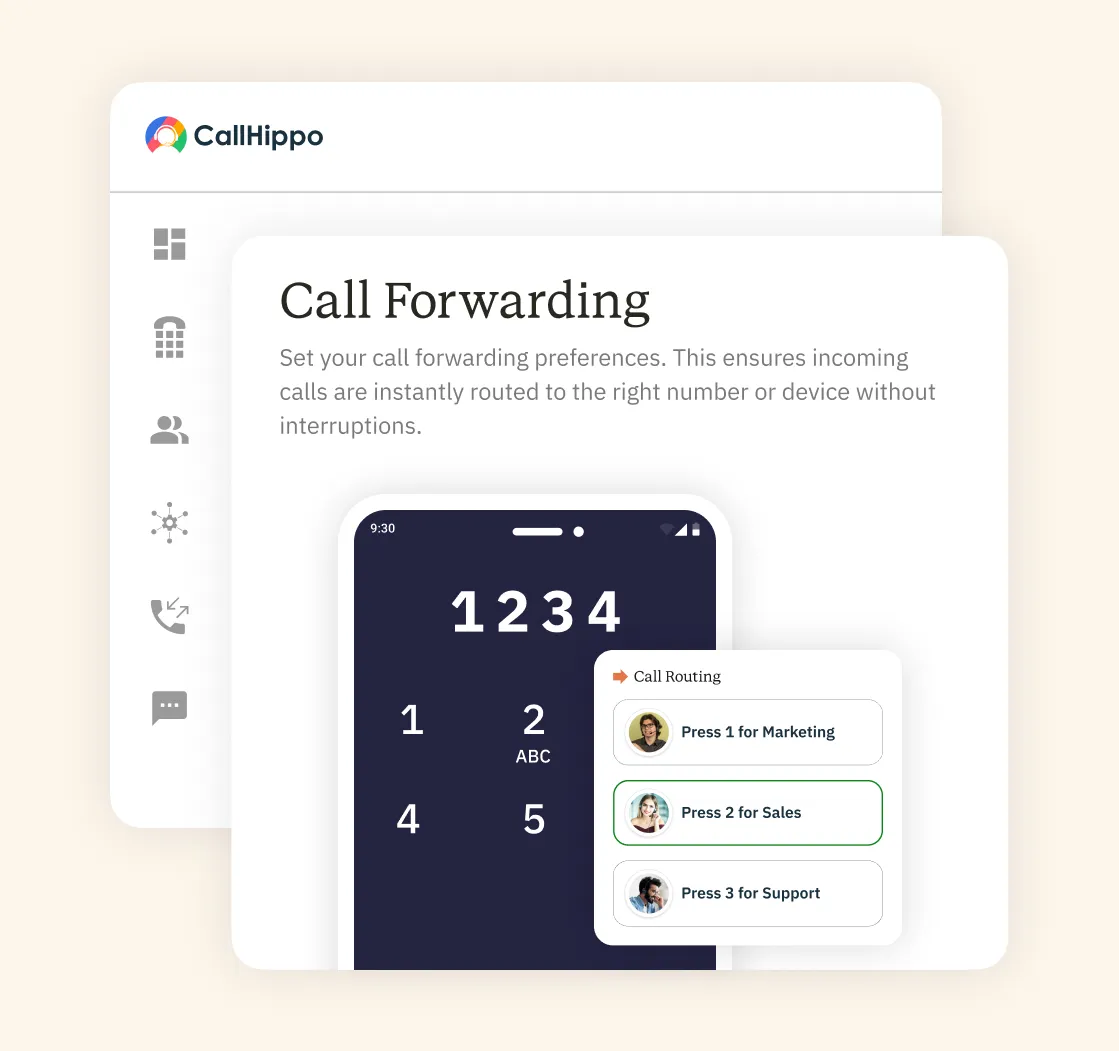
Never let any important call go unanswered. CallHippo’s call forwarding sends every call to the right rep or team. Stay reachable anywhere, on any device, and never miss a call.
- Forward calls to any location or device easily
- Set rules for busy, no-answer, or after-hours calls
- Never miss a single lead, even while away







What are the Benefits of a Call Forwarding Service?
A good call forwarding service pays off. Here is what your business really gains.

No call is missed, even when you are away. You capture leads instead of losing them to voicemail.

Forward calls to any location or device. Your remote team stays connected no matter where they work.

Call forwarding runs entirely in the cloud. You need no phones, wires, or expensive equipment to get started.

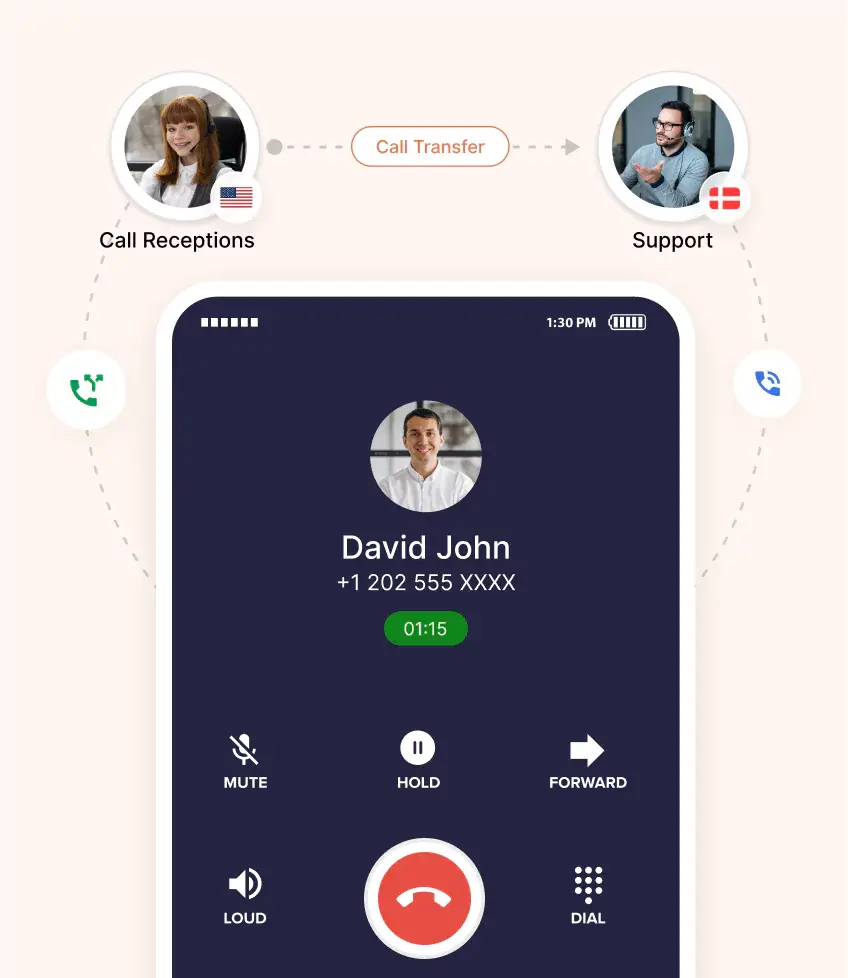
Calls reach the right person on the very first try. Customers get help quickly without long transfers or waits.

Forward calls from local numbers in any city or country. Customers see a familiar number and trust your business more.

Customers always reach a real person, not a dead end. Faster, smoother calls leave every caller feeling valued.
What are the Smart Features That Work Seamlessly with Call Forwarding?
Call forwarding works even better with smart features. Here are the ones that matter most.

This call forwarding feature sends calls to the right person automatically. Smart routing follows your rules, so nothing gets lost.

Greet callers and guide them with a simple menu. They reach the right department without any manual transfers.

Get every voicemail sent straight to your inbox. Read or listen to messages anytime, even on the go.

Track call volume, wait times, and agent performance easily. Use the clear data to make smarter business decisions.

Connect call forwarding to HubSpot, Salesforce, Zoho, and more. Every call is logged against the right contact in your CRM.

Welcome callers with a message that fits your brand. Set the right tone before the call even connects.

See caller details before you decide to answer. Accept, forward, or send calls to voicemail with one tap.

Play pleasant, custom hold music while your callers wait. A better wait keeps people on the line longer.
What are the Different Types of Call Forwarding?
Call forwarding works in a few different ways. Here is how each main type works.
- Unconditional Forwarding
This sends every incoming call straight to another number. It works all the time, no matter your status. Use it when you always want calls handled elsewhere. - Forward When Busy
This forwards calls only when your line is busy. Callers reach a backup instead of a busy tone. It keeps you from ever losing a busy-hour lead. - Forward on No Answer
This forwards calls when no one picks up in time. The call will be transferred to another agent or to your mobile. No caller is ever left ringing with no reply. - Scheduled / Time-Based Forwarding
This forwards calls based on the time or day. Route them differently for work hours, nights, or weekends. Your calls always follow the schedule you set.
Pricing
-

 Calling
- 1 Free Phone Number
Get a dedicated standard phone number for each team member at no extra cost. Share numbers across multiple users for collaborative calling.
- Voicemail
- Click to Dial
- Business Hours
Define operating hours for each number to route calls appropriately.
-

 Messaging
 - SMS (Text messages) & MMS
- WhatsApp Business API
 Platform
- 2FA
Add an extra security layer by requiring a verification code in addition to your password.
- Desktop & Mobile Apps
-
Calling
- Unlimited Minutes (Includes Both Landline & Mobile Calling)
Shared pool of free calling minutes for your entire team. Valid for manual dialing to standard US/Canada numbers only.
- Forward to Device Automatically route incoming calls to your mobile or alternative device to never miss calls.
- Ring All Devices Ring simultaneously on all your logged-in devices (desktop, mobile, browser) for every call.
- AI Global Connect View caller's timezone before dialing to reach contacts at optimal times.
- Country Blocking Restrict outbound calls to specific countries to prevent unauthorized international dialing.
-
Messaging
-
100 SMS (Text Messages)
Standard A2P charges apply.
- SMS Templates Create and save message templates for one-click texting with consistent communication.
- Free Omnichannel Inbox


-

 Analytics
- Basic Report Analytics
- Call Logs (1 month) Access detailed records of all calls including duration, outcome, recordings, and participant information.
- Audit Logs Track all account changes and user actions for security, compliance, and accountability.
-
 Integrations
-
ZZapierSSlack50+WWebhook


 Popular
-
Calling
- Unlimited Minutes (Includes Both Landline & Mobile Calling)
Shared pool of free calling minutes for your entire team. Valid for manual dialing to standard US/Canada numbers only.
- Call Recordings Record and store calls for quality monitoring, training, and compliance.
- Multilingual IVR Offer IVR menu options in multiple languages to serve diverse customer bases.
- Call Distribution (Cascading) Route calls to agents in a priority sequence until someone answers.
- Custom Greetings Upload personalized welcome messages for callers to hear when they reach your number.
-
Messaging
-
500 SMS (Text Messages)
Standard A2P charges apply.
-
Analytics
- Reports / Analytics Get detailed insights and summarized analytics on team's calling performance.
- AI Voicemail Transcription Automatically convert voicemail audio to text for faster message review.
- Call Logs (Lifetime)
- Role Based Access Control Assign specific roles with tailored permissions to control what each user can view and manage.
-
Integrations
-
HHubSpotSSalesforcePPipedrive50+ZZoho
-
Calling
- Smart DID Routing Automatically routes calls to the best available agent based on real-time data.
- Multilevel IVR Create multi-step phone menus to route callers to the right department or person automatically.
- Call Blocking Block unwanted callers and spam numbers to keep your team focused on quality conversations.
- Holiday Routing Configure special call handling and greetings for holidays and non-business days.
- CRM-Based VIP Routing Route calls automatically to the correct contact/lead owner based on CRM information.
-
Messaging
-
1000 SMS (Text Messages)
Standard A2P charges apply.
-
 Enterprise
- Single Sign-On (SSO) Log in once to access CallHippo and all integrated tools with your company credentials.
- Custom Integrations Build advanced integrations with your systems—add click-to-call anywhere, sync call data with custom logic, and create workflows specific to your business.
- Dedicated Account Manager Resolve account queries efficiently with dedicated account manager.
- Personalized Onboarding Experience personalized onboarding for a tailored start.
- 24×7 & Phone Support
-
Integrations
-
HHubSpotSSalesforceZZoho50+ZZendesk
How Does CallHippo Compare to Other Call Forwarding Services?
Not every call forwarding provider is a fit for every business. Here is what each one does best.
CallHippo
CallHippo is best for teams wanting powerful forwarding at a fair price. You get smart routing, analytics, and CRM sync in one platform.
Grasshopper
Grasshopper is best for solopreneurs and very small teams. It offers simple call forwarding with an easy mobile app.
Dialpad
Dialpad is best for teams that want AI-driven calling. It blends forwarding with built-in voice AI and transcription.
RingCentral
RingCentral is best for large enterprises needing an all-in-one system. It offers deep features but comes at a higher price.
GoTo Connect
GoTo Connect is best for teams wanting calls and meetings together. It bundles forwarding with video and messaging tools.
8×8
8×8 is best for global companies with international calling needs. It offers broad coverage across many countries worldwide.
How to Choose the Best Provider for Call Forwarding?
Choosing call forwarding software takes some thought. Weigh these five things before you decide.
Business Need (Users, Multi-Channel, Integration)
Start by mapping out what your business truly needs. Count your users and the channels you actually use. Check which tools you must connect, such as your CRM. The right fit starts with knowing your requirements.
Budget
Look beyond the monthly price to the full value. Check for hidden fees, add-ons, and setup costs. Make sure the plan fits your budget as you grow. The cheapest option is not always the smartest.
User Experience
Your team should find the software simple to use. A clean, intuitive setup means faster adoption and fewer errors. Test the dashboard and mobile app before you commit. Good user experience saves your team hours.
Reliability and Support
Your calls must connect every single time, without fail. Look for strong uptime and clear service guarantees. Check that real support is there when you need it. Reliable help matters most when something goes wrong.
Integration Capabilities
Your call forwarding system should connect with your other tools. Check for CRM, helpdesk, and calendar integrations you use. Smooth connections keep your data in one place. Strong integrations save time and cut manual work.
Call Forwarding vs. Call Routing vs. Auto Attendant: What’s the Difference?
These three tools sound similar but differ. Here is how each one really works.
Call Forwarding
Call forwarding sends an incoming call to another number. It might go to your mobile, a colleague, or voicemail. The aim is simple: make sure the call always reaches someone quickly.
Call Routing
Call routing determines where a call should go based on rules. It sends callers to the best agent, team, or queue. Routing can use skills, time, or caller history to make a choice.
Auto Attendant
An auto attendant is an automated voice menu for callers. It greets them and offers options, such as “press one for sales.” Callers are then routed to the right department instantly.

“Thanks to the CallHippo team, we were able to resolve a tough issue with flagged phone numbers. As an EdTech startup, outbound calls are crucial for us. CallHippo's solution not only improved our attestation score but also boosted our answer rates and overall customer experience.”

Frequently Asked Questions
-
Call forwarding sends an incoming call to another number. It makes sure you never miss an important call.
-
Yes, CallHippo makes 800 number call forwarding effortless. Route toll-free calls to any phone, landline, or VoIP instantly.
-
No, call forwarding is integrated with the CallHippo VoIP phone system. You can access the feature for free. If you have not subscribed to the unlimited minutes plan and your consumption goes beyond the free limit, you will be charged based on the incoming and outgoing rates.
-
No, not at all! To access the call forwarding feature in the CallHippo phone system, you don't need any extra hardware or equipment. You should activate the feature while you configure your phone system.
-
No, the caller generally won't know that their call is being forwarded. The call is routed seamlessly without any indication, and the caller will hear the regular ringing tone as if the call is going directly to the original recipient.
-
Yes, you can add international numbers as your forwarding number.
-
Yes, you can forward incoming calls to any number, including cell phone, landline, or VoIP numbers. By doing so, you can be available to your customers all the while.
-
Yes, most telecom providers allow you to set specific rules for call forwarding. You can forward calls based on certain conditions like time of day, specific contacts, or when your phone is busy or unreachable, allowing for greater flexibility in managing incoming calls.
Related Post





Get International Phone Numbers
 Canada Virtual Phone Number
UK Virtual Phone Number
Canada Virtual Phone Number
UK Virtual Phone Number
 US Virtual Phone Number